Microsoft has officially announced the gradual rollout of Windows 11 26H2. Also called “Windows 11 2026 Update,” this new version of the operating system is now starting to arrive on supported PCs.
But don’t expect a huge update that will take an hour to install. Windows 11 26H2 is distributed in the form of a small activation package (eKB), which makes the transition from Windows 11 24H2 or 25H2 especially quick. On our PC it only took a few seconds before Windows asked us to restart.
Let’s take a look at what’s in store for Windows 11 26H2, how to install it now, and why the update may not appear on your PC yet.
A simple activation package to upgrade to Windows 11 26H2
The transition to Windows 11 26H2 is particularly fast. And rightly so, Microsoft distributes this new version in the form of a small activation package, also called eKB (Enablement Package).
Windows 11 24H2, 25H2 and 26H2 are based on the same foundation. Many of the files required for 26H2 are already present on updated PCs, but remain disabled until the KB5121794 package is installed.
Installation only takes a few moments. We noticed this on our Windows 11 25H2 PC. After clicking on “Download and install”, Windows already asked us to restart a few seconds later. Once back on the desktop, our machine was running Windows 11 26H2, with build 26300.9457.
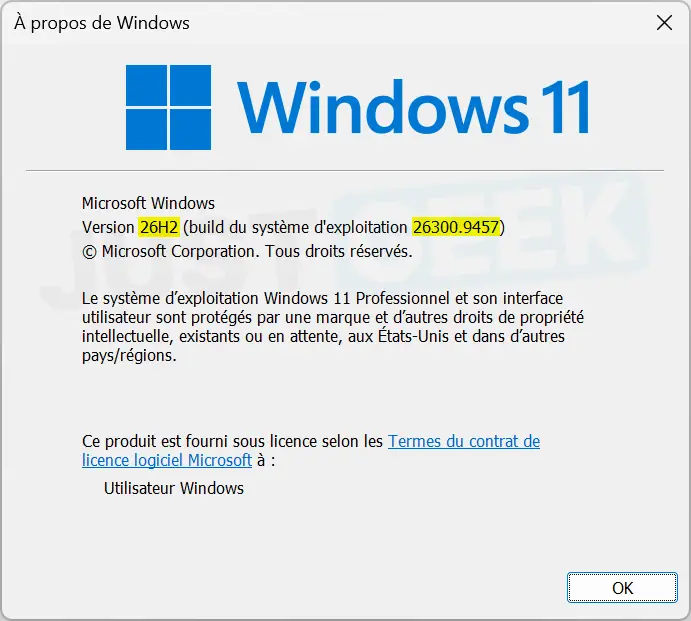
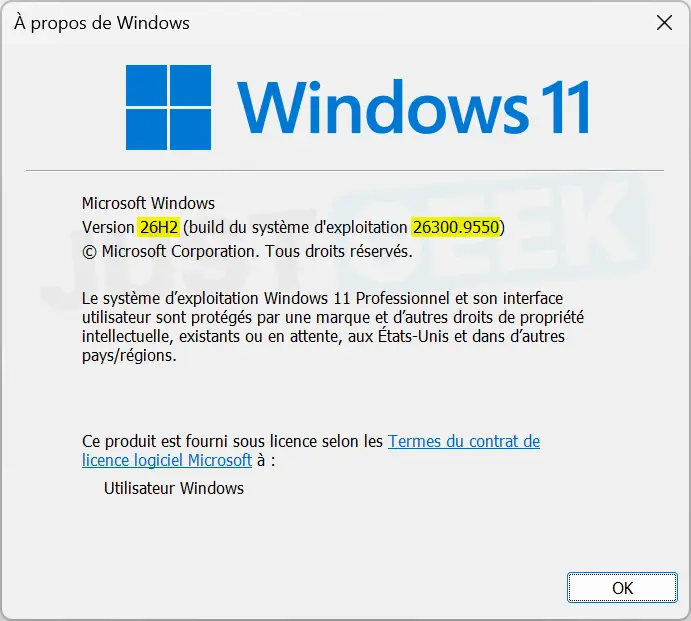
There’s still a bit of curiosity left. in your documentationMicrosoft says that the KB5124010 update from September 22, 2026, or newer, should be installed before the KB5121794 package. On our PC, however, this was not the case. Windows Update first offered us 26H2, then KB5124010 immediately after. Your installation then moved the system from build 26300.9457 to build 26300.9550.
What’s new in Windows 11 26H2?
If your PC is already running Windows 11 24H2 or 25H2 and up to date, don’t expect to discover a flood of new features after installing 26H2.
Microsoft is no longer necessarily waiting for a new version of Windows 11 to add features to the system. Now they are arriving little by little through monthly updates. Some new features attached to 26H2 Therefore, they may already be present on your PC.
This is particularly the case with the possibility of moving the taskbar to the top or to the sides of the screen and reducing its size. Microsoft also made several changes to the Start menu and Windows Search, including an option to turn off web results.
The transition to Windows 11 26H2 above all allows us to start a new support cycle. The Home and Professional editions will benefit from 24 months of updates, compared to 36 months for the Business and Education editions.
| Version | Family / Professional | Business/Education |
|---|---|---|
| Windows 11 24H2 | October 13, 2026 | October 12, 2027 |
| Windows 11 25H2 | October 12, 2027 | October 10, 2028 |
| Windows 11 26H2 | October 9, 2028 | October 8, 2029 |
Microsoft is rolling out Windows 11 26H2 gradually. Therefore, the update will not necessarily appear immediately on your PC, even if it is perfectly compatible.
To check if it is available, open Windows 11 Settings with the shortcut windows + Yoand then go to Windows Update.
Start by activating the “ button Receive the latest updates as soon as they are available “. Microsoft says that PCs with this option enabled are among the first to receive Windows 11 26H2.
Then click “ Check for updates “. If 26H2 is available for your PC, insert “ Windows 11, version 26H2 is available » should appear. Then click “ Download and install “.
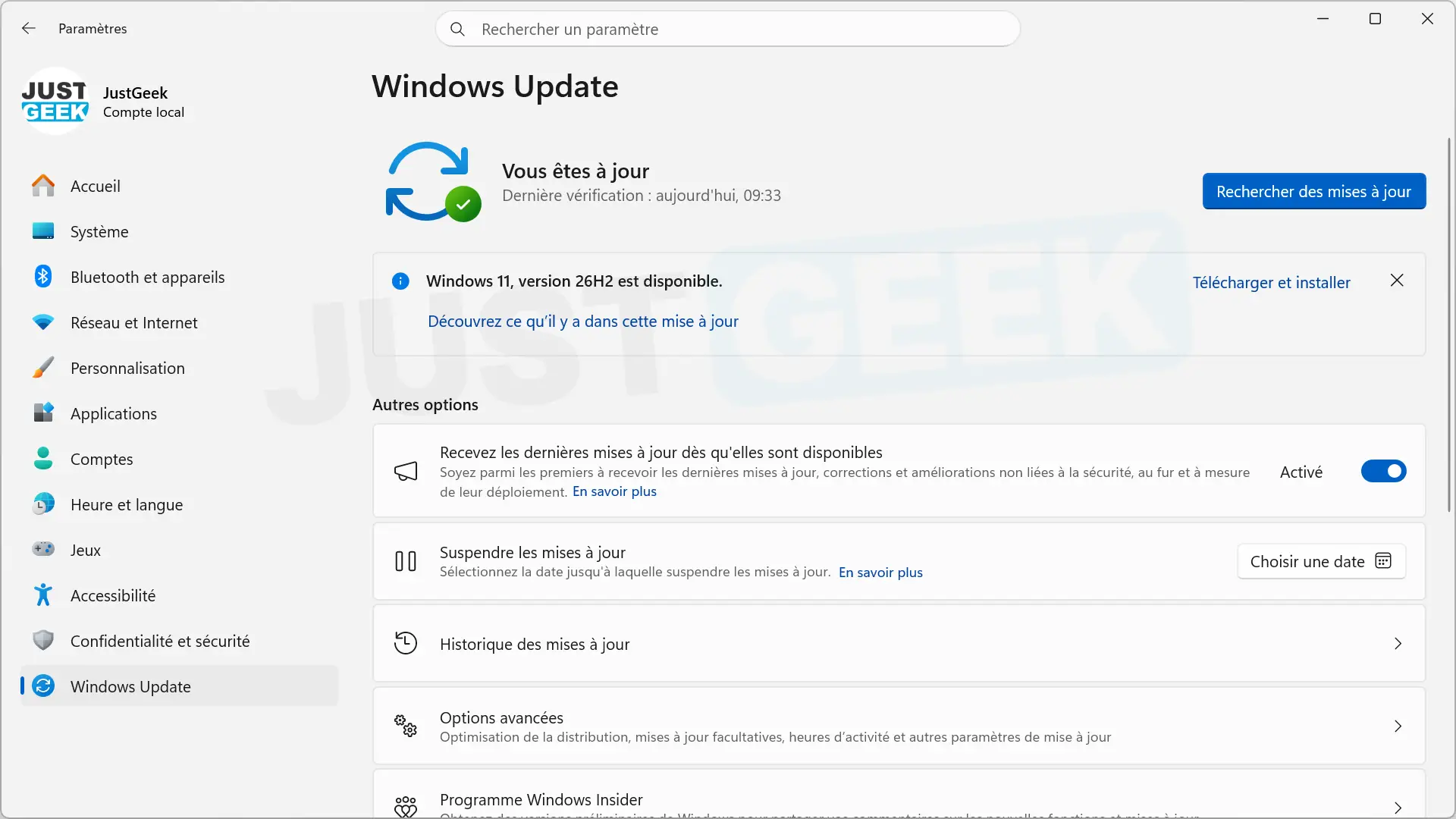
As we saw previously, the download and installation is very fast since 26H2 goes through the KB5121794 activation package. Windows will then ask you to restart your PC to complete the update.
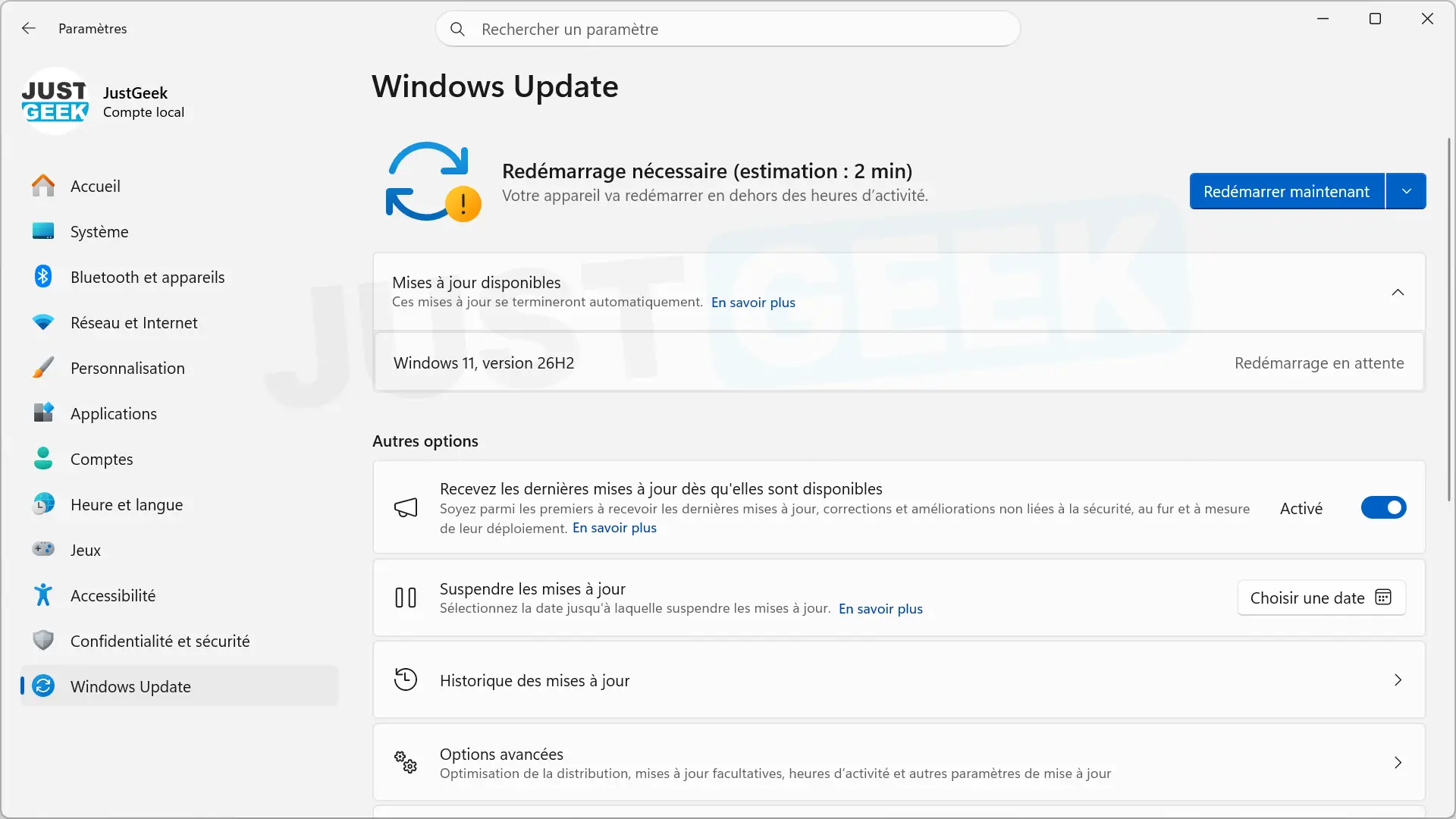
Once the reboot is complete, you can type winver in the Run dialog box (windows + R) to verify that version 26H2 is installed correctly.
Windows 11 26H2 not showing up? Here are the other solutions.
Windows Update still not offering you Windows 11 26H2? Several solutions allow you to start the update without waiting for it to be automatically deployed.
The fastest way now is to manually install the KB5121794 activation package offered by Microsoft. It allows you to go directly from Windows 11 24H2 or 25H2 to 26H2 with a simple reboot. To install it, your PC must have KB5124010 (build 26100.9546) or a newer cumulative update.
You can download KB5121794 directly from Microsoft servers depending on your PC architecture:
Once the file is downloaded, double-click it to start the installation and then restart your PC when Windows prompts you to do so.
You can also go through the Windows 11 installation wizard, available on the Windows 11 download page. Once downloaded, run it and let yourself be guided. Your files, apps, and settings will be preserved during the update.
Windows 11 26H2 ISO image is also available for download. It can be used, in particular, to update multiple PCs or to create a USB key to reinstall Windows 11.
If you are already offered 26H2 in Windows Update, there is no need to follow these methods. You can also click “Download and install” and let Windows do the rest.