A few days ago we presented ArtCraft, this slightly crazy project from an American developer who seeks to recreate Adobe software with the help of artificial intelligence (Claude). Photoshop, Illustrator, Premiere Pro, After Effects… Seven free and open source alternatives have already emerged.
Since then there has been a lot of talk about the project, and not always in a good way. Some criticize its creator in particular for relying too much on AI to develop its software, while others question its reliability and its relevance compared to the open source alternatives that already exist. Criticism that obviously did not discourage Brandon Thomas!
Because the American developer has no intention of stopping there. This time it takes on Microsoft Office with three new software programs called WordCraft, GridCraft and DeckCraft, which seek to reproduce Word, Excel and PowerPoint.
Obviously I wanted to try these three new software programs to see what they offer. And although there is still a lot of work to do, they are already functional, at least for the few manipulations I was able to perform.
WordCraft, a free alternative to Microsoft Word
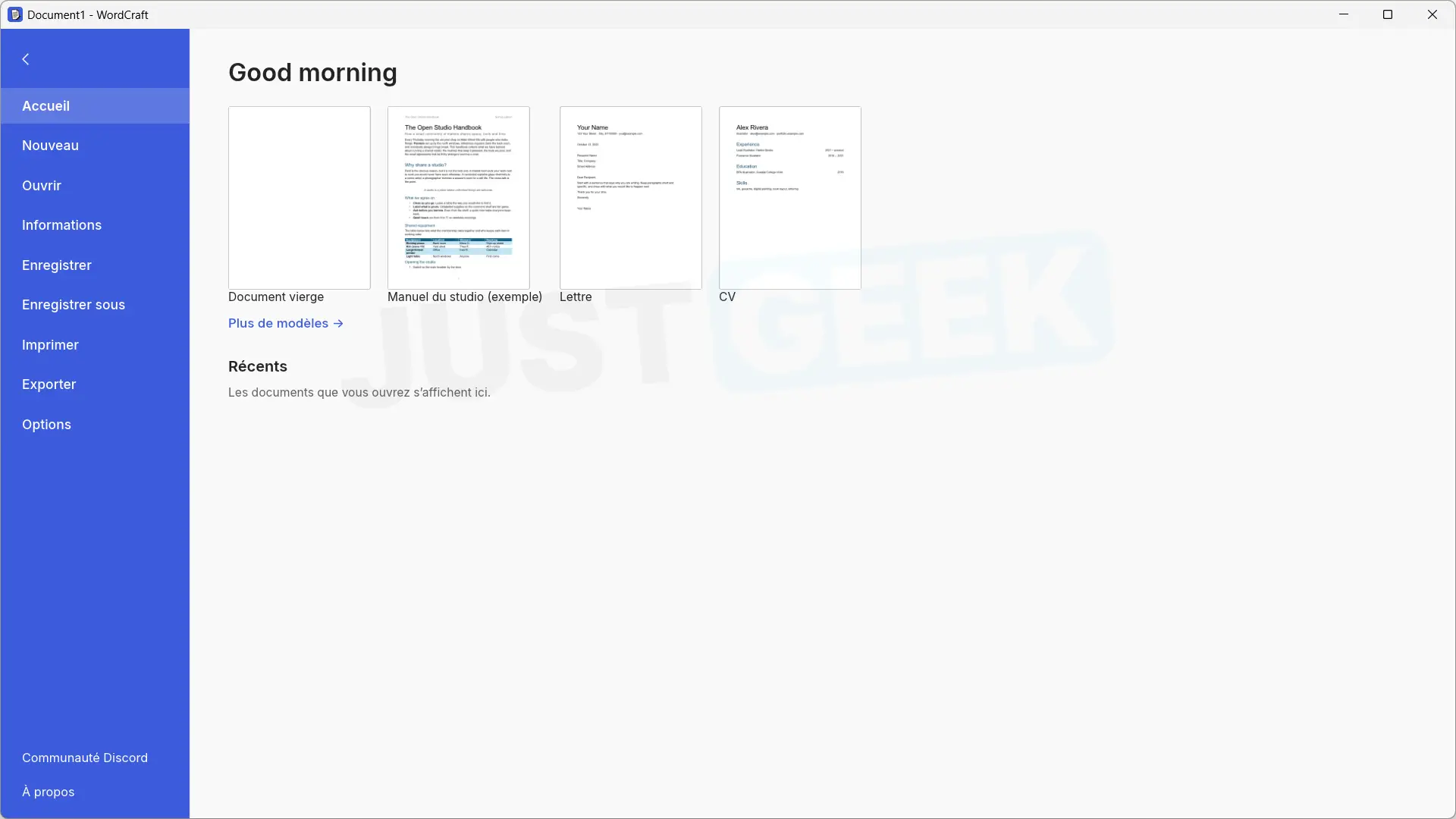
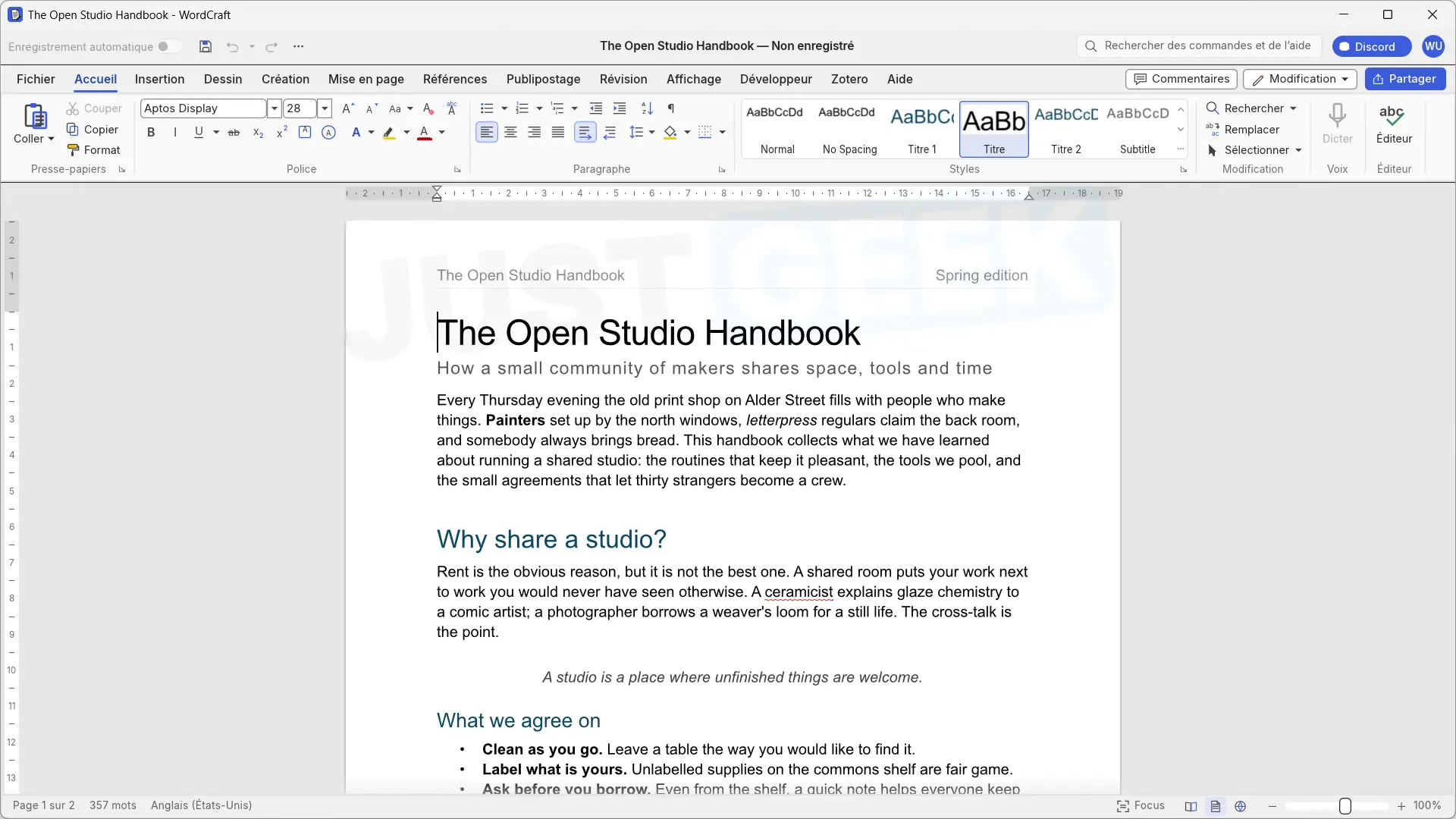
We start with WordCraftthat seeks to reproduce Microsoft Word. And as you can see in the screenshots above, the resemblance is quite striking. We find the famous ribbon with its different tabs, formatting tools and menus very similar to those of Microsoft software.
At launch, WordCraft offers several document templates, including a letter and a resume. I opened one up to do some testing and frankly it works fine. I was able to edit the text, change its formatting, and cycle through the different options without encountering any problems.
Then I’m not going to tell you that WordCraft can now replace Microsoft Word. I’ve only tested a few fairly simple features and there are certainly still a lot of things to improve. But for a first version, it’s not that bad.
GridCraft, a free alternative to Microsoft Excel
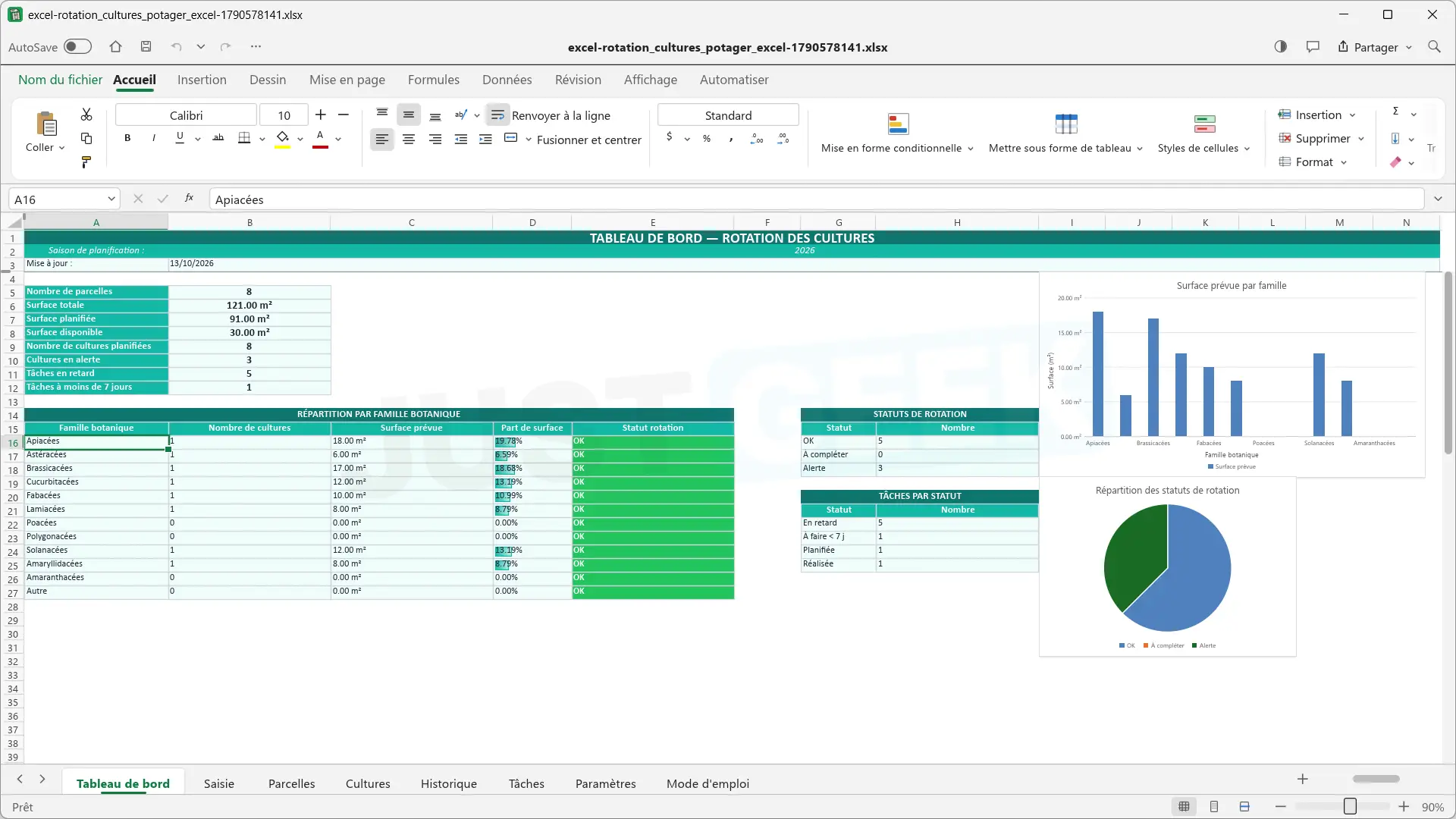
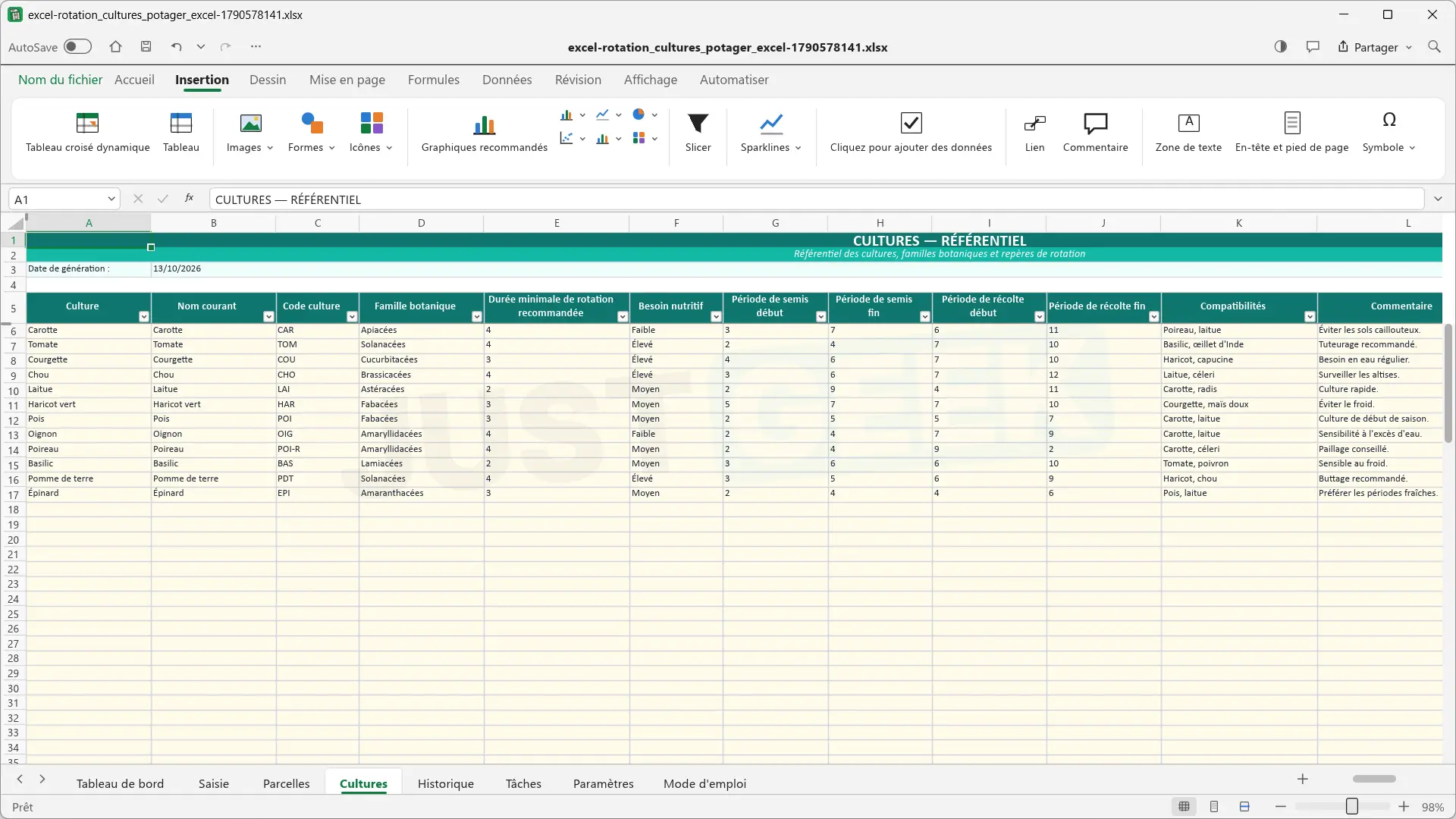
Let us now move on to Gridwhich on this occasion seeks to reproduce Microsoft Excel. Also in this case the developer has used an interface very close to the original, with its ribbon, its formula bar, its cells and its different tabs.
To test it, I opened an Excel file in XLSX format that I already had on my PC. It contained several sheets, colorful tables and graphs. To my surprise, everything is displayed correctly, at least at first glance. I was also able to modify several cells and perform some simple manipulations. Everything worked as expected.
Later, not being a great spreadsheet specialist, I did not venture into complex formulas, macros or pivot tables. Therefore, it is difficult to say whether GridCraft is capable of handling more advanced Excel files. But in the few surgeries I’ve done, it worked.
DeckCraft, a free alternative to Microsoft PowerPoint
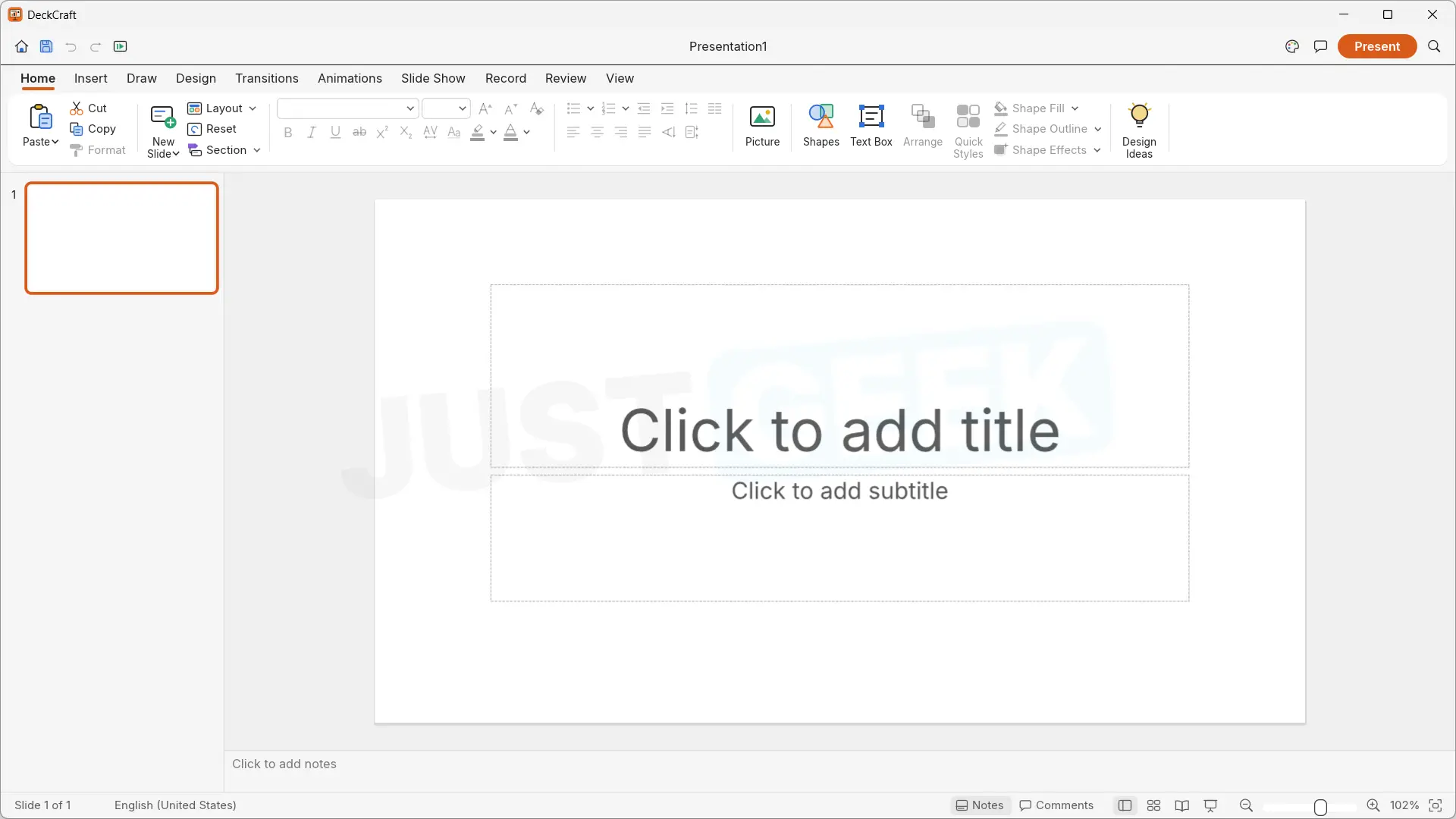
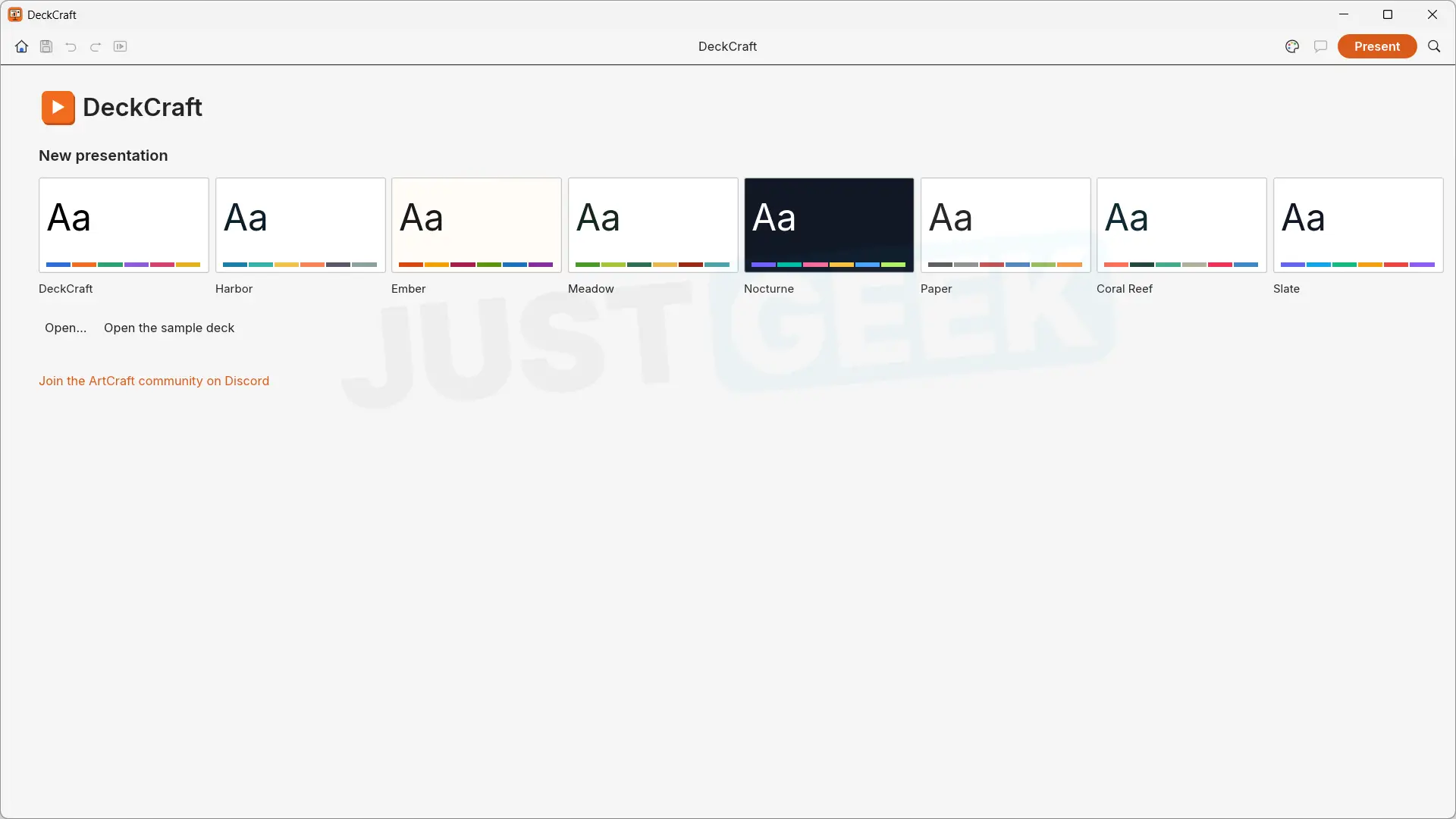
we end with DeckCraftlooking to play Microsoft PowerPoint. And as with the other two software programs, the developer has taken much of the interface from the original software, with the slide thumbnails on the left, the ribbon and the different tools to create a presentation.
The software offers eight themes to start a presentation, as well as options to add text, images or shapes. There are also menus dedicated to transitions and animations, even if some features still appear to be unavailable. Small difference with the other two applications, DeckCraft has not yet been translated into French. Therefore, for the moment we will have to make do with an English interface.
I also did some testing with this software, limiting myself to the features I know, because I’m not a PowerPoint expert either. But from what I’ve tried, it works very well.
ArtCraft Launcher – all software in one place
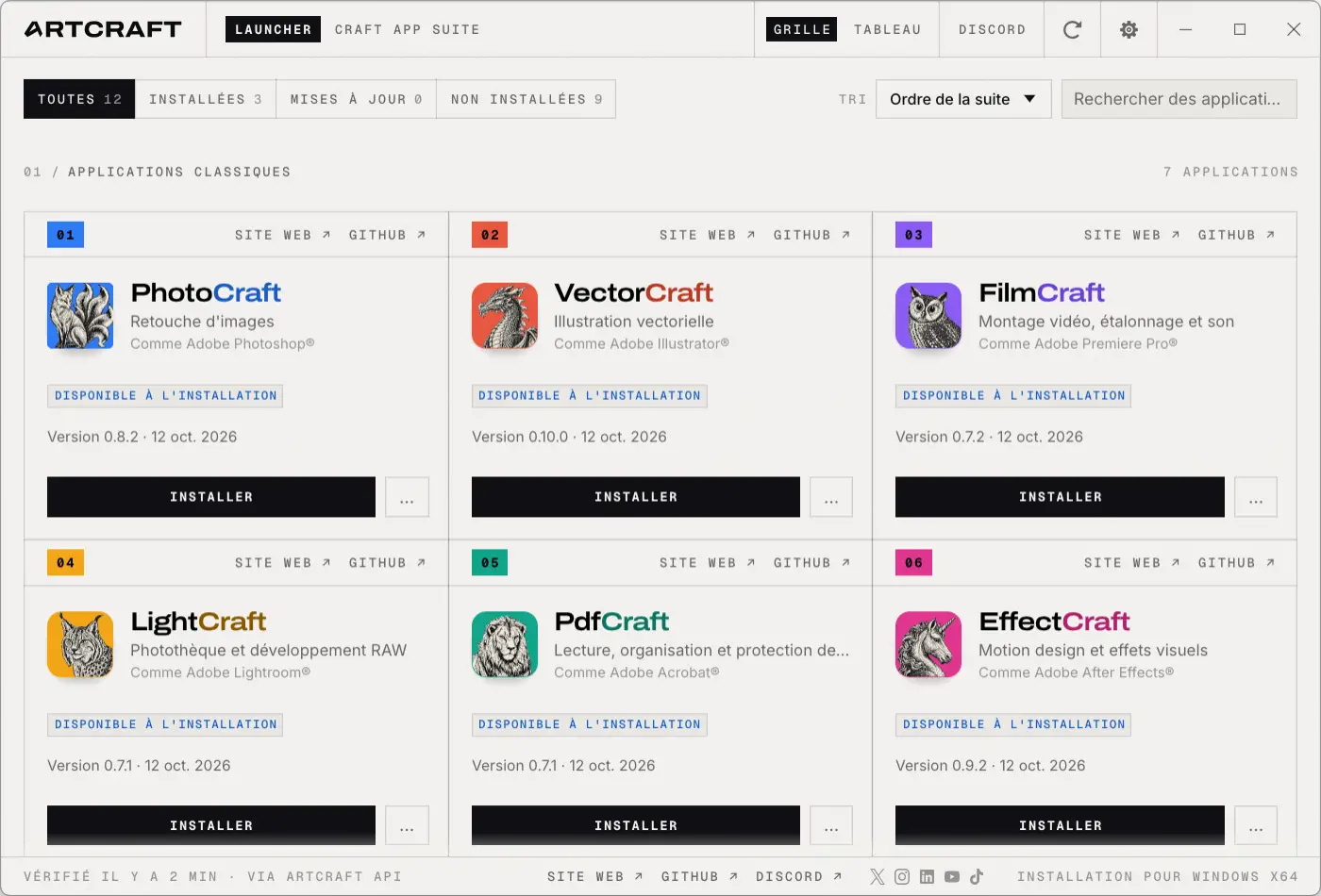
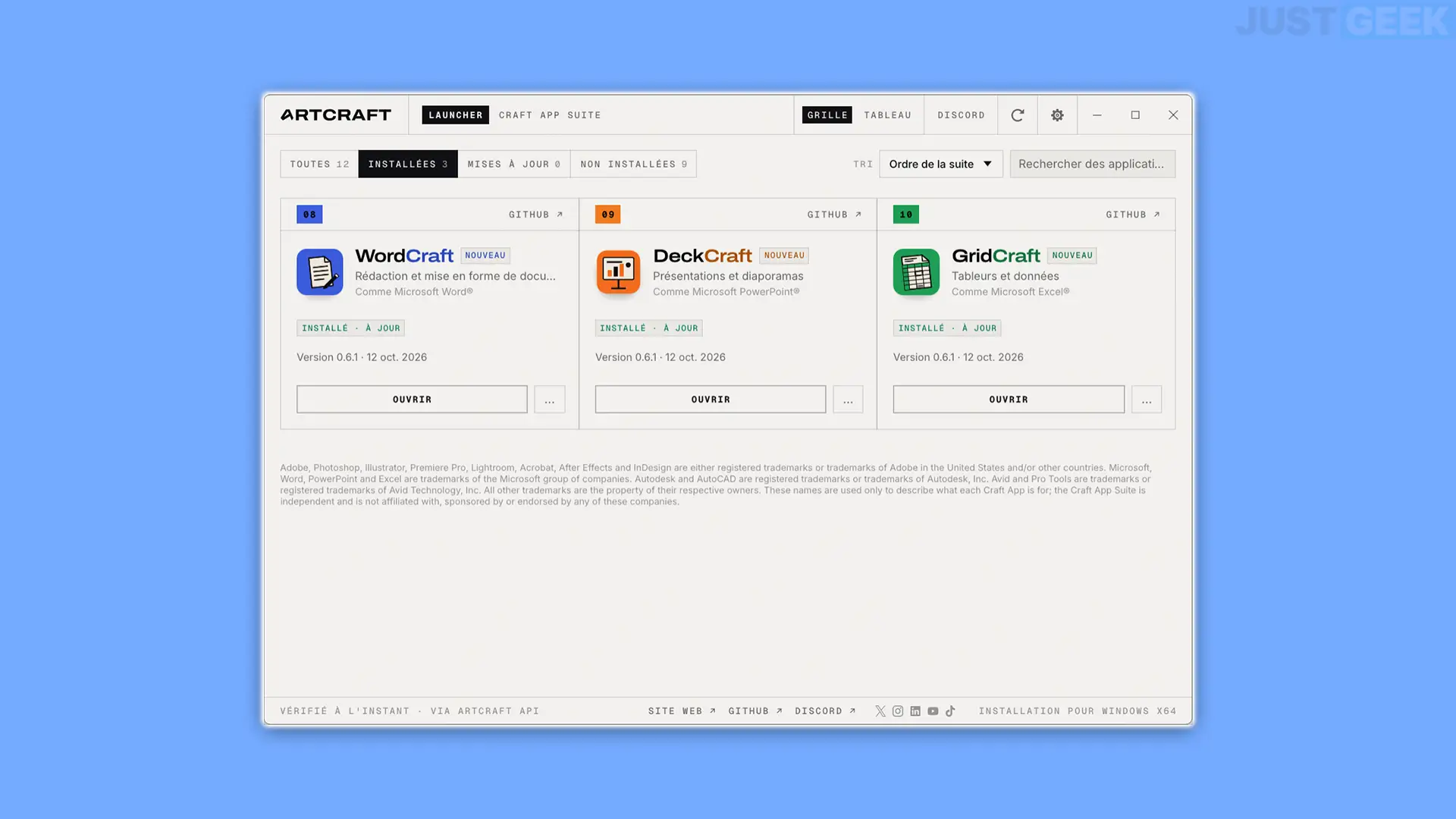
With all this software, you really needed a launcher to get your bearings. Well, it’s done, since Brandon Thomas has just launched ArtCraft Launcher, a small program that allows you to download, install and manage all your applications from a single interface.
It’s very simple. you download ArtCraft Launcheryou install it on your computer and then open it. You then have access to the list of available applications, with an “Install” button for each of them. You can choose only the ones that interest you and that’s it.
The launcher tells you what software is already installed, its version number, and available updates. And, frankly, it’s even more practical this way!