Microsoft has advertisement the end of your backlog management app by June 30, 2027. And if professionals are invited to turn to Microsoft PlannerUsers will have to look for another solution, since Microsoft does not plan any replacement.
Well, the good news is that there are several free and open source software programs that allow you to continue creating lists, organizing your tasks, and setting reminders. I have selected for you five alternatives to Microsoft To Do, all available on Windows, which I invite you to discover in this article.
Super Productivity: to manage your tasks and better organize your time
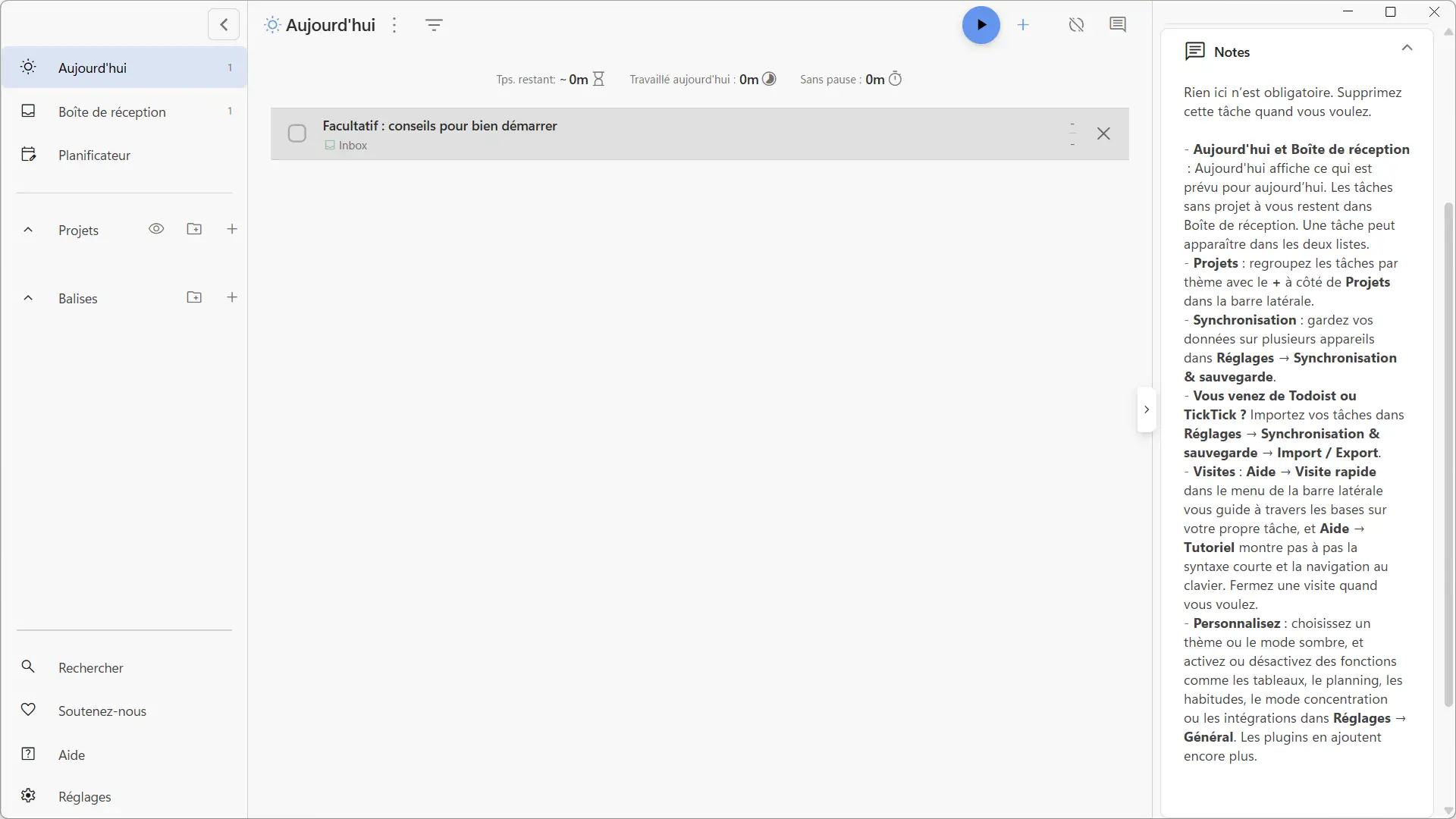
Super productivity It is free and open source software that goes a little beyond what Microsoft To Do offers. In addition to creating to-do lists, it allows you to organize your projects, plan your days, and track the time spent on each activity.
The program is available in French and remains relatively simple to use. You can create tasks and subtasks, assign them a deadline, add notes, or even sort them by projects and tags. And to know where you are in your work, an agenda allows you to find everything you plan to do during the day.
The software also offers a stopwatch to measure the time spent on each task, as well as a focus mode with a Pomodoro timer. You can even set reminders to remember to take breaks. Because yes, you have to take a break from time to time!
Plus, if you want to customize your software, you’ll have a lot to do. Super Productivity has many extensions to add features or connect services like GitHub, Trello or Google Calendar. And if you work on multiple devices, you can sync your tasks for free with SuperSync, the service built into the software, or through Dropbox, WebDAV or Nextcloud. Otherwise, everything remains saved locally on your computer.
The software works on Windows, macOS, Linux, Android and iOS. Personally I like it a lot, I think it is a good alternative for those who want a complete task manager. Then, if you’re simply looking to make your shopping lists or jot down some reminders, you’ll probably have to resort to a more minimalist solution.
WeekToDo: organize your week and your to-do lists
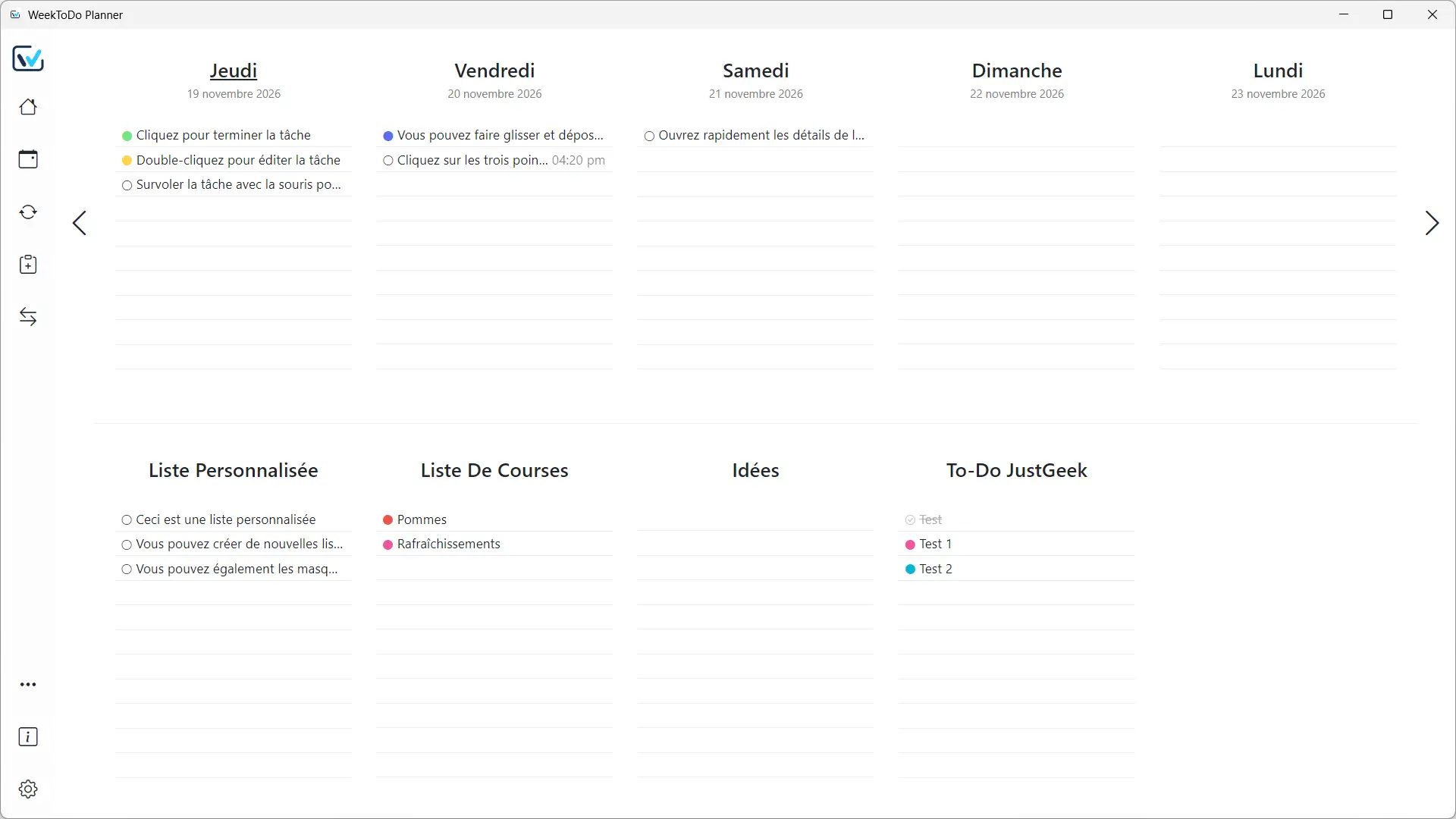
week to do is a free and open source task manager that looks a bit like a paper planner. Its interface shows a calendar with a five-day view by default, but you can show up to twelve in the settings. Just below, a space allows you to create your own to-do lists. Everything is grouped on a single page, allowing you to quickly see what you plan to do.
To add a task, you can type directly on a calendar line or scroll through the three-dot menu for the day in question, then select “New Task.” If your schedule changes, simply move your tasks from one day to the next by dragging and dropping. And for things you need to do regularly, like taking out the trash or paying a bill, you can schedule them to repeat.
Each task can contain subtasks, notes, and a color to distinguish it from the others. You also have the option to set a specific time and set an alarm to receive a reminder. As for the lists located below the calendar, you are free to organize them as you wish. For example, one list for shopping, another for household chores, and a third to write down your ideas.
In the settings, several options allow you to customize WeekToDo: activate the dark theme, modify the display, or even choose to automatically move old tasks and place completed ones at the end of the lists. The application is translated into French and even allows you to choose the sound of notifications.
WeekToDo is available on Windows, macOS, and Linux, but you can also access it directly from your web browser. There is no registration required and your data is saved locally on your device. You can export them to keep a copy. However, you can’t automatically sync your tasks across multiple devices.
Mindwtr: the GTD method to never forget anything
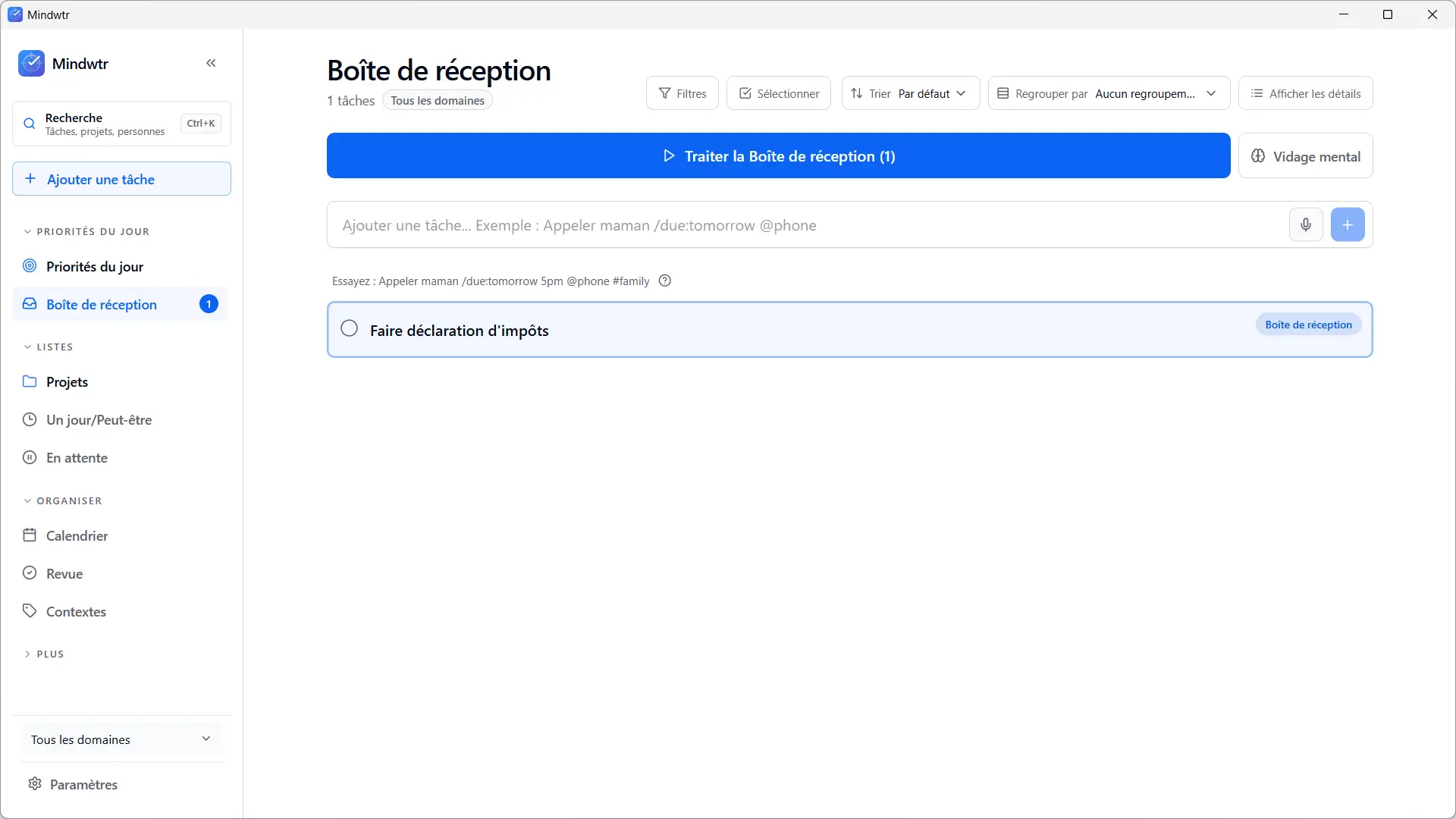
mentewtr is free and open source software that uses the method GTD (get things done) to organize your tasks. If you’re not familiar with this method, it was invented by David Allen and simply involves writing down everything that comes to mind and then sorting your tasks based on what you need to do, what can wait, and what you want to save for later. Basically, it’s a way to organize yourself without having to remember a thousand things at once.
At Mindwtr, it all starts in your inbox, where you can jot down your tasks as they come to mind. Then, you are free to assign them a deadline, a priority, associate them with a project, or add a context like “Home” or “Work.” Tasks are then divided into several sections, including “Next Actions,” “To Do,” and “Someday/Maybe.” You even have a “Today’s Priorities” section to know which ones you should attend to first.
If you prefer a more visual presentation, Mindwtr includes a calendar with day, week, and month views, as well as a Kanban board to track the progress of your tasks. You can also set reminders, create recurring tasks, and conduct daily or weekly check-ins to check in.
You can use Mindwtr offline and keep all your data on your computer. If you have multiple devices, synchronization is possible with Dropbox, WebDAV or your own server. You can also pull tasks from Gmail or Obsidian, view external calendars, and use an optional AI assistant to help you organize certain tasks.
Mindwtr is available in French on Windows, macOS, Linux, Android and iOS. Note that the software was coded with Claude, Anthropic’s AI, but personally, I don’t mind as long as it’s done right. I find it an interesting alternative for those who have many things to manage, both at work and at home. You simply need to take a little time to understand the different sections and familiarize yourself with the interface.
Offlog: your tasks remain on your computer
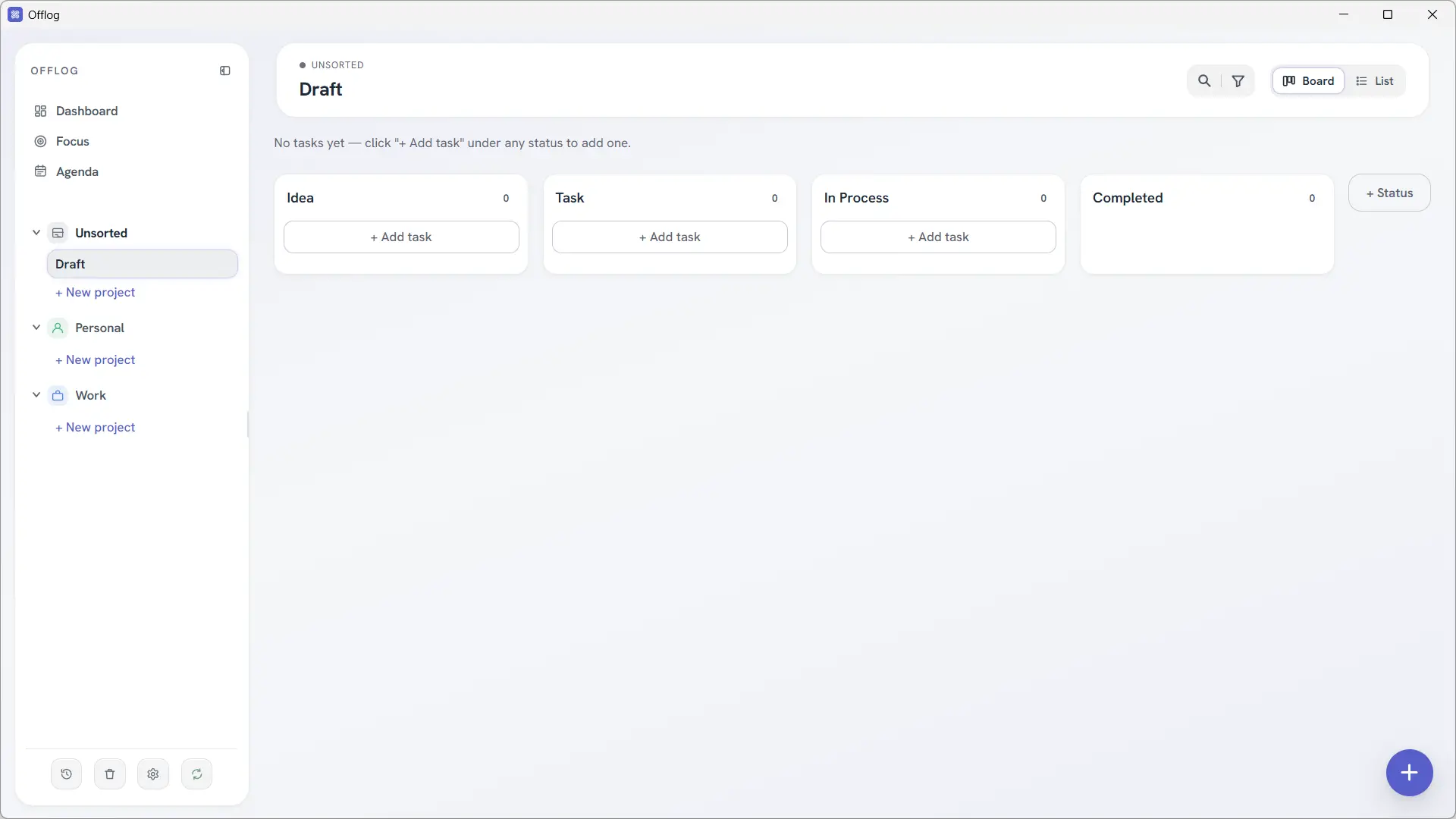
Disconnect is free and open source software that allows you to manage your tasks and projects right on your computer. Everything works locally, even without an Internet connection, and your data stays on your machine.
The interface is quite nice, although at the moment it is only available in English. You can create multiple projects, store them in spaces like “Personal” or “Work,” and then organize your tasks in lists or Kanban boards. In the latter case, the tasks are divided into different columns according to their progress: ideas, to be done, in process and completed. These columns can be customized according to your needs.
Each task can have a due date, priority level, tags, and notes. You can add subtasks, reminders, attachments, or schedule recurring tasks. A calendar lets you find planned tasks, while a dashboard provides an overview of your projects.
Offlog also has a “Focus” mode that I find quite well thought out. You choose up to three tasks to complete during the day and focus on them. They remain displayed in this section until they are completed.
To find your tasks on multiple devices, Offlog integrates a synchronization system over your local network. You can even use your own server if you want, but you’ll have to get your hands a little dirty.
The software also includes automatic backups, a recycle bin to recover deleted tasks, and a modification history. You can even block its opening with a PIN code, although this protection does not encrypt the data stored on your computer.
Vikunja: manage your tasks and projects on your own server
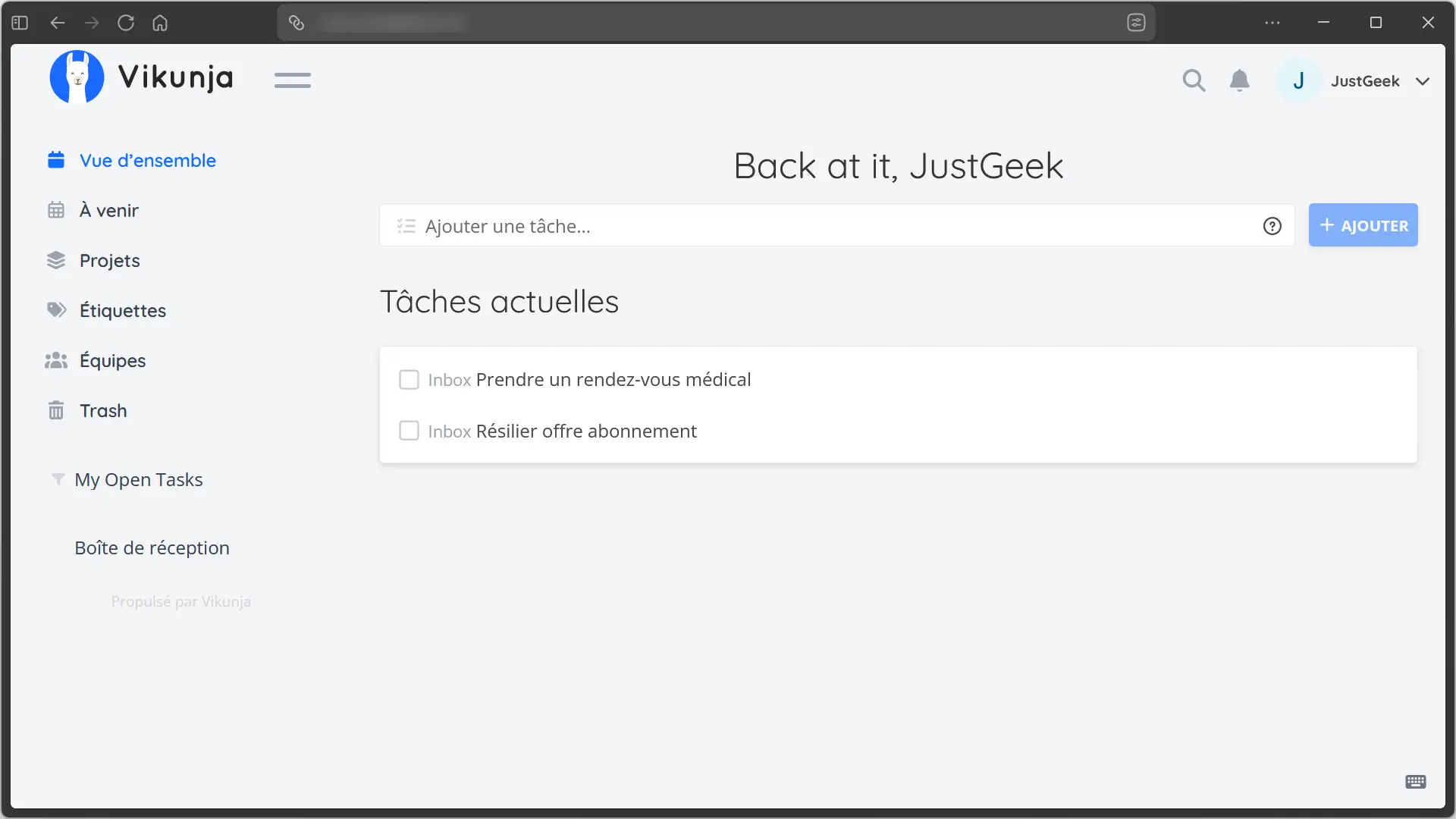
Vikunja is free and open source software that allows you to manage both personal tasks and multi-team projects. However, unlike the other alternatives in this selection, its use requires a little more work, since you must install it on your own server. For my part, I installed it with Docker on a VPS to be able to test it.
Once installed, Vikunja can be used from a web browser. The interface is available in French, although some elements still remain in English. You can create as many projects as you want and then view your tasks as lists, Kanban boards, classic boards, or Gantt charts.
For each task it is possible to define a due date, a priority, reminders or even an automatic repetition. You can add tags, a description, attachments, and even a progress percentage. Vikunja also allows you to create links between tasks, for example to indicate that one task must be completed before another can be started.
On the home page you will find your current tasks, while the “Upcoming” section shows those planned for the next few days. And if you work with multiple people, you can create teams, assign tasks to different users, and exchange feedback in the comments.
To recover your previous tasks, Vikunja can import data from other services, including TickTick, Wekan and Planka, or from a CSV file. The CalDAV protocol allows you to search and manage your tasks from compatible applications. I even saw an MCP integration that allows you to connect an AI assistant to your tasks and projects.