Microsoft just released September 2026 Patch Tuesday for Windows 11. The update KB5124008 It is now available for versions 24H2 and 25H2, moving to builds 26100.9445 and 26200.9445, respectively.
This update fixes numerous security vulnerabilities, two of which are already exploited. It also incorporates the new features of KB5120998 published at the end of August, including the possibility of moving the taskbar, reducing its size and customizing the Start menu.
Windows 11 23H2 is not forgotten since it receives the update KB5122880. Here’s everything you need to know about Patch Tuesday in September 2026.
More than 700 vulnerabilities fixed in Windows
Like every month, this Patch Tuesday fixes numerous security vulnerabilities in Windows and other Microsoft products. For September 2026, Microsoft lists no less than 974 vulnerabilities fixedof which 723 refer to Windows.
Two of them are particularly important because they are already exploited:
- CVE-2026-85880 accesses the Windows advanced local procedure call (ALPC) and allows an attacker to gain higher privileges on the system;
- CVE-2026-81963 refers to the Windows Update stack and may also allow privilege escalation.
Therefore, Microsoft recommends installing the September updates as soon as possible, since these two flaws are already exploited.
New features of KB5120998 arrive with this update
KB5124008 includes new features introduced in late August with the optional update KB5120998. If you have not installed it, several changes will appear in Windows 11.
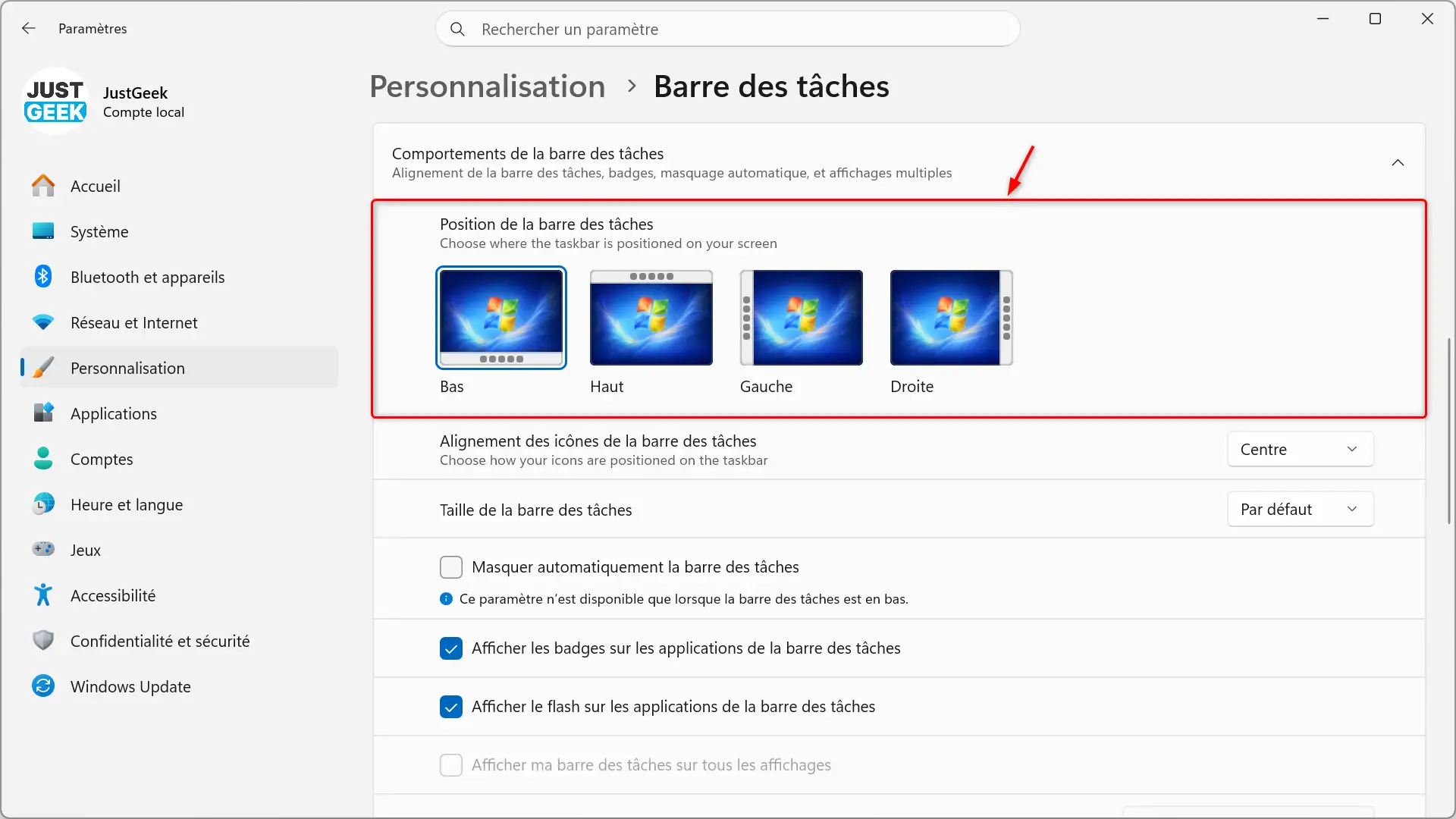
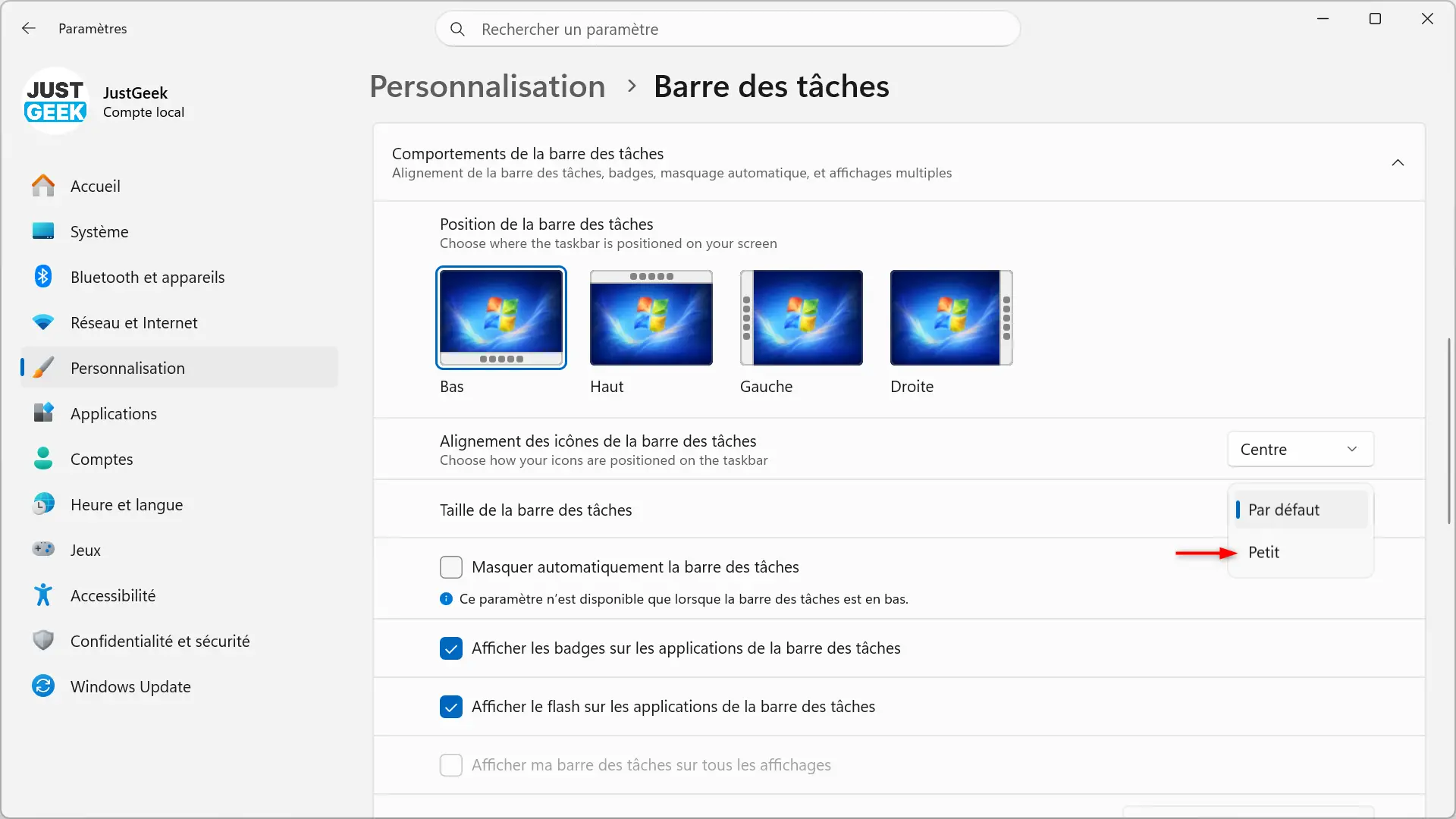
The taskbar can now be placed on the top, left or right of the screen and can be reduced in size to save screen space.
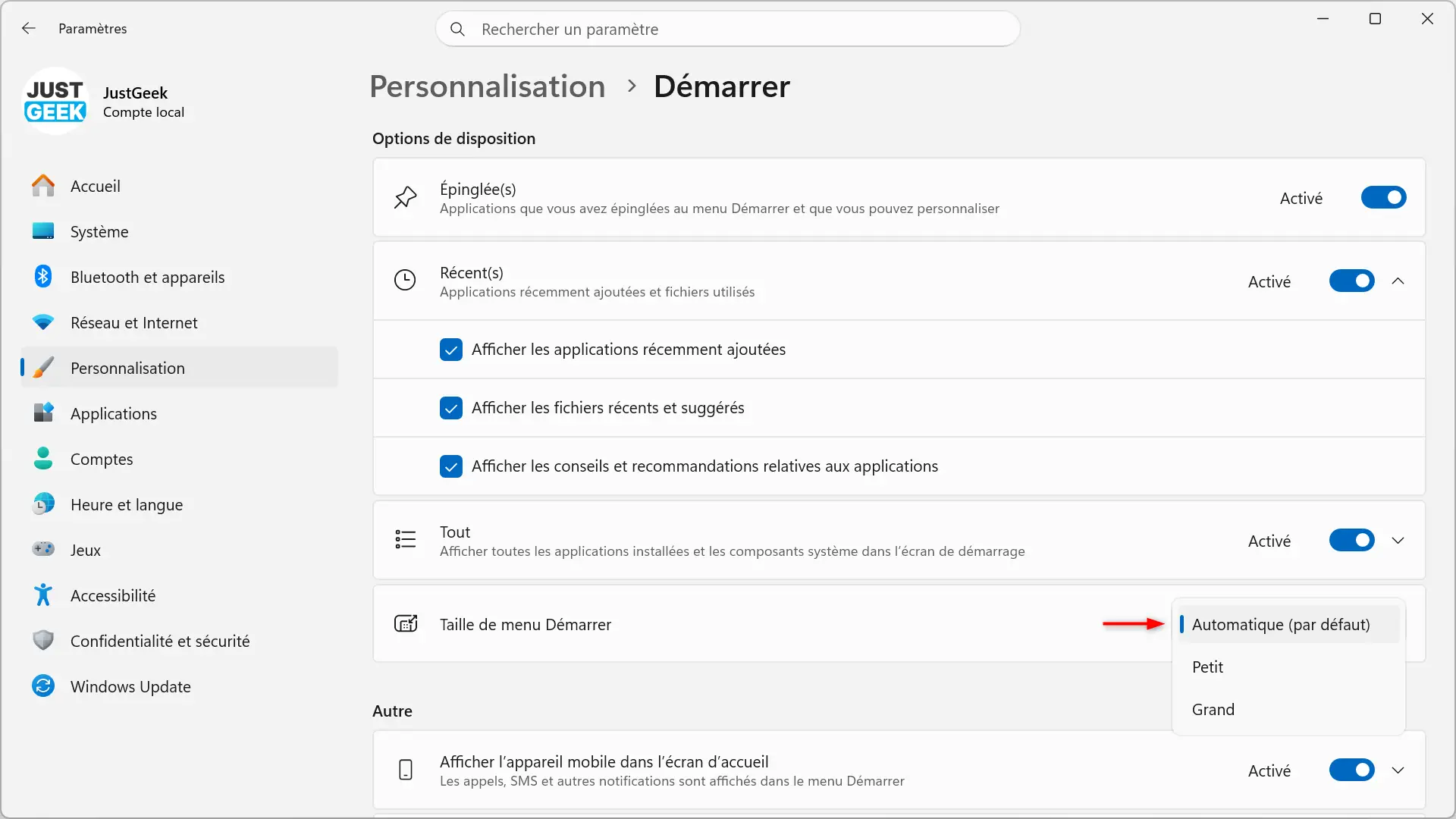
The Start menu also becomes more customizable. Now you can change its size by choosing between three options: small, large or automatic. You can also hide your name and profile photo from the Start menu.
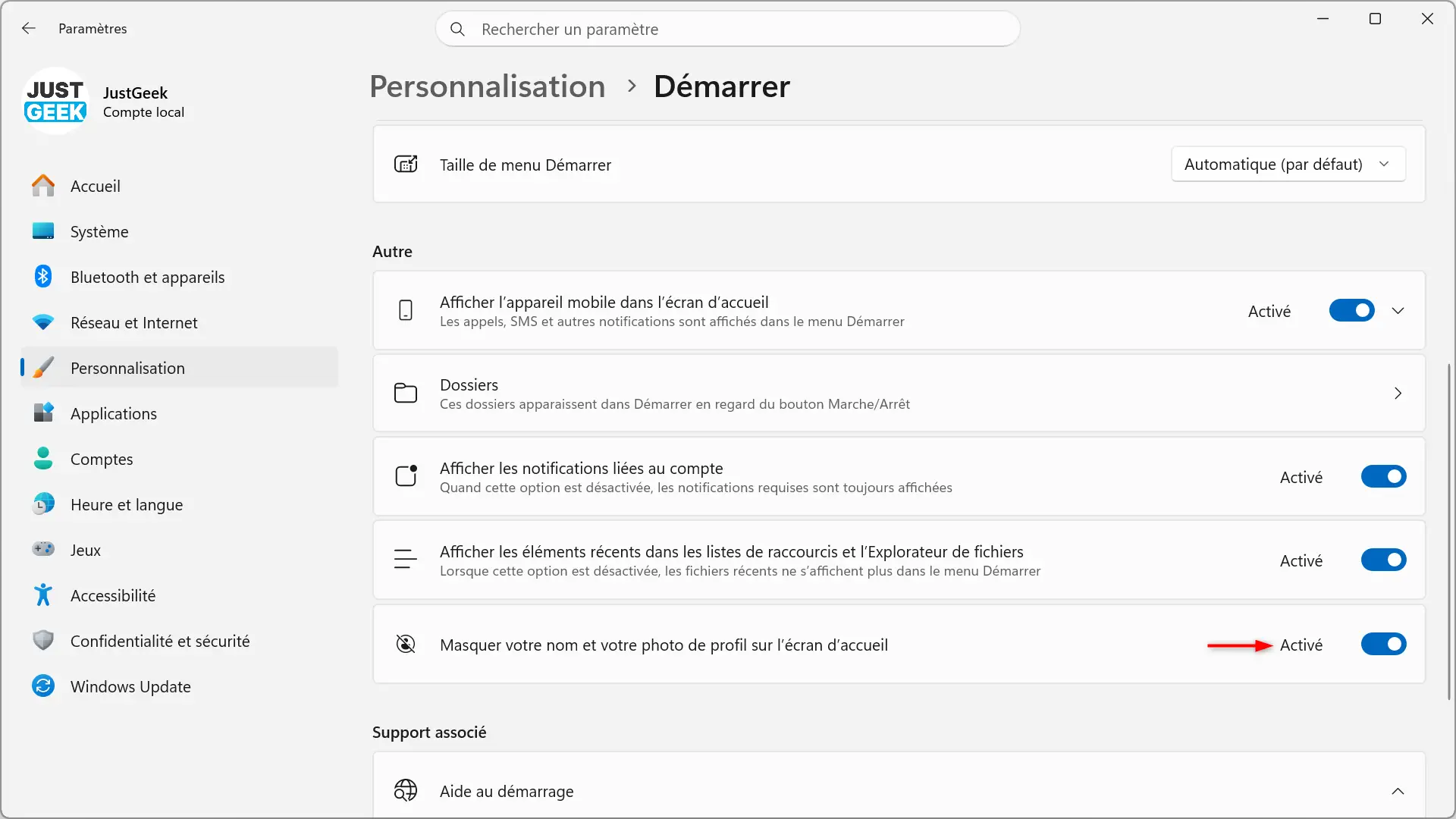
KB5124008 also brings some changes to Windows Search. Your home page has been simplified to make it less busy and allow you to find your recent searches more quickly. Results now indicate more clearly where they come from: app, settings, file, web result, or Microsoft Store suggestion.
A new setting lets you turn off Bing results and Microsoft Store suggestions in search results. The File Explorer home page should load faster.
Not all of these new features will necessarily be available immediately. Microsoft is rolling them out gradually, so some may appear on your PC a little later.
Various bugs fixed with KB5124008
In addition to the new features above, Microsoft fixes several issues that appeared with the latest Windows 11 updates.
In particular, a bug could reset custom mouse cursors or prevent them from loading on PCs that use a language other than English. Another could replace the wallpaper with a black screen and disrupt slideshows and certain themes.
Microsoft also fixes an issue that could prevent Outlook and Microsoft Teams from starting on some ARM64 PCs. Another solution concerns audio redirection during a Remote Desktop connection.
The update finally changes Morocco’s time zone, which will temporarily change to UTC+00:00 starting September 20, 2026.
Microsoft continues to renew Secure Boot certificates
I thought this project was already finished, but apparently that’s not the case yet. Microsoft continues with KB5124008 the deployment of new certificates used by Secure Boot. Those present on many Windows PCs began to expire in June 2026 and the company has been gradually replacing them for several months.
With this update, more PCs will be able to automatically receive the new certificates through Windows Update. Microsoft specifies that its implementation remains gradual and affects both compatible devices and professional PCs that are not managed by an organization.
If your computer hasn’t received the new certificates yet, don’t panic: it will continue to boot normally and receive Windows updates. Microsoft plans to continue its rollout over the coming months.
Windows 11 23H2 receives KB5122880
Windows 11 23H2 receives update KB5122880, which updates the system to build 22631.7582. It contains the security patches for the month of September as well as several improvements already mentioned above, such as those related to secure boot, remote desktop and time zone change in Morocco.
Microsoft also reminds that the Enterprise and Education editions of Windows 11 23H2 will end their support on November 10, 2026. After this date, they will no longer receive monthly security updates.
Like all Patch Tuesday updates, KB5124008 and KB5122880 are required and will be downloaded and installed automatically by Windows Update.
You can also manually search for their availability:
- Open Windows 11 Settings with a keyboard shortcut windows + Yo.
- See you at Windows Update.
- Click ” Check for updates “.
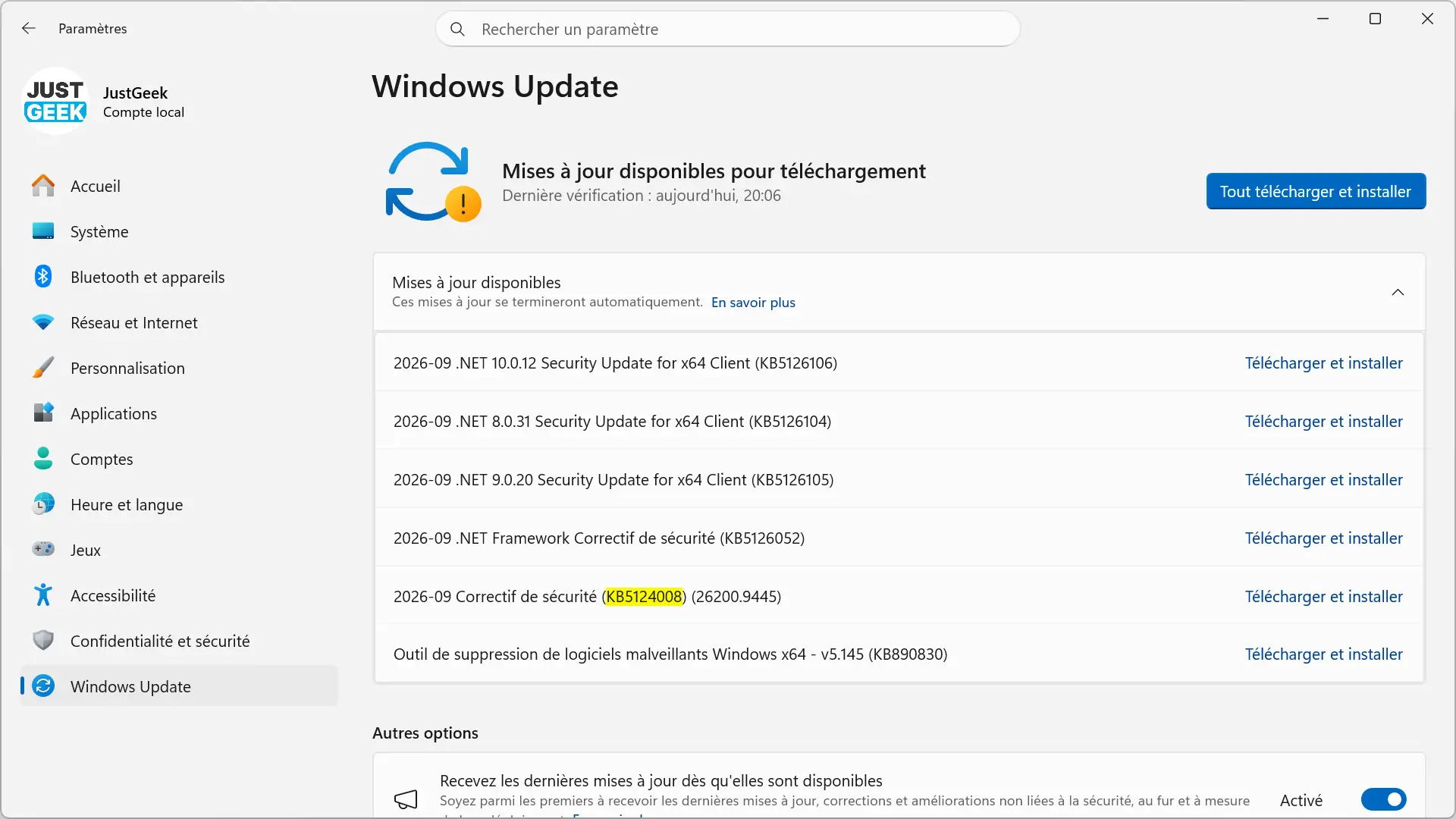
Once the installation is complete, you will need to restart your computer to apply the changes.
If you prefer to perform a manual or offline installation, the MSU files are also available in the Microsoft Update catalog.
| System | Update | Architecture | Size | Download link |
|---|---|---|---|---|
| Windows 11 25H2 | KB5124008 (26200.9445) | x64 | 4,934.9 MB | Discharge |
| Windows 11 25H2 | KB5124008 (26200.9445) | ARM64 | 4,771.5 MB | Discharge |
| Windows 11 24H2 | KB5124008 (26100.9445) | x64 | 4,934.9 MB | Discharge |
| Windows 11 24H2 | KB5124008 (26100.9445) | ARM64 | 4,771.5 MB | Discharge |
| Windows 11 23H2 | KB5122880 (22631.7582) | x64 | 1,113.7MB | Discharge |
| Windows 11 23H2 | KB5122880 (22631.7582) | ARM64 | 1,261.1MB | Discharge |