Just six days after September 2026 Patch Tuesday, Microsoft is already forced to release the patches. The company has just released several out-of-band updates for Windows 11, Windows 10, and Windows Server to fix several bugs that appeared after installing the latest security patches.
In total, no less than 11 updates were implemented on September 14. In particular, they fix issues with remote desktop, folder sharing with certain Linux virtual machines, and certain audio modes no longer working correctly with USB devices.
Several bugs appeared after September Patch Tuesday
In a message posted to your Windows Tracking CenterMicrosoft confirms that the September 8, 2026 security updates introduced several issues.
The first refers to Remote Desktop Services (RDS). On affected machines, RDP connections may fail after a few minutes and some servers may be stuck on the Remote Desktop setup screen. In some cases, File Explorer may also stop responding.
Microsoft also fixes an issue with sharing folders between Windows and certain Linux virtual machines. After you install September Patch Tuesday, shared folders from the host may no longer appear or become inaccessible on the virtual machine. Windows Subsystem for Linux (WSL) and Claude Cowork are among the affected programs.
Some USB Audio Class 1.0 devices are also affected. They may operate normally in stereo, but no longer produce sound in certain multichannel modes, such as 8-channel audio or 3D.
Currently, this issue is only partially fixed. The new updates restore 3D and 8-channel modes to work, but other bugs persist on some USB Audio Class 1.0 devices. Microsoft mentions a complete lack of sound, a volume stuck at zero, audio settings that no longer respond, or even a Code 10 error in Device Manager. A solution is still being worked on.
11 updates for Windows 11, Windows 10 and Windows Server
These out-of-band updates affect multiple versions of Windows. Of course, there is Windows 11, but also Windows 10 and various editions of Windows Server, up to Windows Server 2012.
In Windows 11 26H1, 25H2, and 24H2, these fixes are distributed as security updates and are therefore installed automatically through Windows Update.
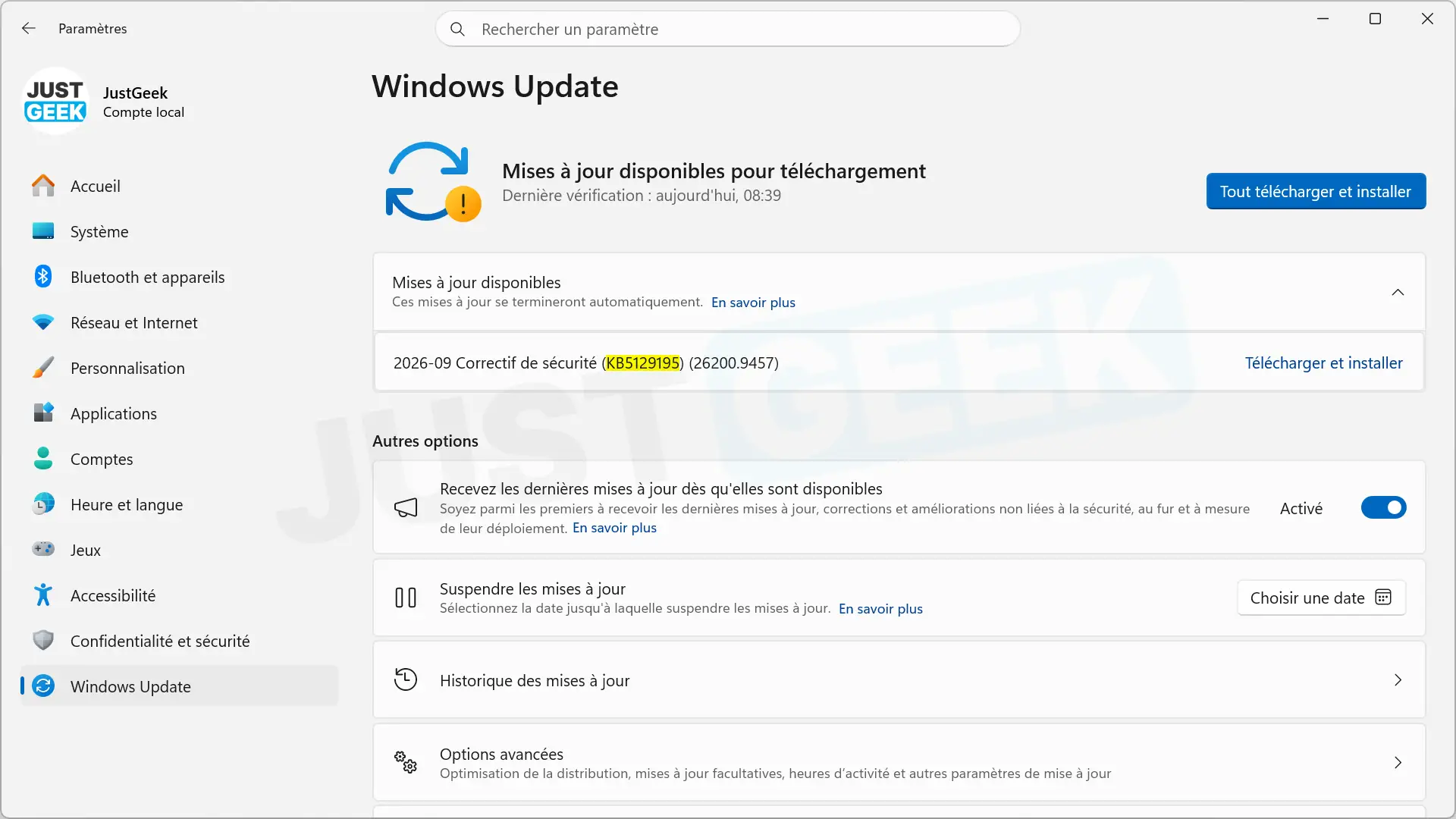
It’s a little different on Windows 11 23H2 and Windows 10 22H2 with ESU. Microsoft offers them as optional, non-security updates. Then you need to open Windows Update, check for available updates, and then manually start downloading and installing them.
Security vulnerabilities were also fixed
These updates are not only used to fix bugs that appeared with Patch Tuesday. They also fix security vulnerabilities in newer versions of Windows 11.
Windows 11 26H1, 25H2 and 24H2 thus receive a solution for the vulnerability CVE-2026-62721. In Windows 11 26H1, Microsoft also fixes the bug CVE-2026-85921.
If you installed Tuesday’s September patch and encounter one of the issues mentioned above, it’s best to take a look at Windows Update to see if you’re offered the new update.