A simple photo can say much more than what it shows on the screen. Depending on the file, it may contain the camera model used, the date and time of the shot, the camera settings, or even the GPS coordinates of the location where it was taken. And these are not the only files affected since documents, videos and audio files can also contain information that we do not necessarily want to share.
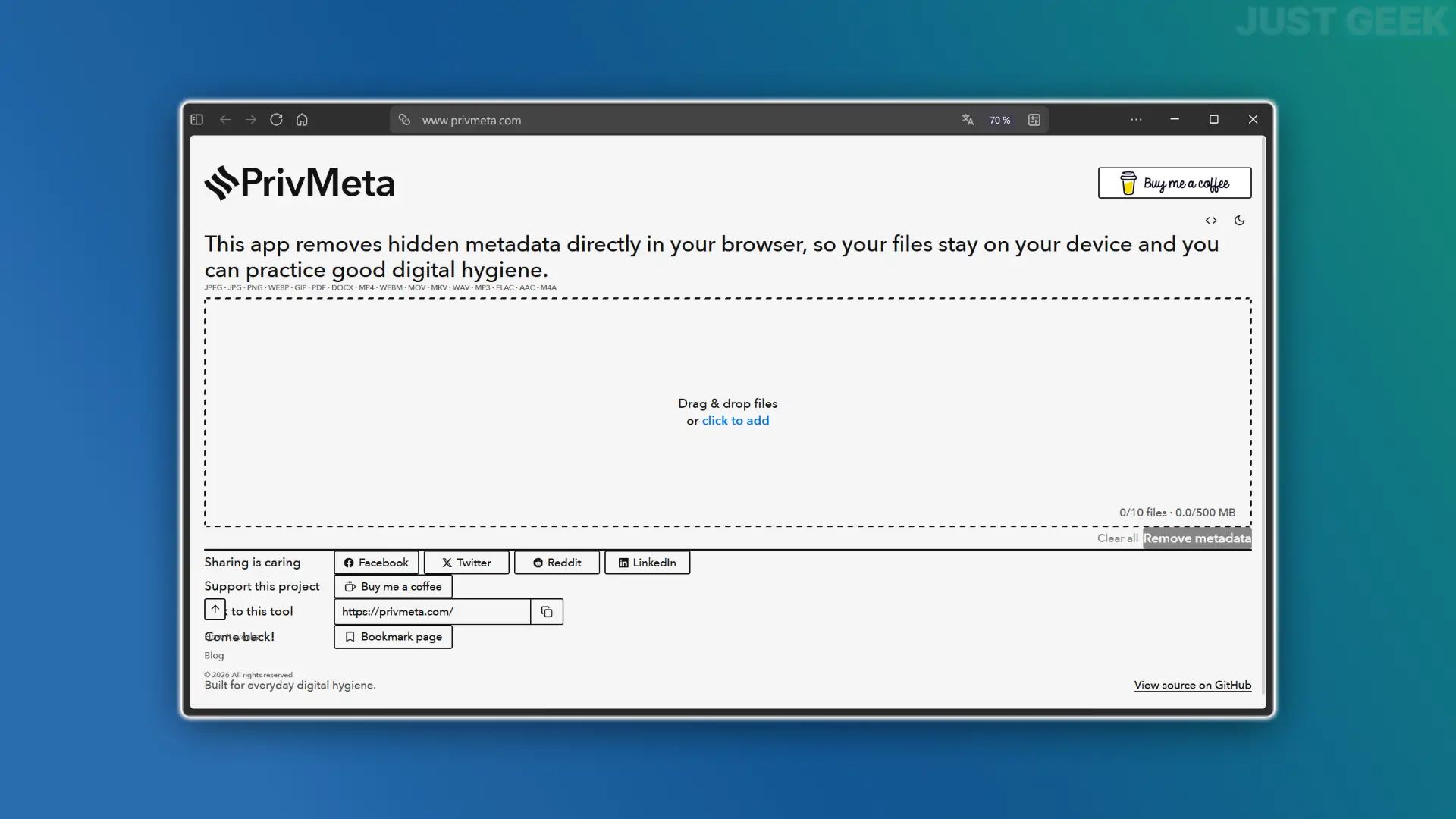
In order not to leave all this information lying around, today I present to you PrivMeta, a small free and open source online tool that allows you to remove metadata from your files from your browser.
To prevent your files from being too verbose, PrivMeta suggests removing the metadata they contain before sharing them.
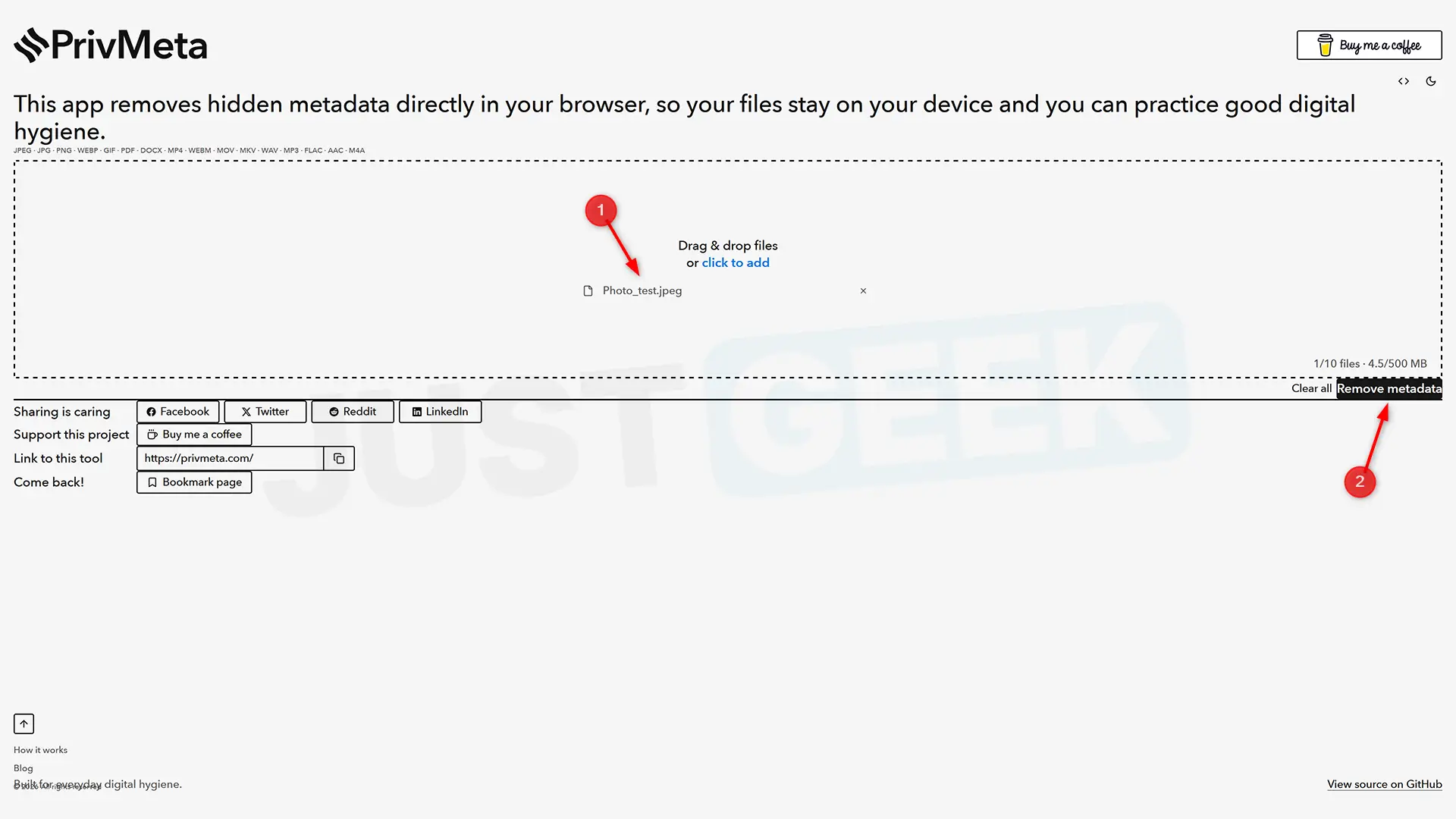
The tool is free, open source and above all very easy to use. You drag one or more files to the area provided for this purpose, click the “Remove Metadata” button and PrivMeta allows you to recover a copy stripped of its metadata. It is possible to process up to 10 files at a time, up to 500 MB in total.
And unlike some online services, your files never leave your computer. All cleaning is done in your browser, saving you the hassle of trusting your potentially personal files to a third-party service.
PrivMeta also accepts quite a few formats. You can entrust it with images in JPEG, PNG, WebP or GIF format, but also PDF and DOCX documents, MP4, MOV, WebM and MKV videos, as well as MP3, WAV, FLAC, AAC and M4A audio files. However, HEIC/HEIF, TIFF, AVI and OGG files are not supported yet.
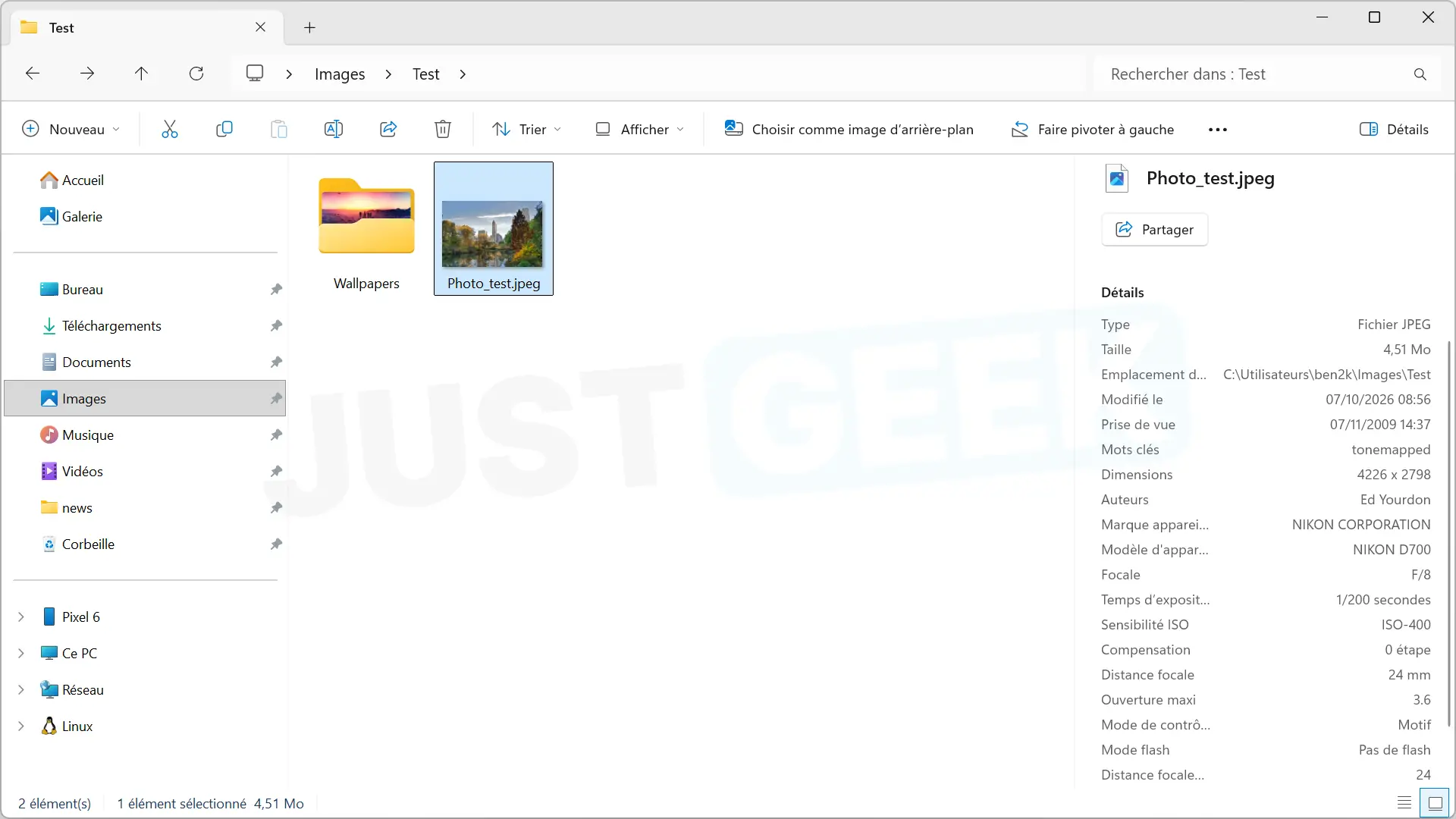
Obviously, I wanted to check if PrivMeta really removes metadata as it promises. For this I used a photo that contained a lot.
Before the cleanup, the file properties in Windows showed a lot of information. Specifically, we could find the manufacturer and model of the camera, the date of shooting, the aperture, the exposure time, the ISO sensitivity, the focal length and even the name of the author.
Once the photo moved to PrivMeta, I looked at its properties again. This time, all the metadata I could see before disappeared. All that was left was basic information, such as dimensions or file size.
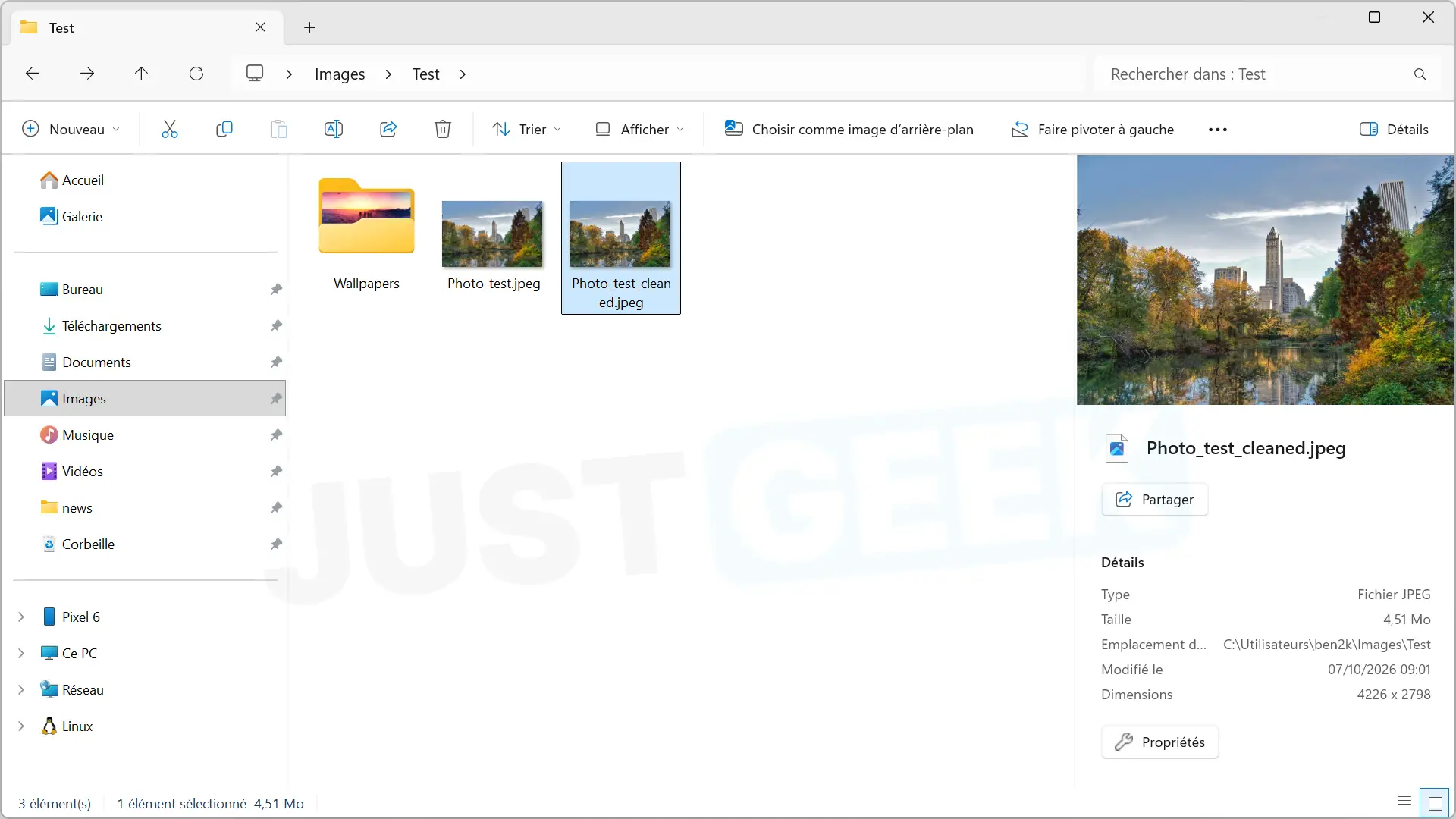
And visually the photo has not moved one bit. I didn’t notice any difference from the original after cleaning.
Cleaning adapted to each type of file
PrivMeta does not treat all files equally. With a JPEG image, for example, the tool removes blocks containing metadata without re-encoding the image. The same goes for GIFs, whose images, animations and palette are preserved. Audio and video files also retain their primary data, while PNG and WebP images are re-encoded in the browser.
The developer is still quite cautious about what PrivMeta is capable of removing. The tool focuses on the metadata that it can recognize and process, but does not promise to completely remove all the information that can be found in a file.
And if PrivMeta finds a file whose metadata it can’t properly clean, it simply prefers to display an error rather than risk returning you a corrupted file.