Thunderbird will finally have the right to its application on iPhone and iPad. The email client is now available on Windows, macOS, Linux and Android, but is still missing on Apple devices.
It’s going to change. The Thunderbird team has been working on an application specially designed for iOS for several months and has just shared the first images of the project.
You will still have to wait before you can install it. A first version for testers is planned in the coming months.
An iOS app developed from scratch
To develop Thunderbird on iOS, the team didn’t start with the Android app. He preferred to create a new application specially designed for iPhone and iPad.
And now we can see what it looks like. The first screenshots show the inbox, composing a new message or even the menu to navigate between accounts and folders.
The interface is currently quite polished and basic, but the essentials are there, with folders accessible from a side menu and main actions right at your fingertips.
Adding your email account should be a piece of cake
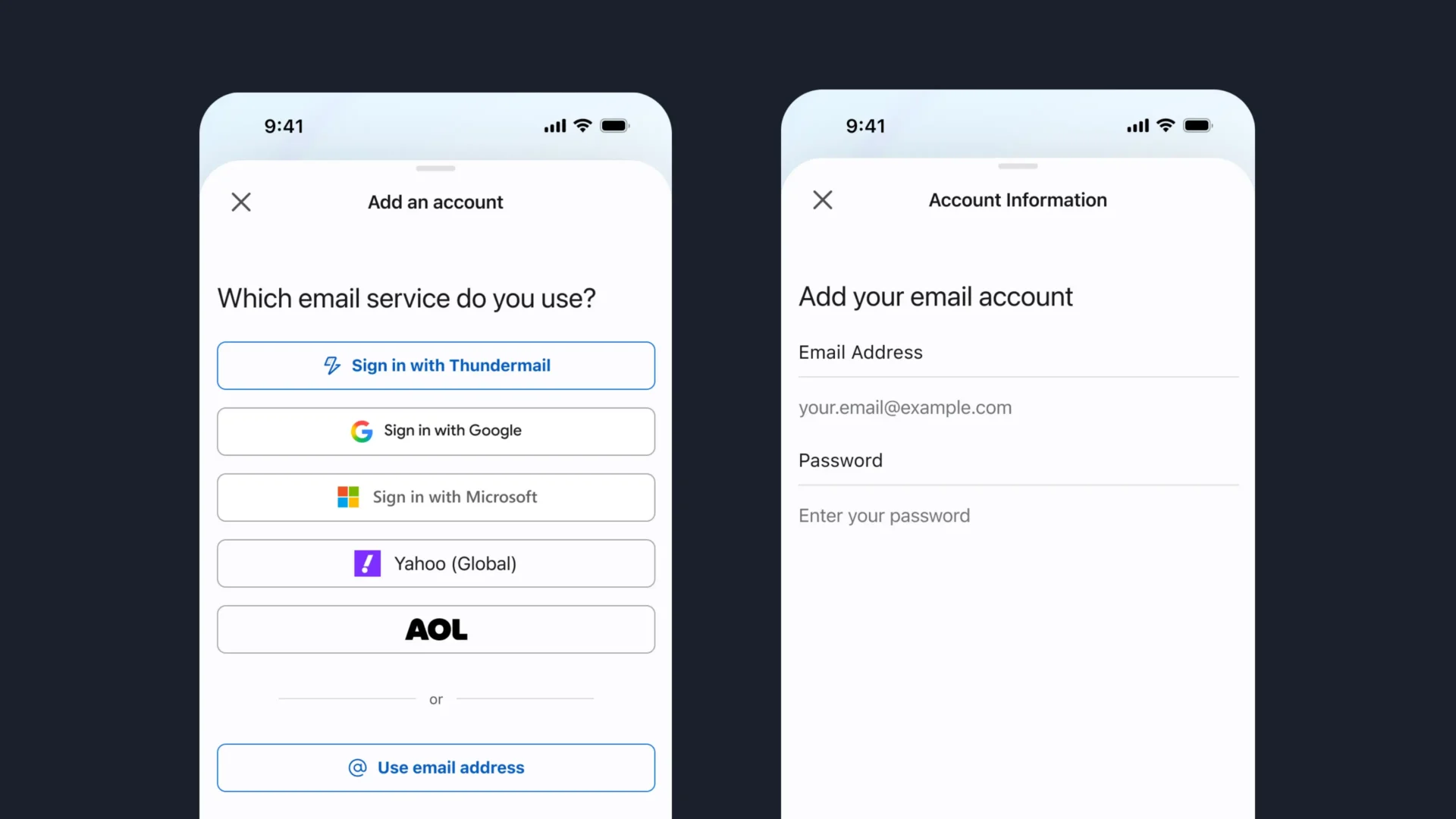
In your blog postThunderbird explains that it has especially worked on adding accounts. The connection is intended to be fast, secure and above all fully automatic, even when multiple accounts must be configured.
The first screenshot already shows several services, including Google, Microsoft, Yahoo and AOL. It will also be possible to directly use your email address to add another account. The goal is to be able to quickly access your inbox without going through complicated settings.
Emails synchronized in the background.
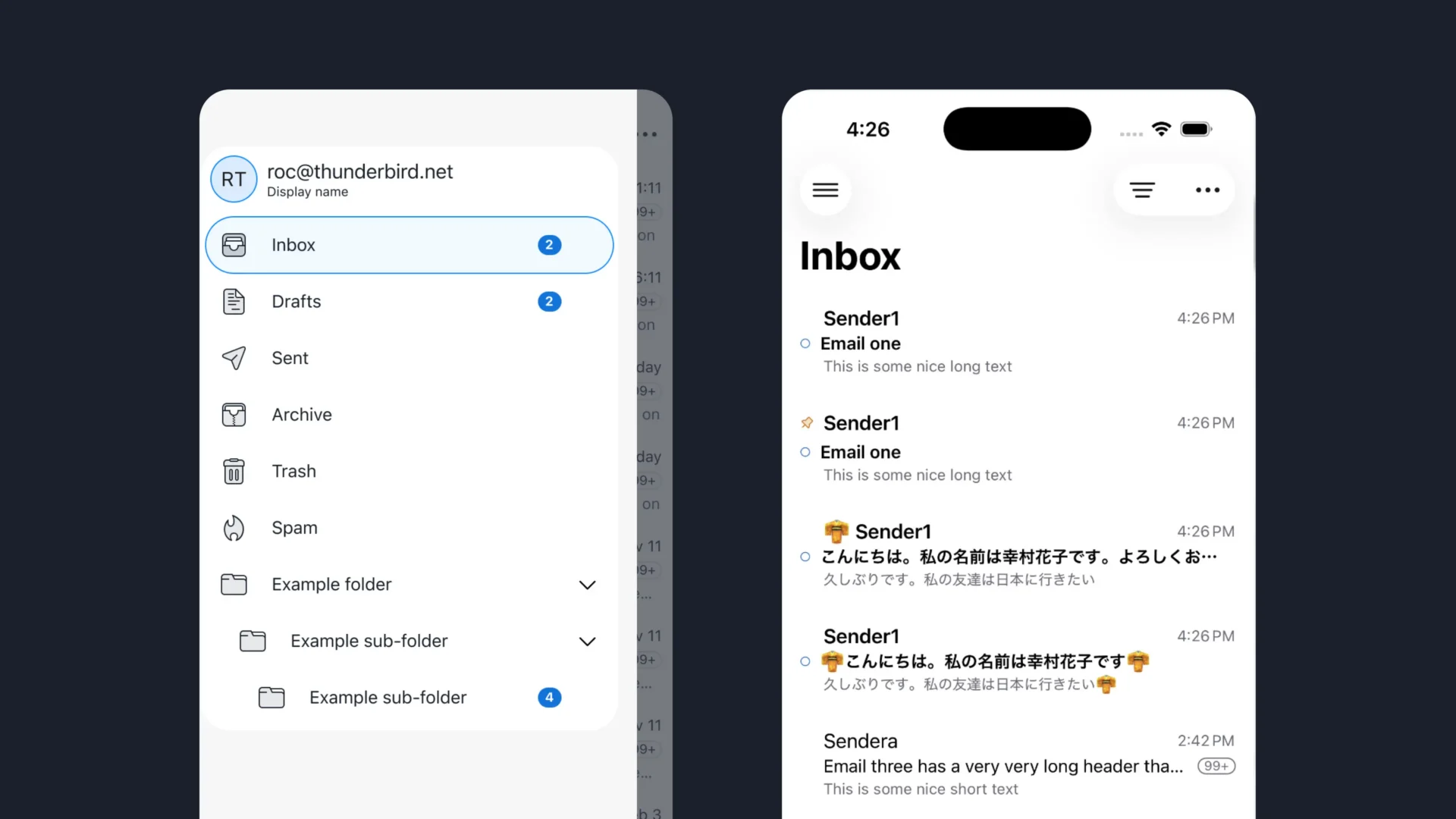
An email application is of little use if it does not correctly retrieve new messages. Therefore, Thunderbird is working on a background sync that can maintain the connection with the email provider and keep the inbox up to date.
The team also specifies that it pays attention to energy consumption. The goal is for this synchronization to work continuously without draining the iPhone’s battery unnecessarily.
An editor to format your emails
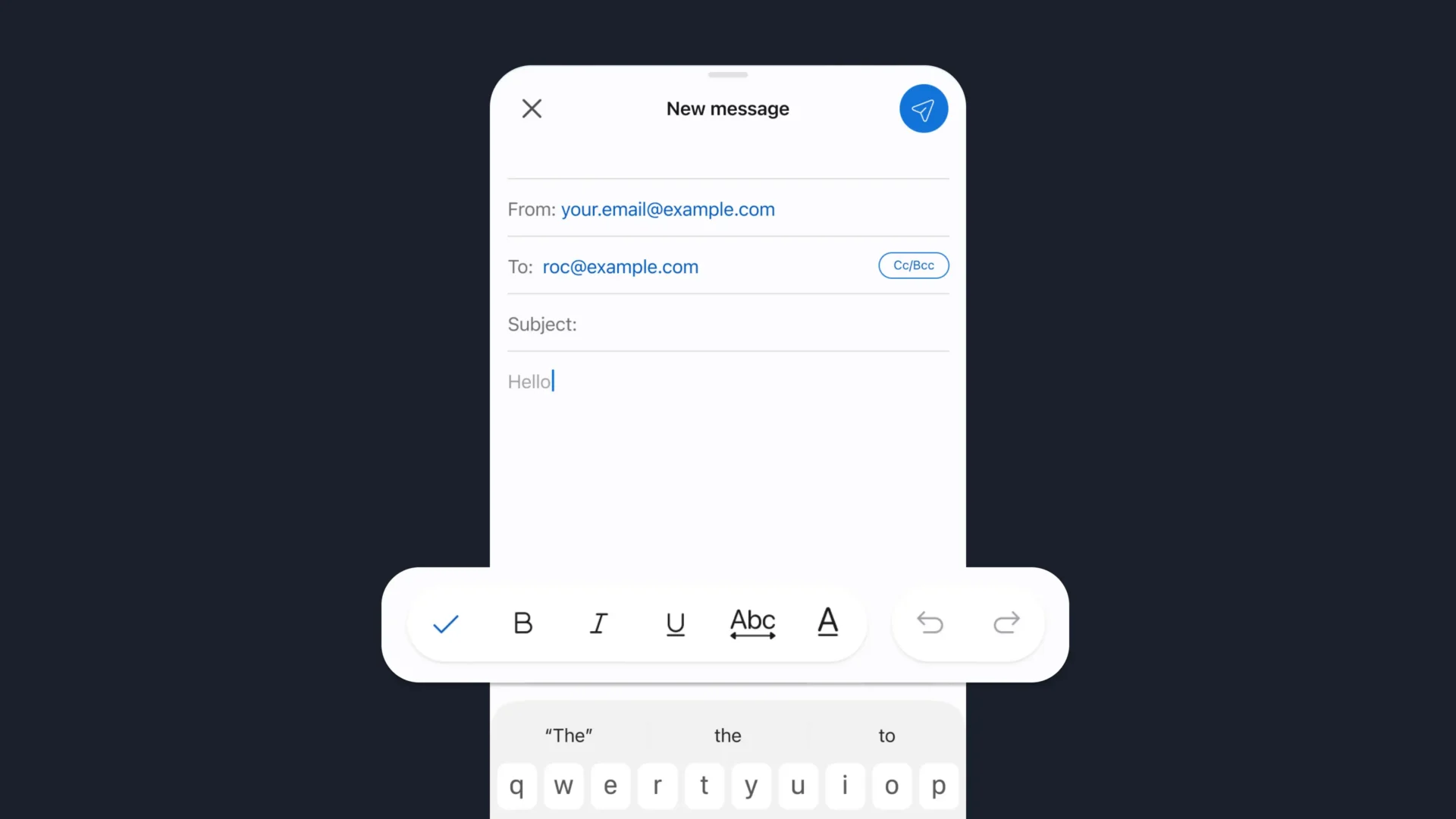
The writing of messages is also already very advanced. The screenshot posted by Thunderbird shows a fairly simple editor, with the usual fields for the recipient and subject, then the body of the message.
A toolbar appears just above the keyboard for bolding, italicizing, or underlining text. The buttons also allow you to undo or redo the last modification. Classic for an email client, in short.
Experimental features to try ahead
Thunderbird also provides a system for testing certain experimental features before offering them to all users. A bit like Firefox Labs, the most curious users will be able to try new features still in development.
This system should also facilitate external contributions. Because Thunderbird is open source, developers will be able to more easily propose new features and test them before integrating them into the application.
When can we try Thunderbird on iPhone?
You’ll still have to wait a bit before you can install Thunderbird on your iPhone or iPad. The app is still in development and there is no public version available at the moment.
The team hopes to release a first version to the community in the coming months. It still does not give a precise date and reminds us that what we see today is still in development and can still evolve.
Personally I will follow the project closely. I already use Thunderbird on Windows and Linux, but my primary smartphone is an iPhone. All I need is Thunderbird to have it on all my devices.