Each operating system imposes its own browser. On Windows, it’s Edge. On Linux, it’s usually Firefox and sometimes Brave. And on macOS, it’s obviously Safari.
But nothing forces you to stick to it. If you have a preference for Chrome, Firefox, Vivaldi, or another browser, you can set it as your primary browser with just a few clicks. We show you how to do it.
Change the default browser on your Mac
- If you haven’t already, start by installing the browser you want to use as your default. Chrome, Firefox, Brave, Vivaldi… the choice is yours.
- Then click on the Apple menu.

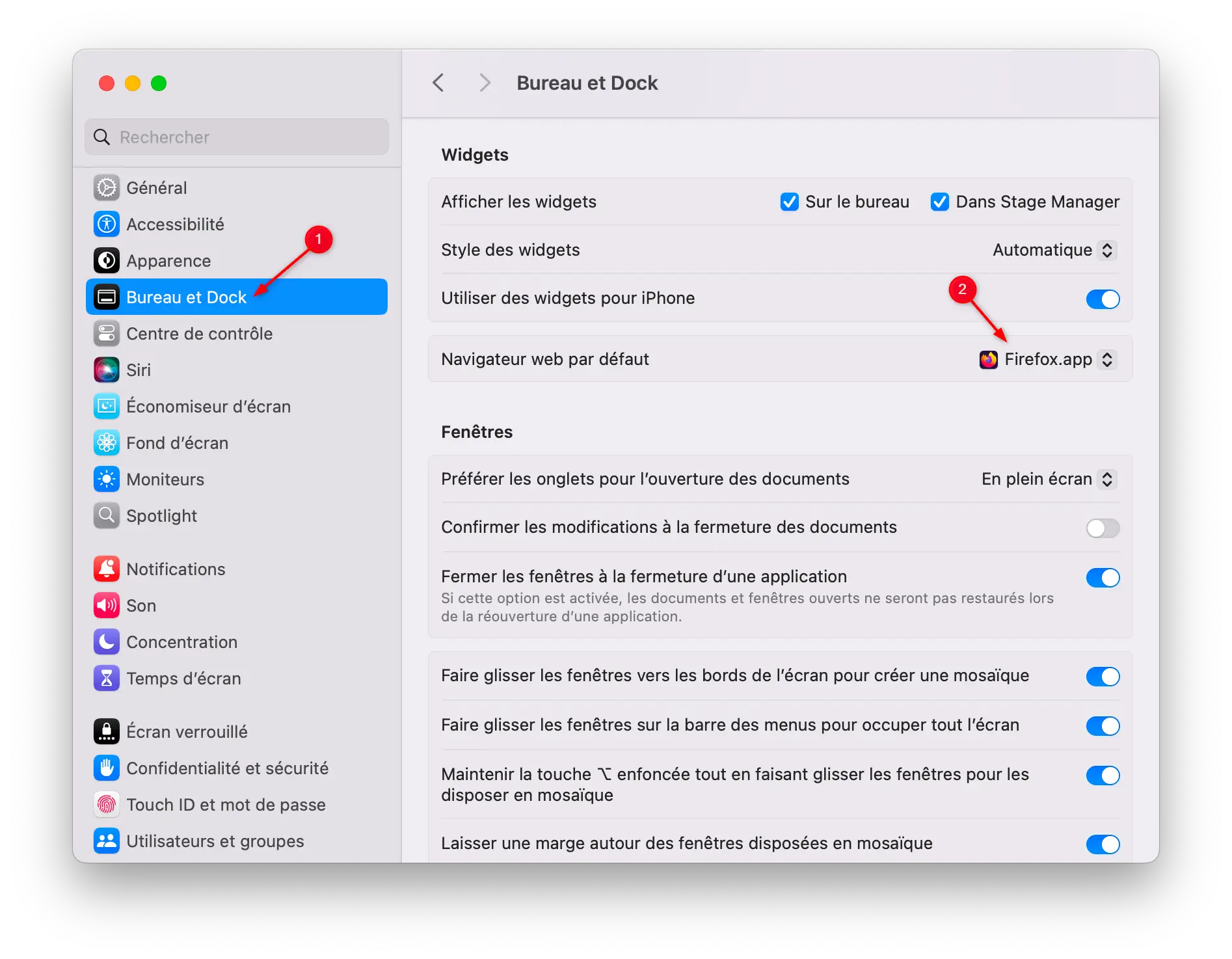
- In the left sidebar, scroll down and click ” Desk and base “.
- On the right, locate the section Default web browserthen select the one you want to use (Chrome, Firefox, etc.) from the dropdown list.