Chrome, Firefox, Edge, Brave… despite their very different philosophies, all of these browsers have a lot in common. An address bar at the top, tabs aligned next to each other and an interface more or less similar in design.
And then there are others that try to stand out by offering a new way to browse the Web. This is particularly the case with Blanc, who I just discovered.
Free and open source, this new browser offers an interface that is, to say the least, original, where the address bar and tabs as we know them have almost disappeared. Instead, everything happens in a small floating bar at the top of the screen called “Island.”
Obviously it didn’t take much to want to try it. So I installed it on my PC and I suggest we give the owner a little tour.
White, an open source browser based on Chromium
Behind Whitewe find Antonio J. LoriaAmerican designer and developer who runs the independent studio Bananify. Under this banner it develops the browser, whose source code is available at GitHub under MIT license. The project is also fairly recent and still carried the Bowser name until July 2026, before being renamed White.
Under the hood, White relies on Chromium and Electron. But don’t panic, although this duo often has a reputation for making quite an explosive cocktail when it comes to memory consumption. In this case, that is clearly not the case.
To see for myself, I launched White, Chrome, Firefox, and Edge with the exact same six sites open in each. I first ran the test on a Windows 11 virtual machine, where White was significantly less demanding than the other three browsers.
Since I found the differences quite significant, I preferred to start over on another PC with freshly installed Windows 11. This time the numbers were different, but White remained in the same zone as Chrome, although it consumed less memory than Edge and Firefox.
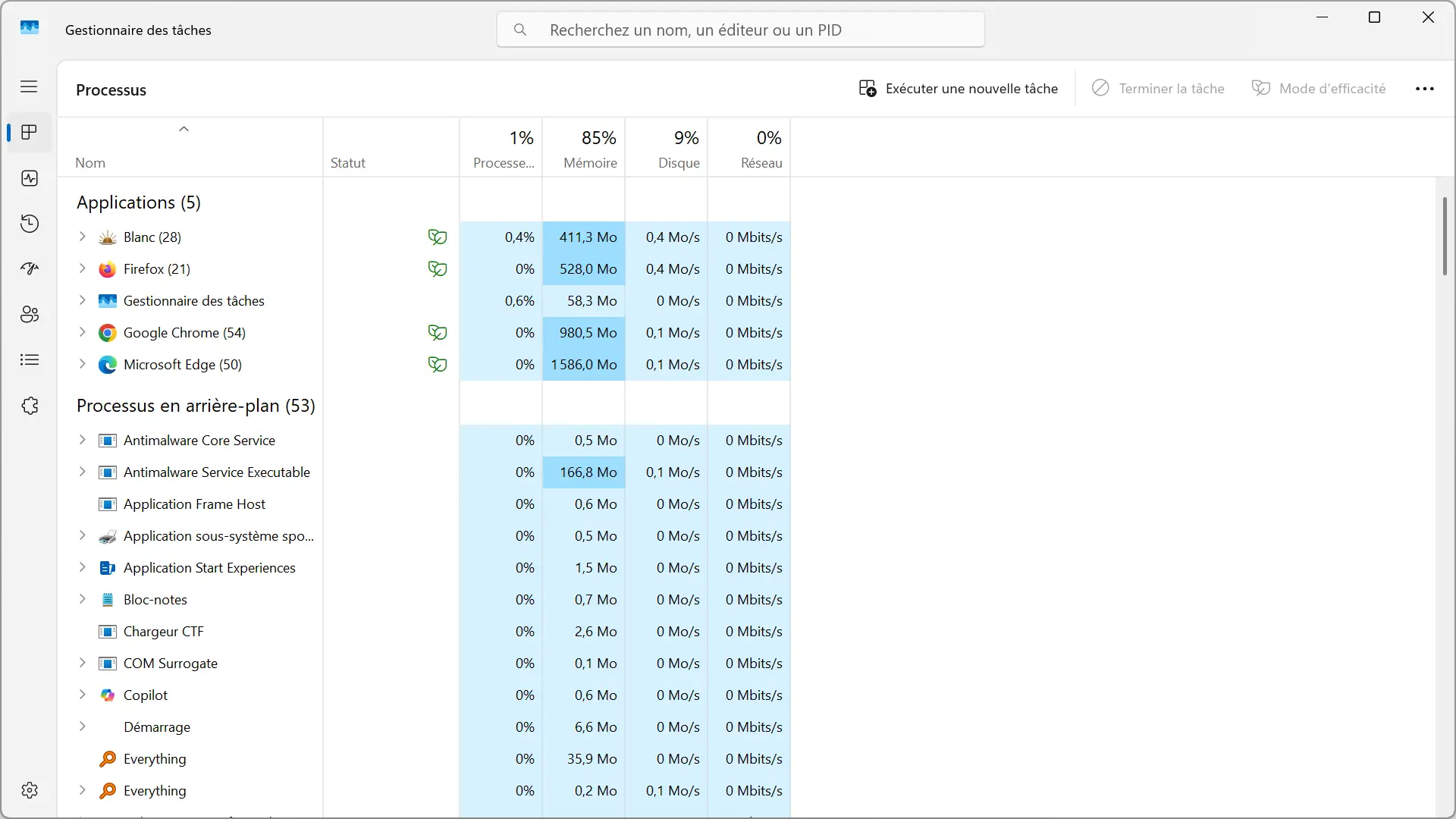
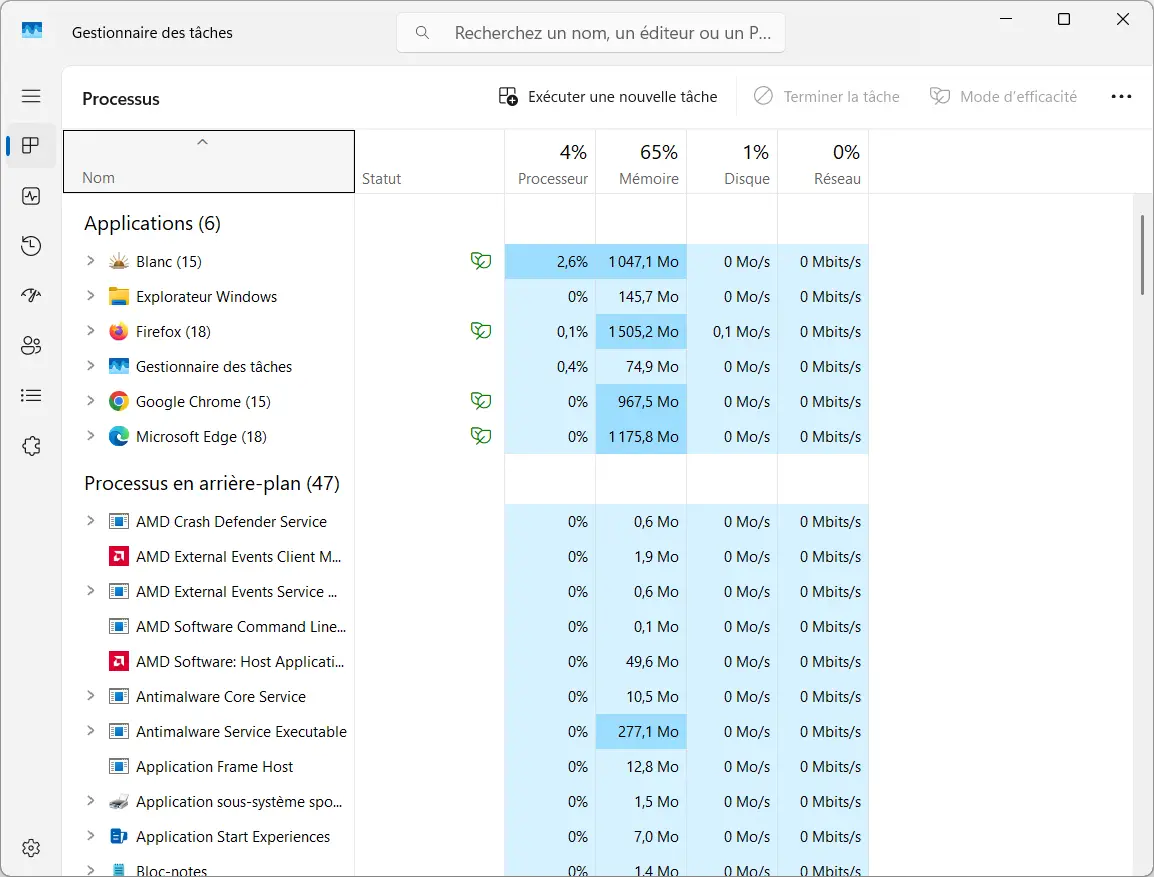
That is, these measurements should not be taken as a scientific reference, because consumption can vary greatly depending on the machine, the pages opened and the way in which each browser manages its processes. But of the two configurations I tried, White showed nothing that matched the poor reputation often associated with Electron.
A quick first setup
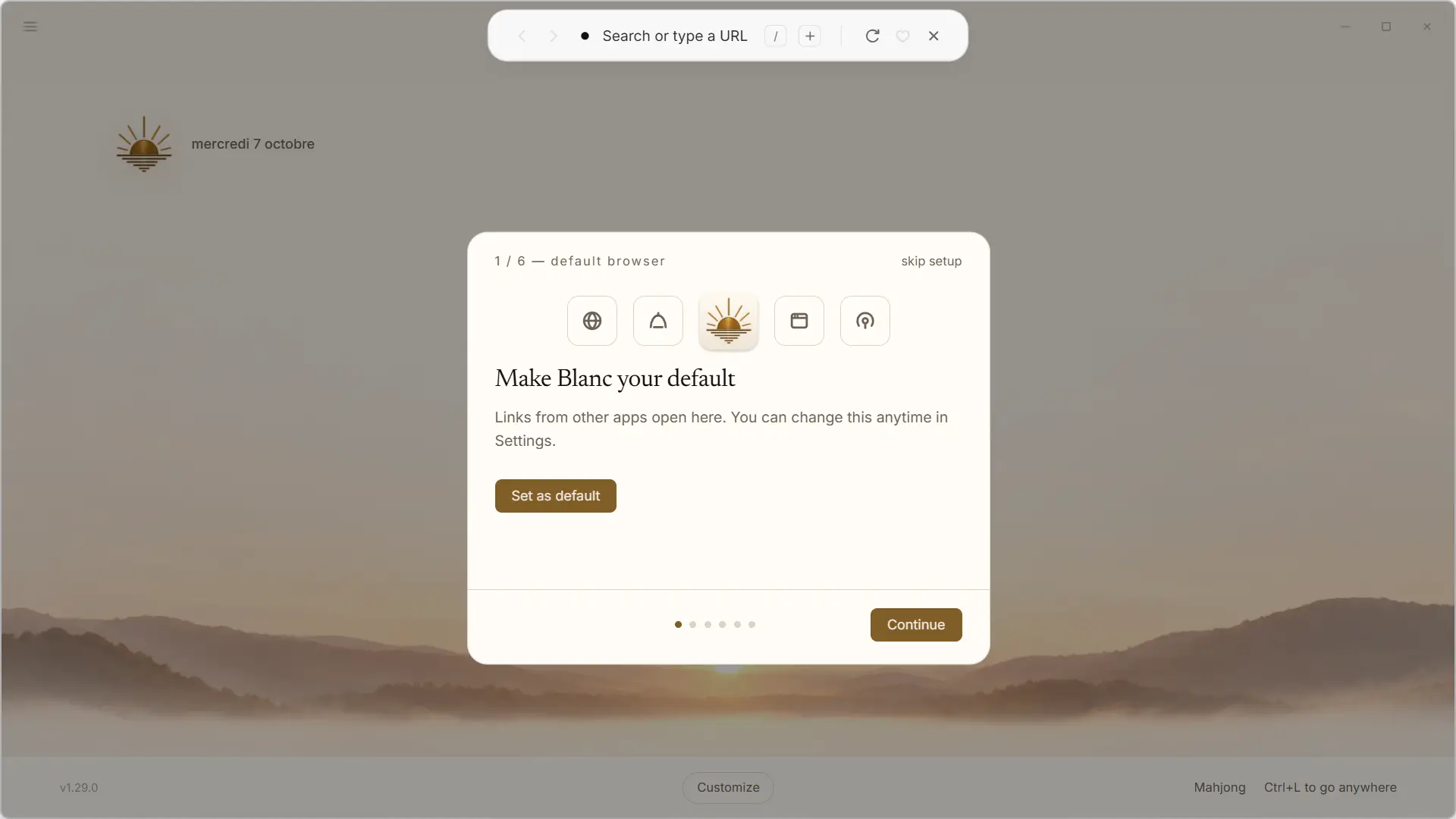
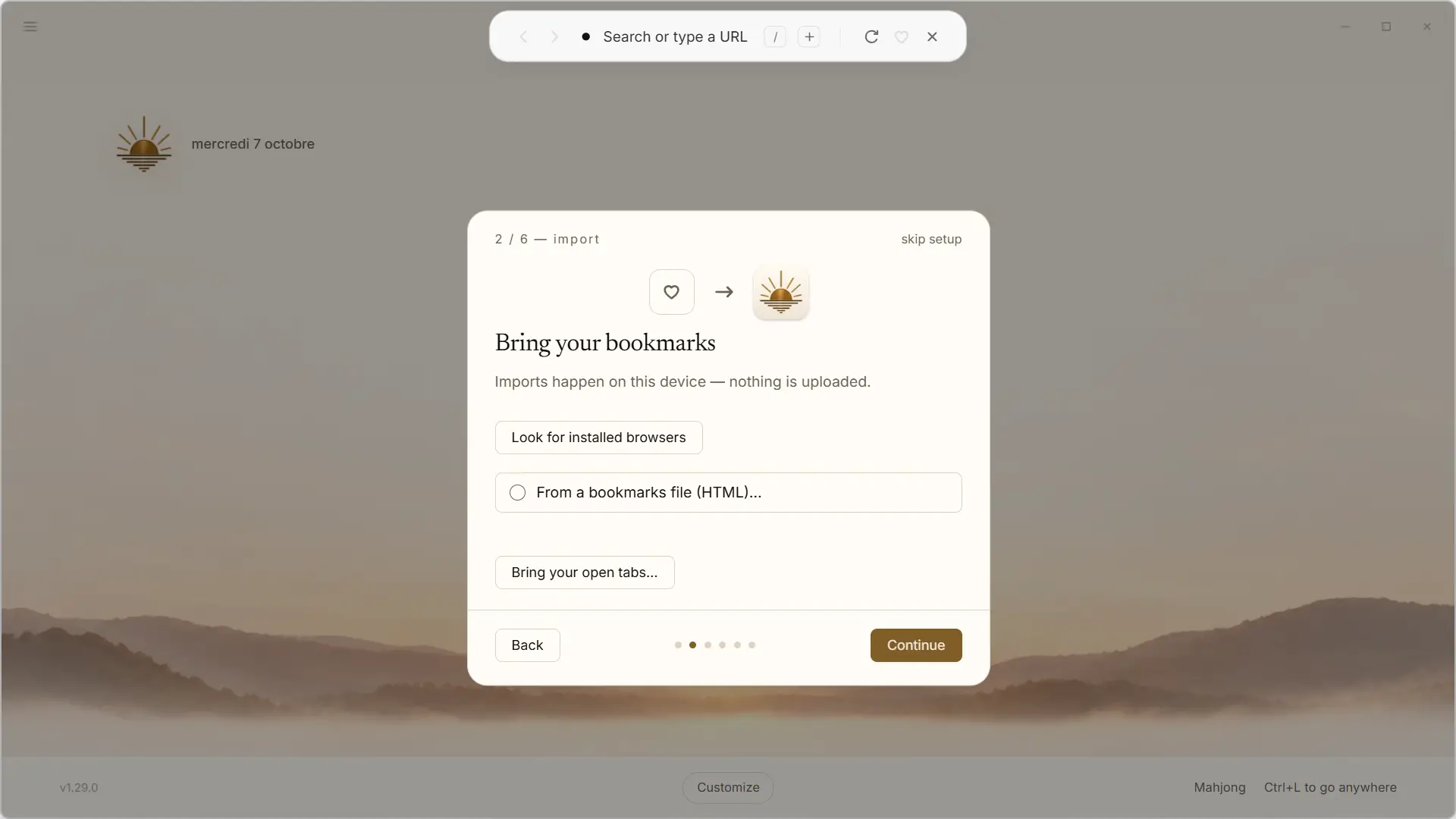
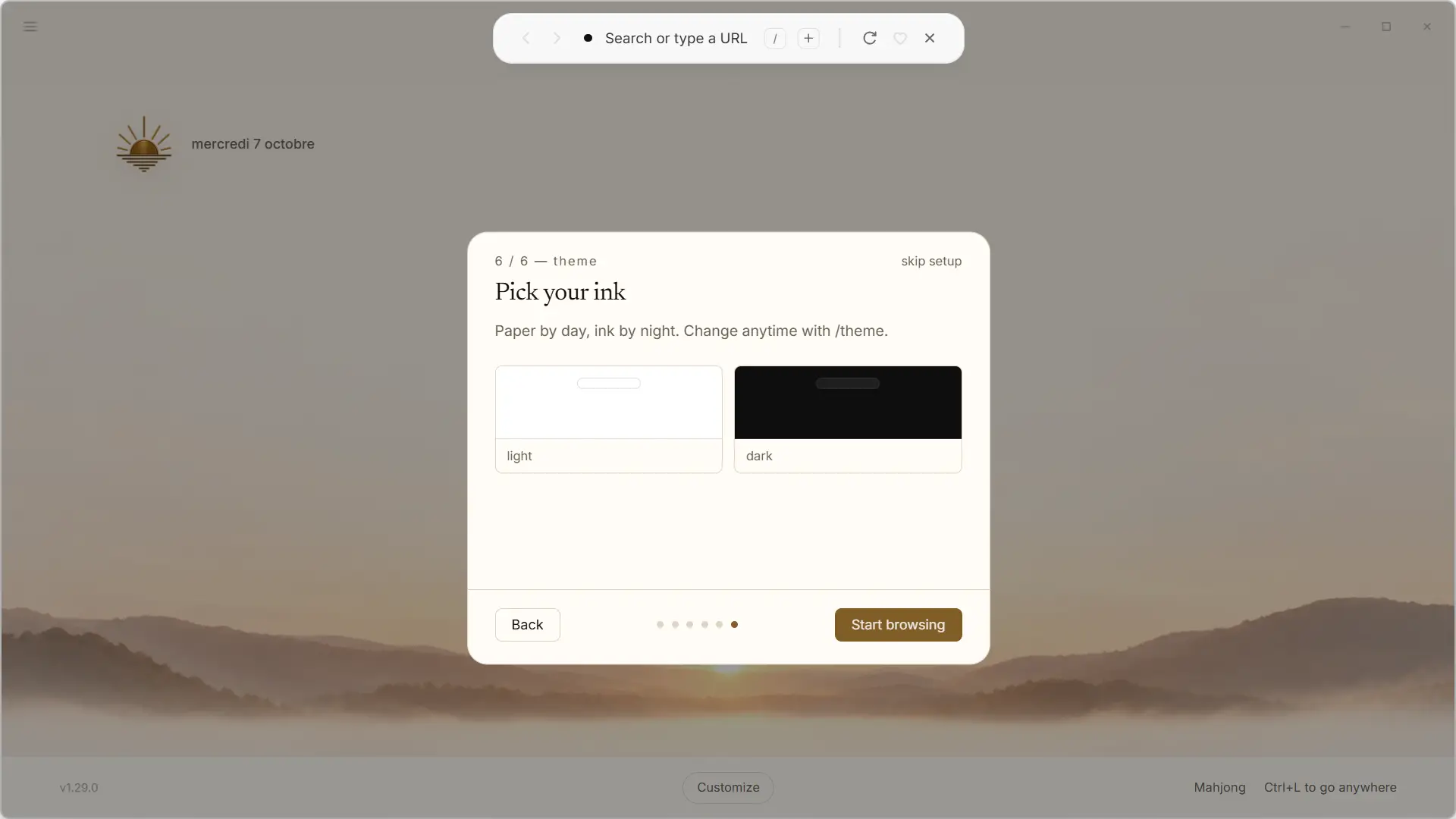
On first startup, Blanc guides you through six small steps to set up the browser. You can start by setting it as your default browser, then import your bookmarks and even your open tabs from another browser. Importing can also be done from an HTML file.
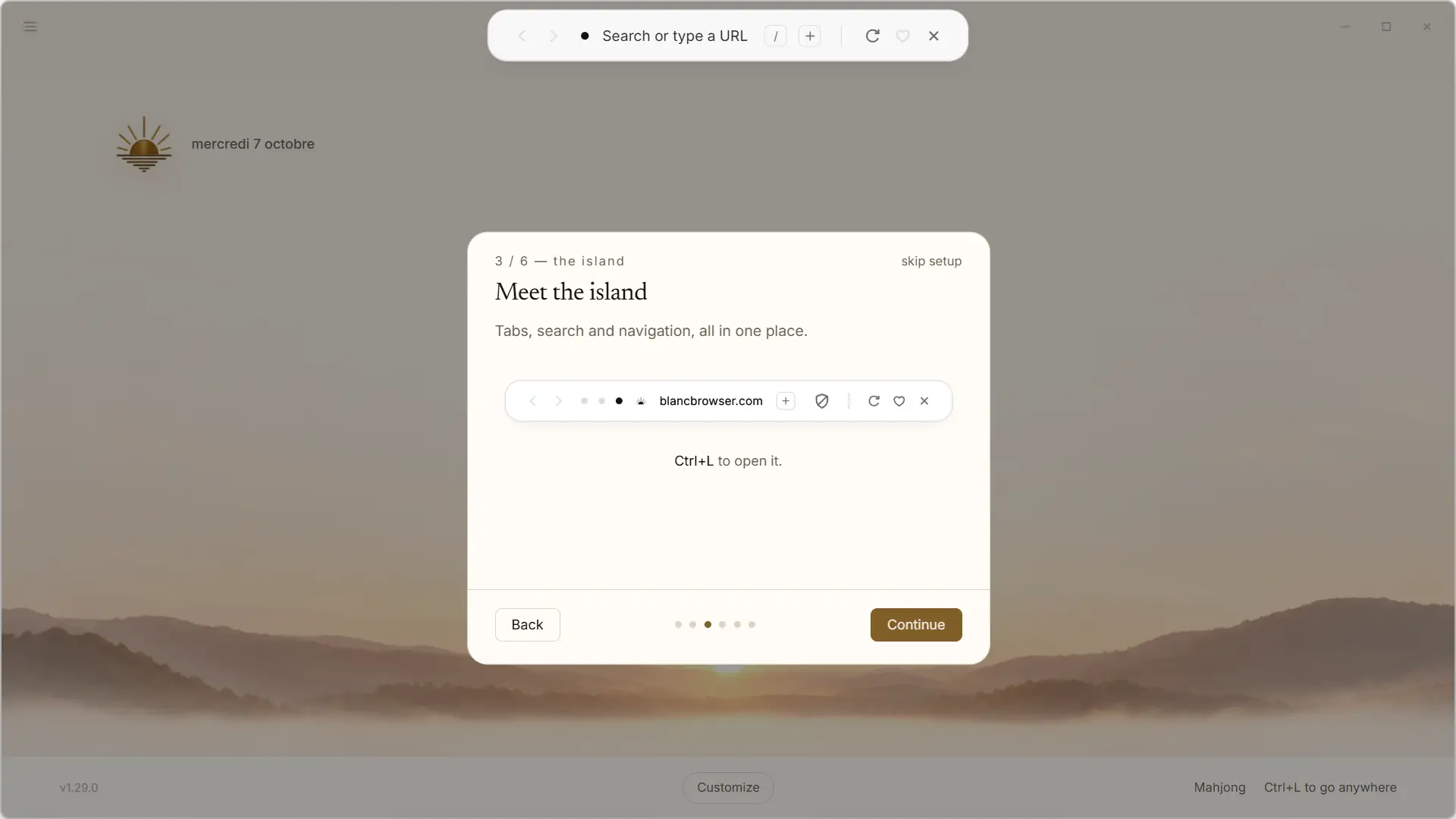
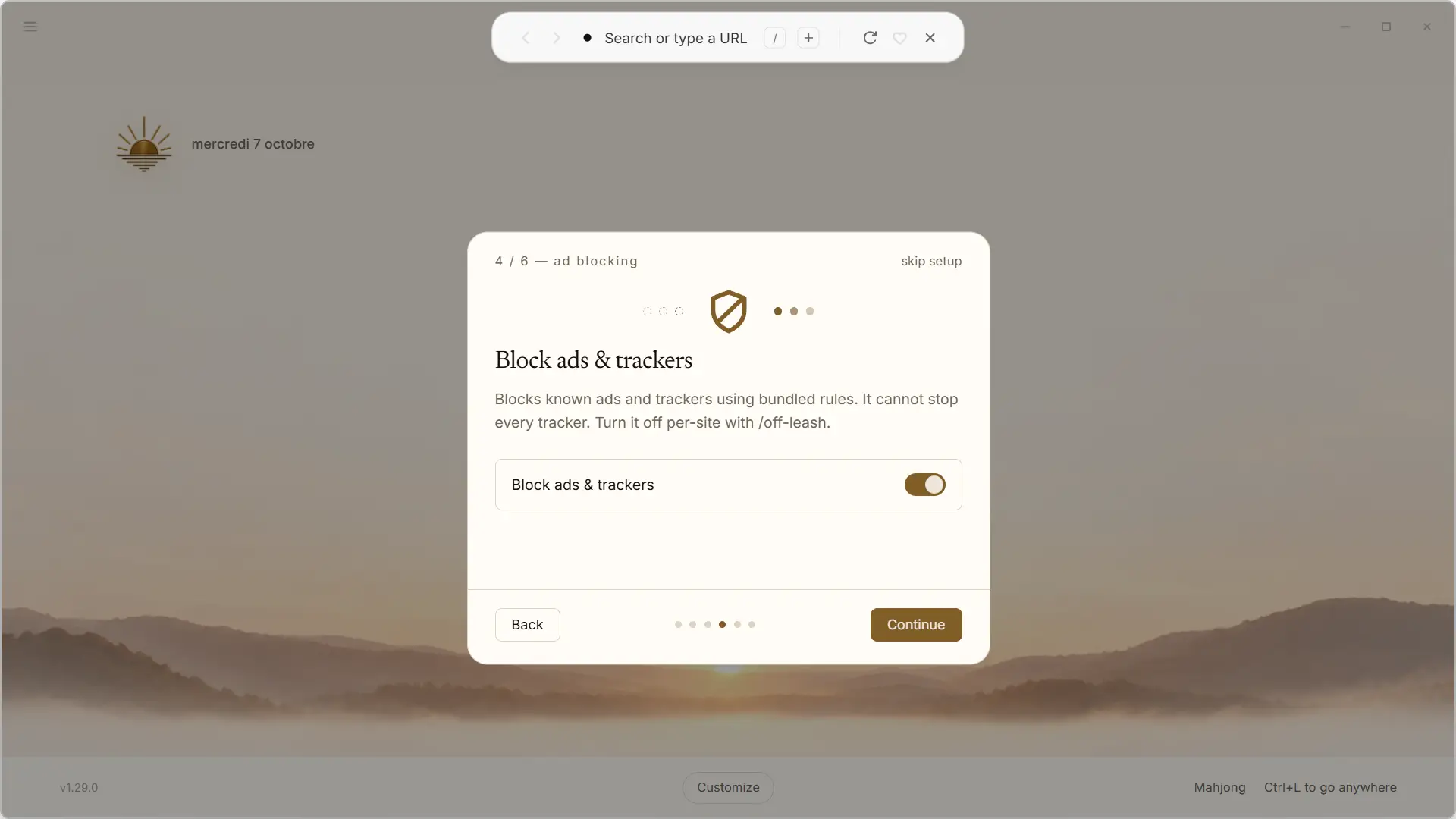
Blanc then takes the opportunity to present “Island”, this famous floating bar that I told you about in the introduction and to which we will return shortly after. The browser also allows you to activate its built-in ad and tracker blocker.
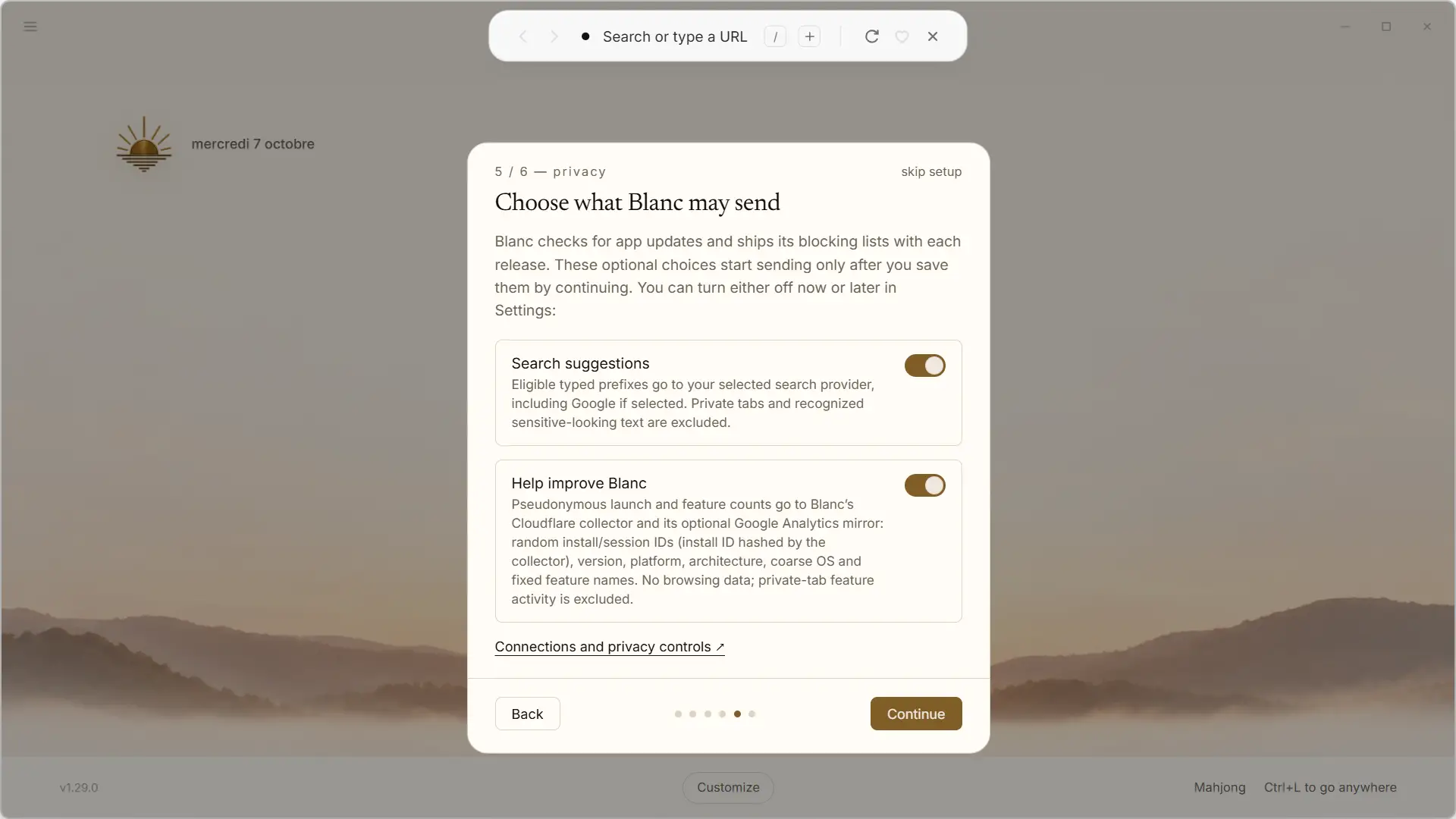
Another step concerns confidentiality. You can choose whether or not to enable search suggestions and sending anonymous usage data. White specifies what information can be sent, and both of these options can be disabled if you don’t want to share anything.
All that’s left is to choose between the light theme and the dark theme before you get to the home page. All of these settings can also be ignored if you prefer to deal with them later.
Island, the fun bar that replaces almost everything
Once the setup was complete, we finally discovered what really sets Blanc apart from other browsers. There is no long address bar here or a row of tabs that take up the entire width of the window. Everything is grouped in a small floating bar located at the top of the screen, called “Island”.
When zoomed out, it is quite unobtrusive and simply shows the currently viewed site, as well as a few small dots representing open tabs. One click on it implements you to find the previous and next buttons, the address bar, open a new tab, reload the page or even add to favorites.
To quickly access another site, simply use the shortcut Control + l. Island then opens in the center of the screen and you can enter an address, perform a search, or quickly find an already open tab.
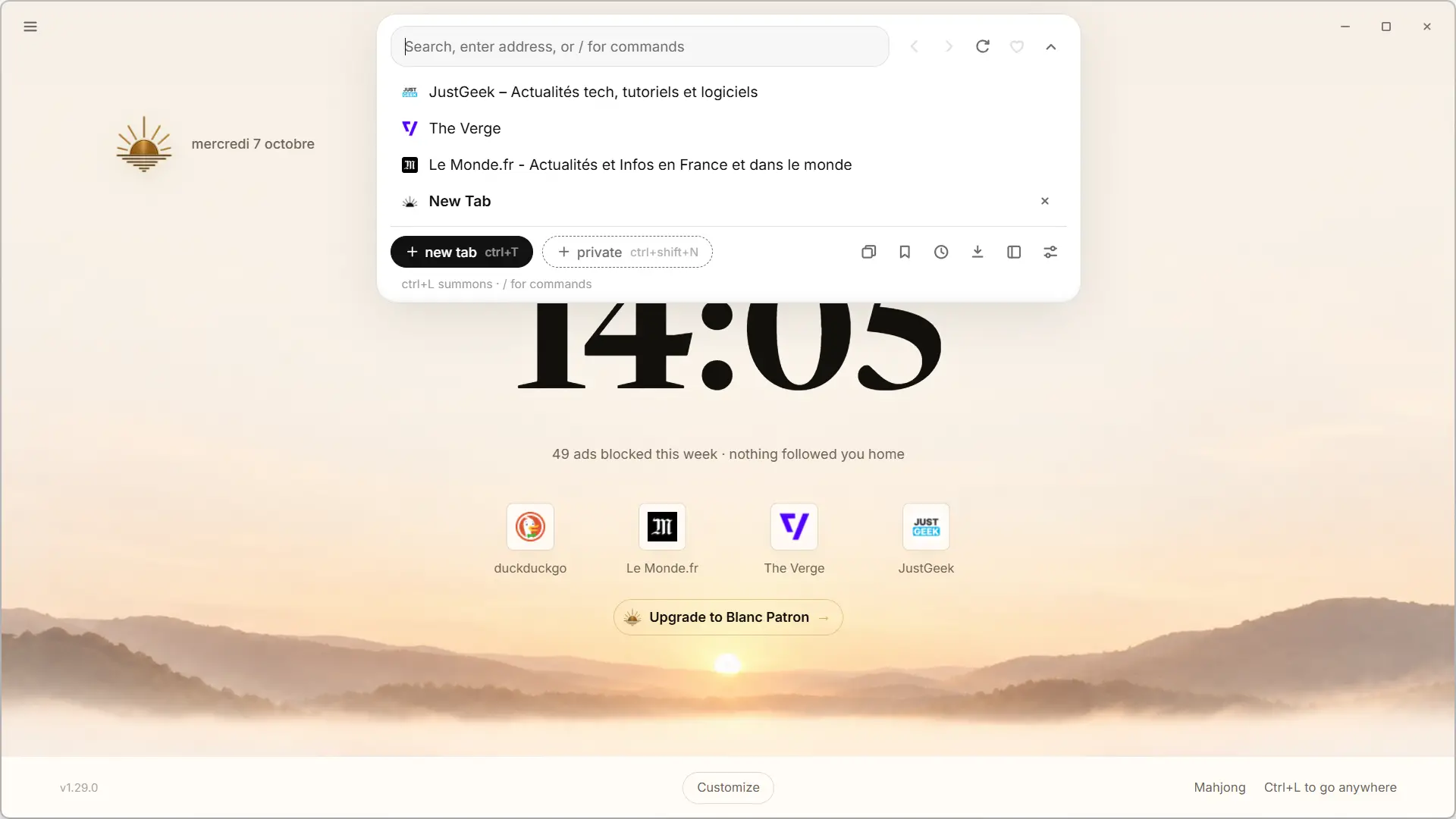
At first I admit that it takes a little getting used to, especially when you’ve been using a more traditional browser for years. But after a few minutes, I started to find the system quite well thought out. The interface leaves much more space for web pages, while Island always remains accessible at the top of the screen without taking up much space.
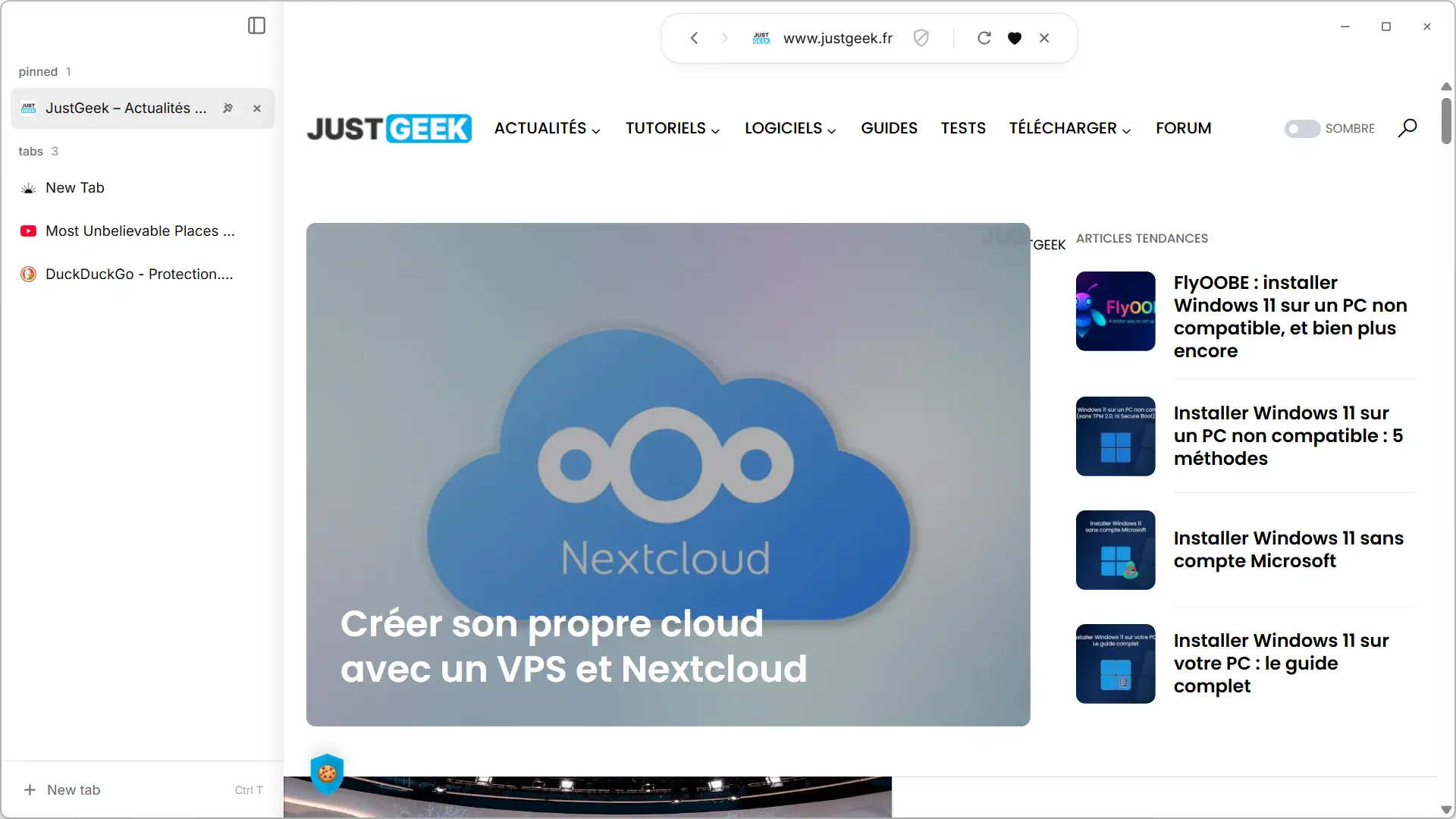
But if this way of managing tabs doesn’t suit you, Blanc also offers a layout with vertical tabs in a sidebar. An option that allows you to find a more classic organization, keeping Island at the top of the screen.
An original interface, but familiar functions
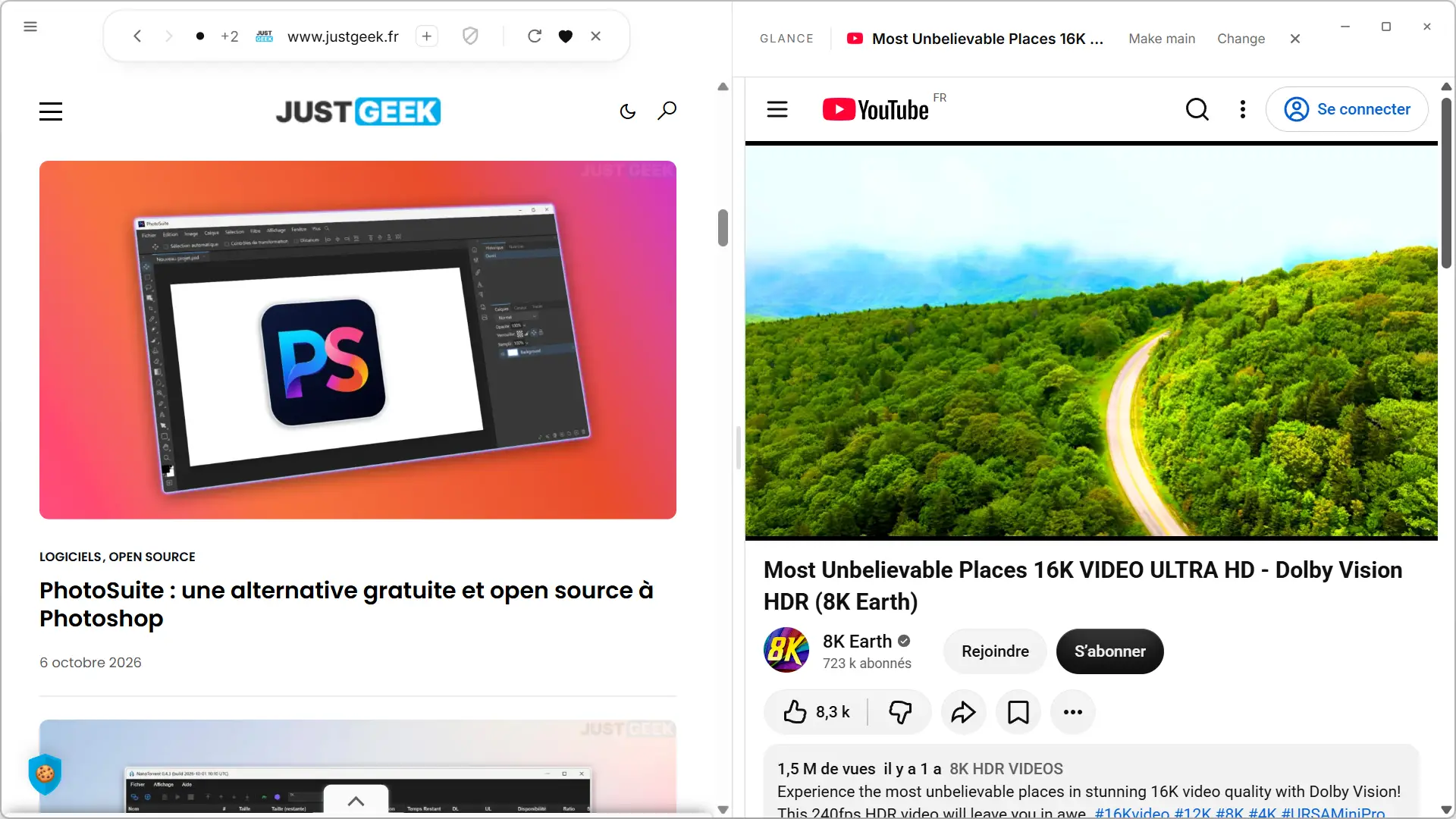
If Blanc stands out for its interface, we find many functions already present among its competitors in use. This is particularly the case with Glance, which allows you to display two tabs side by side in the same window. You can adjust the width of each page and make the one displayed in Glance the main tab with a single click.
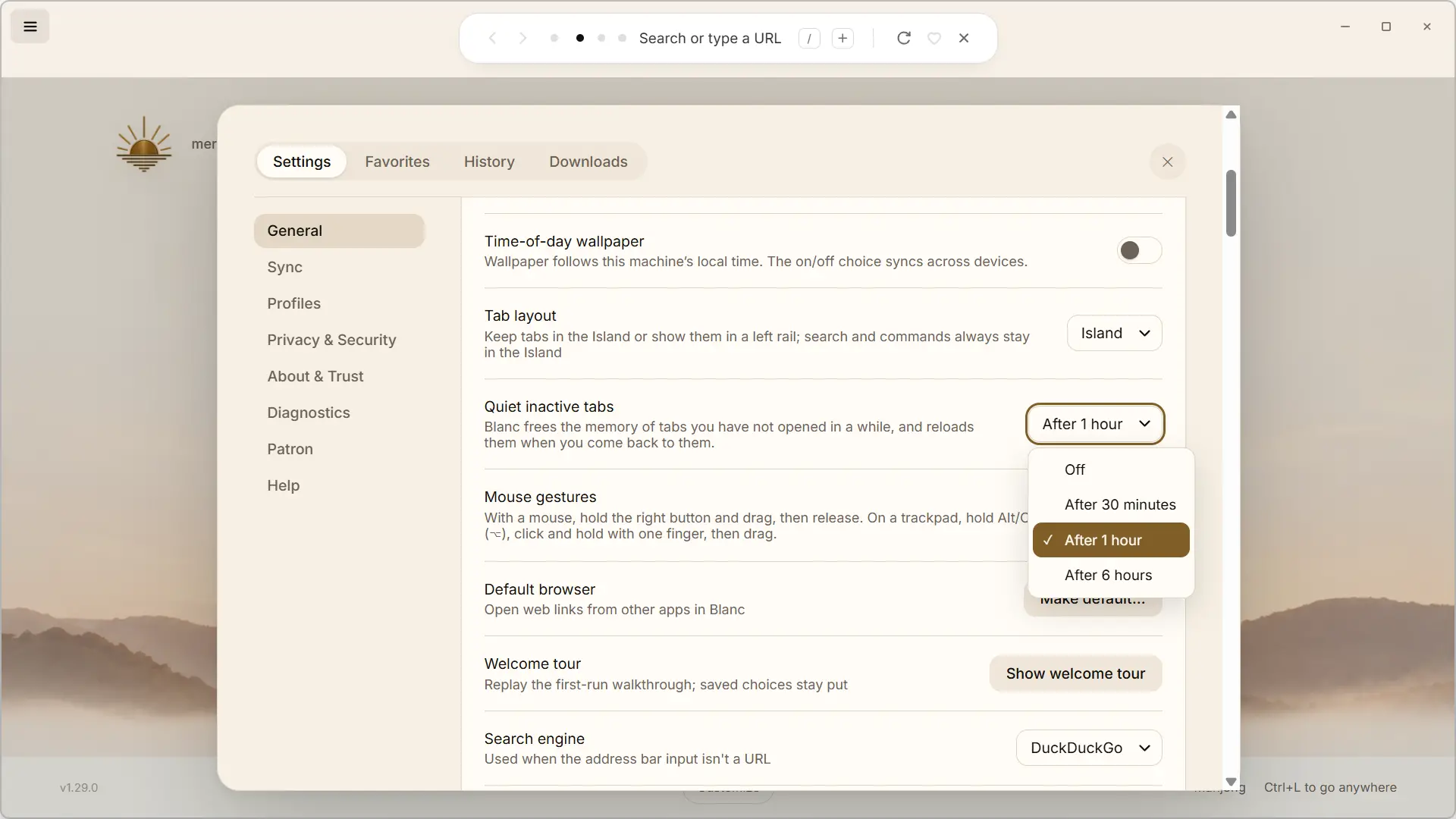
Same for tab management. It is possible to group them when you start to have many, but also let White automatically free the memory of those that you have not consulted in a long time. This feature, called “Quiet Tabs,” can be activated after 30 minutes, 1 hour, or 6 hours of inactivity. You can also disable it completely. When you return to an affected tab, White simply reloads the page.
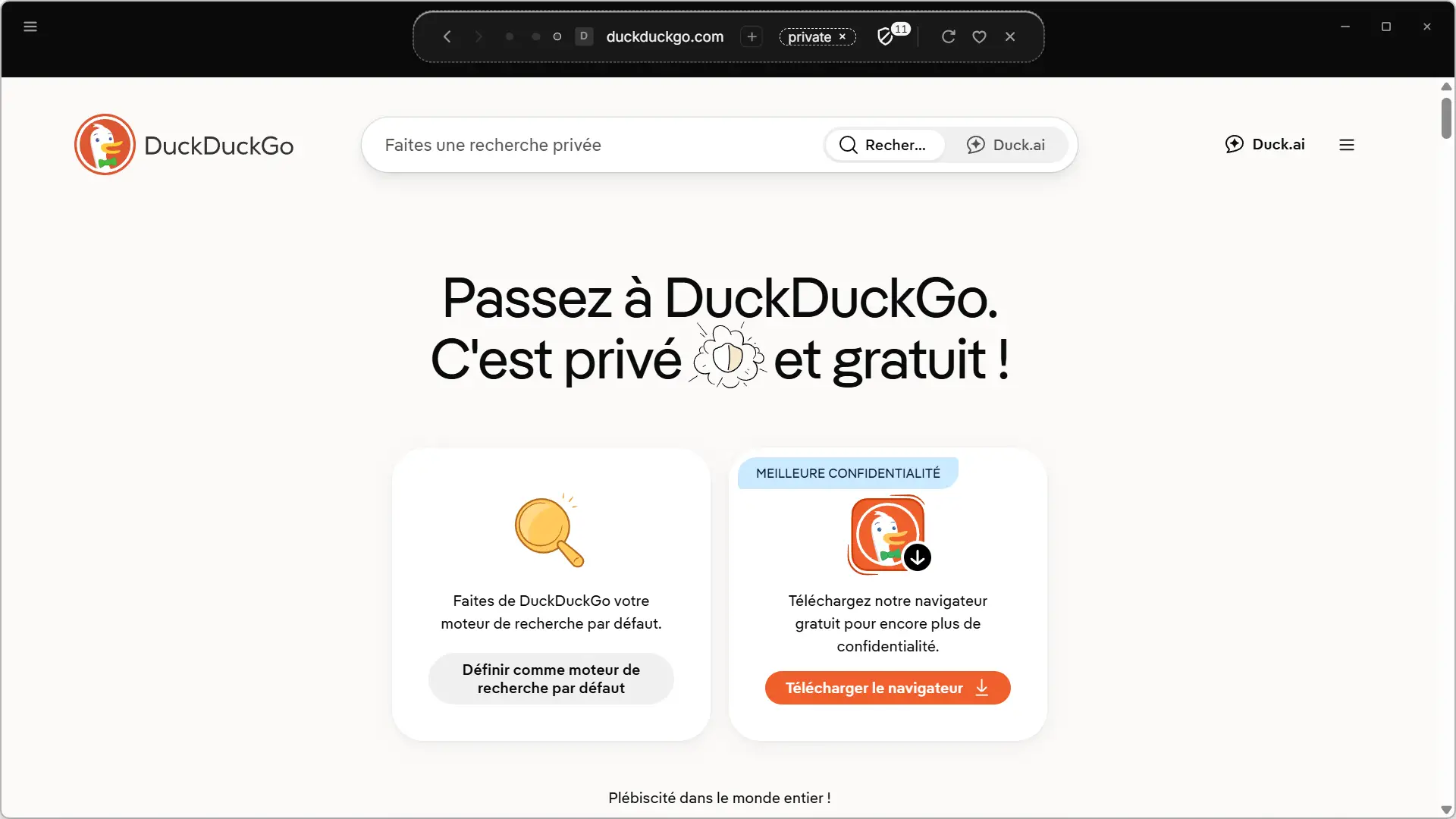
On the other hand, the management of private browsing seemed a little more original to me. White does not open a new window like most browsers do. You can create a private tab directly next to the others and it is clearly marked as such in Island. It remains separate from your classic session, works with a session saved only in memory and the pages visited are not recorded in the history.
A built-in ad and tracker blocker
Blanc also has its own ad blocker and trackers, which you can activate when you first set up the browser. Called “White Blocker”, it is based on the EasyList and EasyPrivacy lists and blocks unwanted elements before they are even loaded.
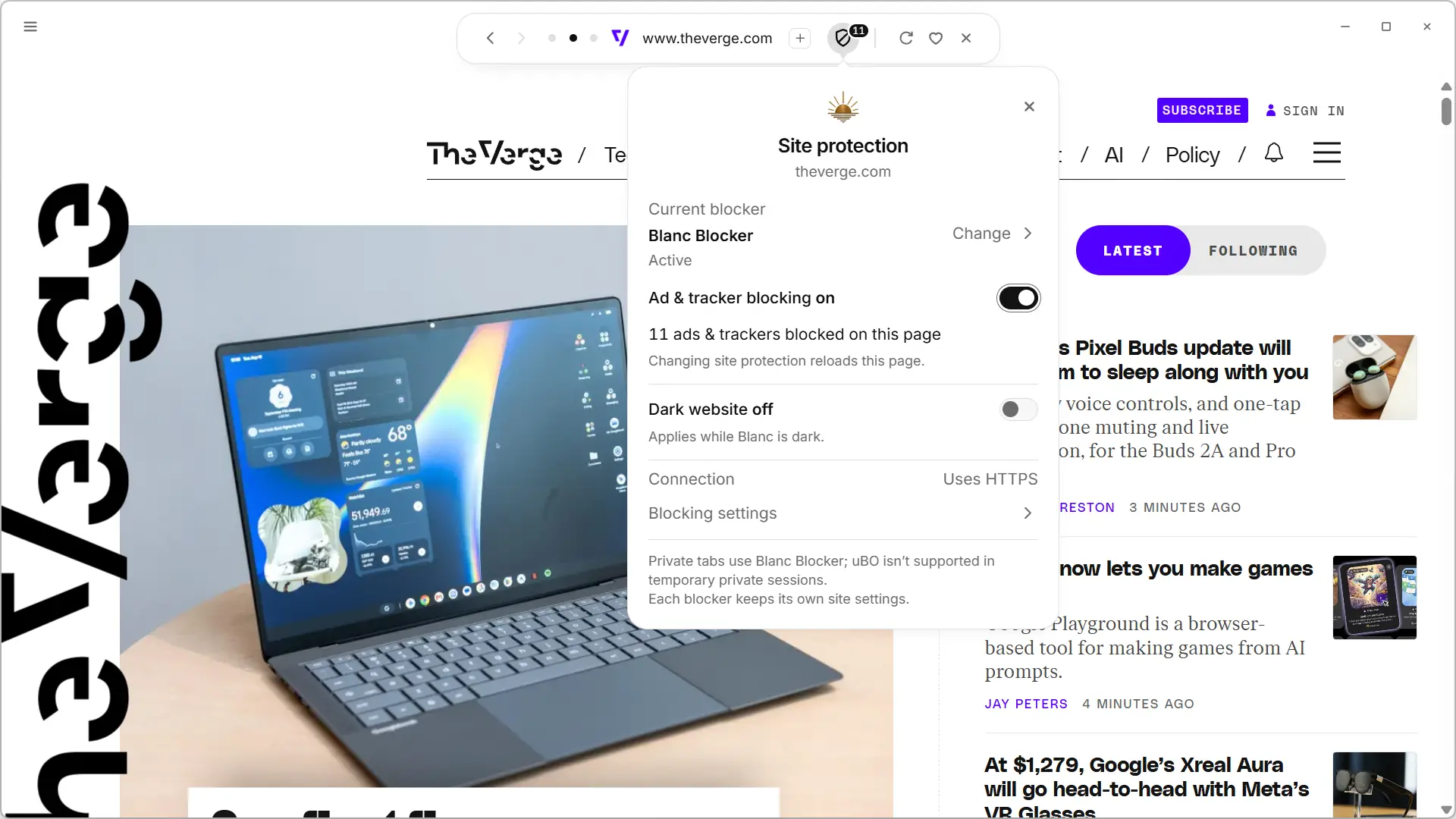
As you browse, the number of blocked ads and trackers appears directly on Island. Clicking on the shield lets you know a little more, but also disables protection for the site you’re viewing if it’s not working properly.
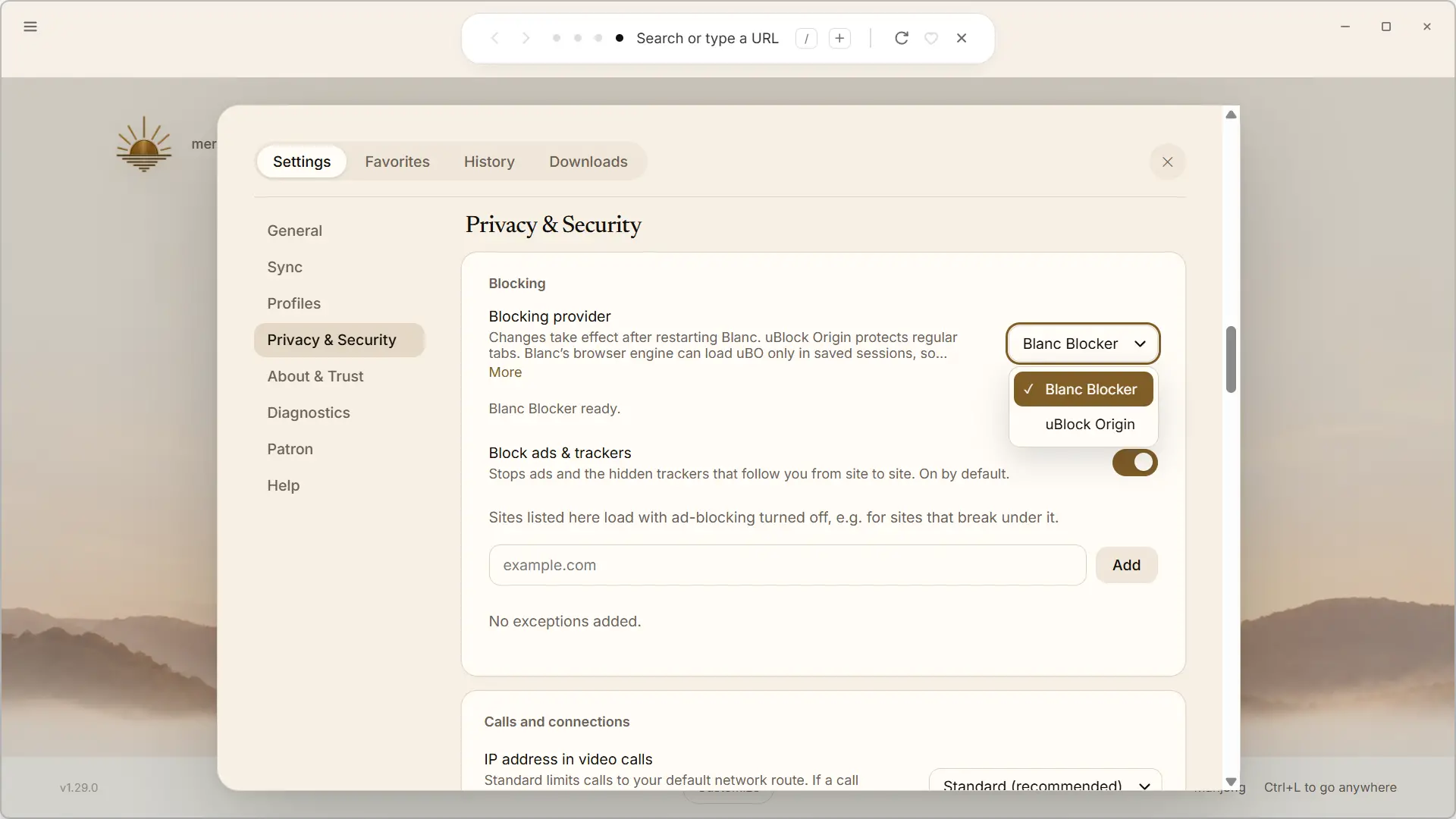
And White even goes a little further as it allows you to replace its integrated blocker with uBlock Origin from the privacy settings.
A home page that you can customize
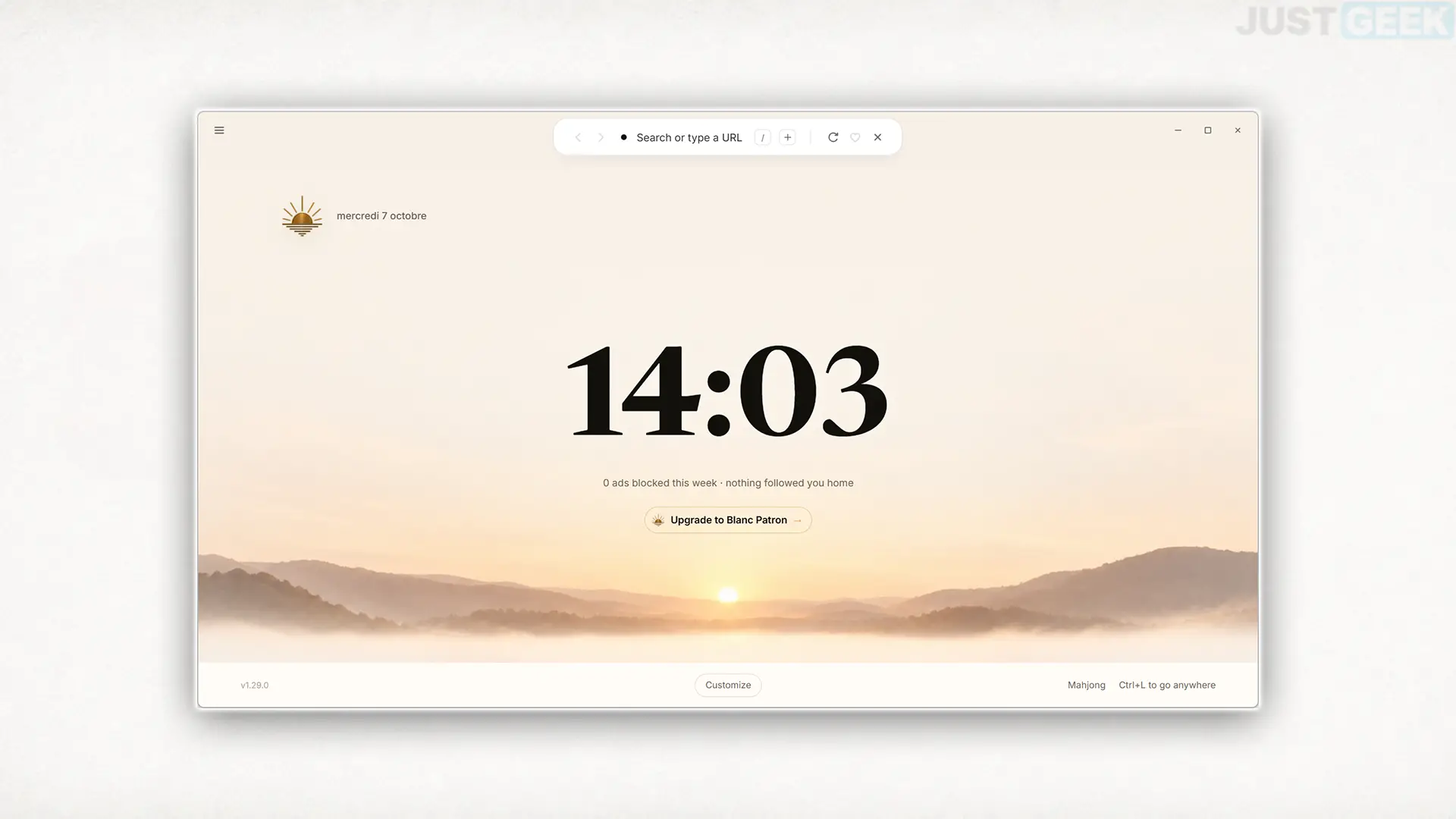
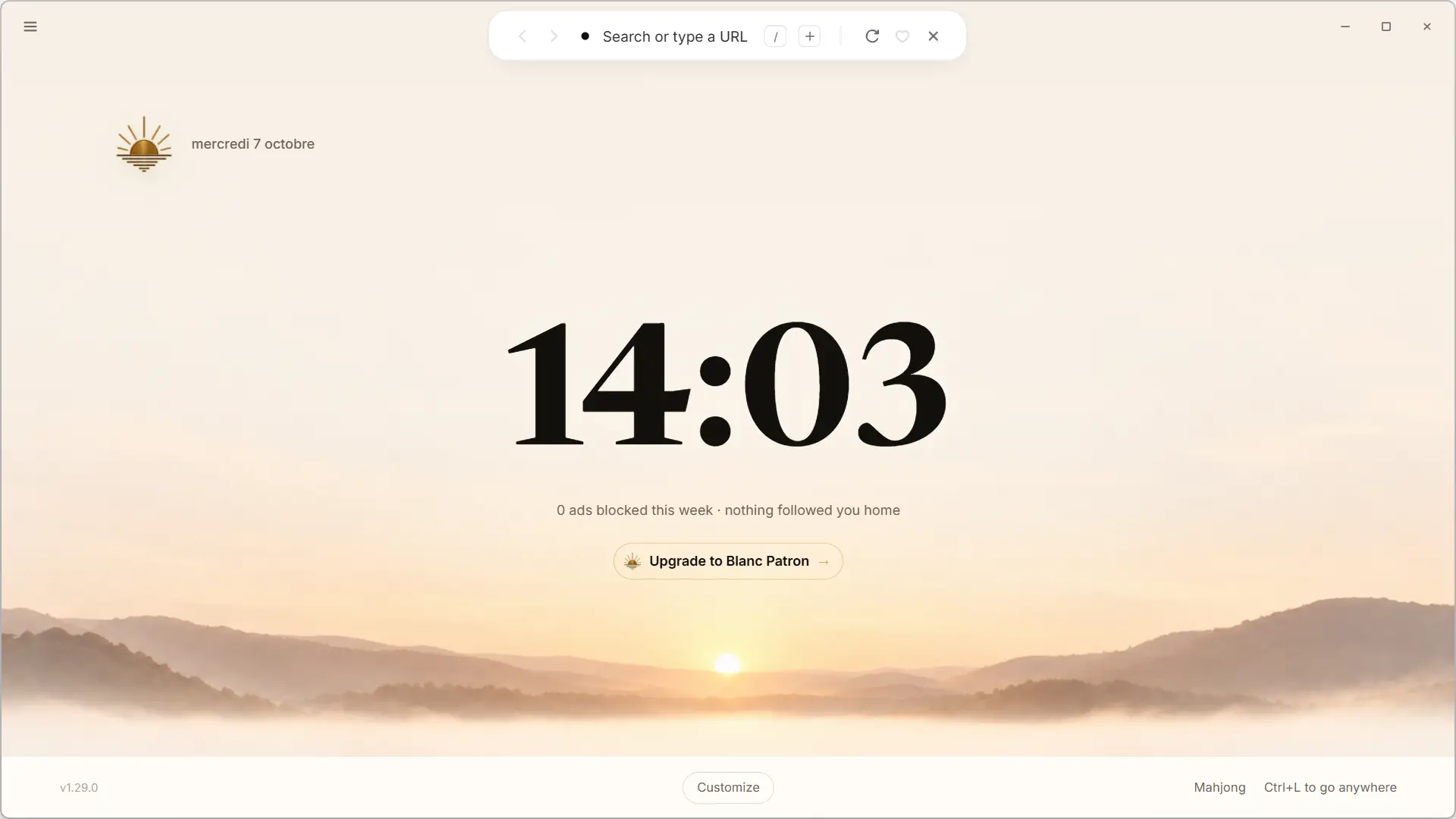
Blanc’s home page maintains the same spirit as the rest of the browser, with a fairly clean interface. By default, it shows a large clock, the number of ads blocked during the week, and some shortcuts to sites you visit regularly.
A “Customize” button allows you to modify its appearance. You can change the layout of elements displayed on the page and activate a background that changes depending on the time of day. White also offers a light theme and a dark theme, which you can switch at any time.
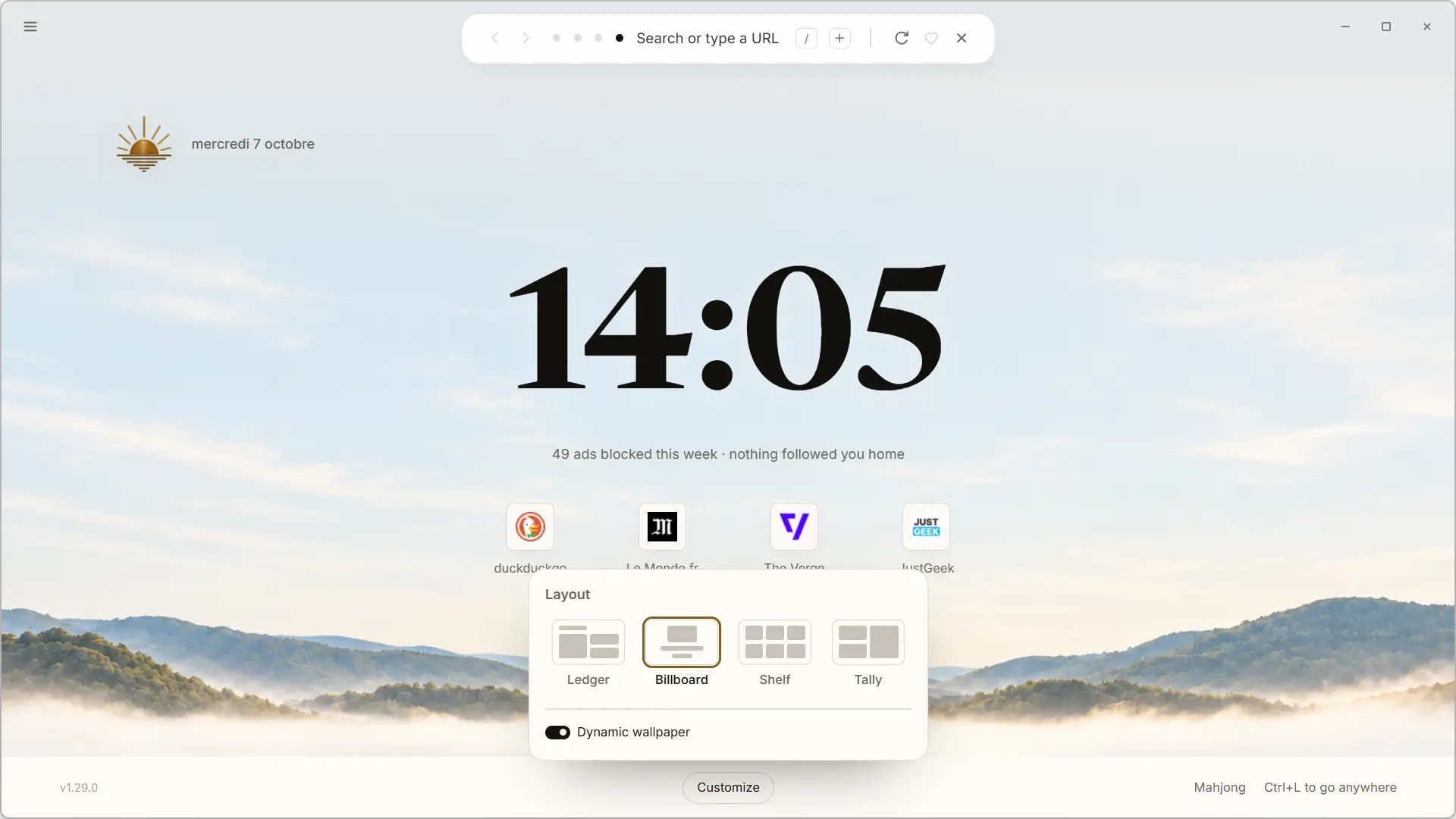
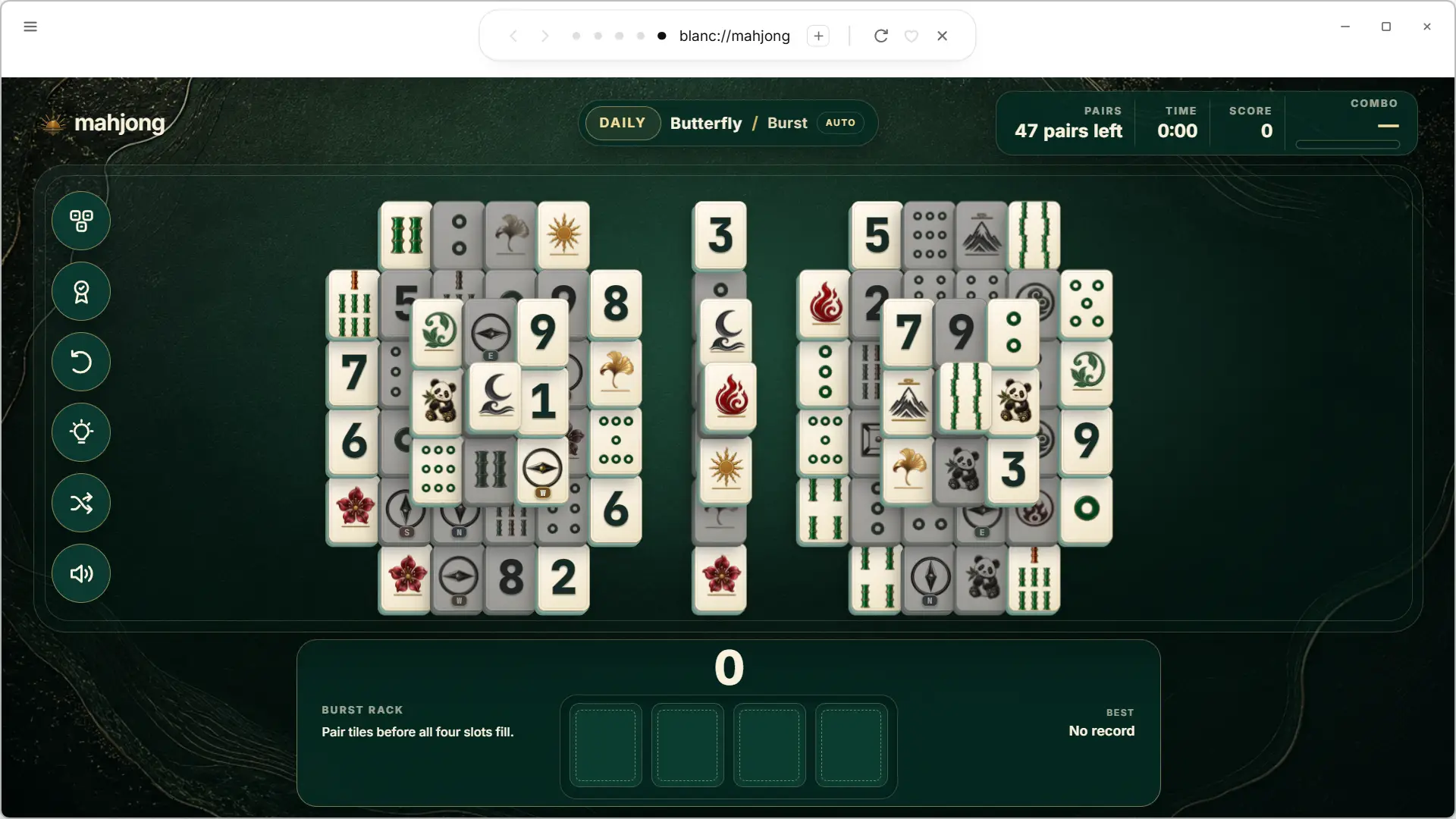
And there’s even a little surprise at the bottom of the page: a shortcut to the Mahjong game. It is clear that it is not essential, but I admit that I did not expect to find it here.
White is available for free on Windows, macOS, and Linux. To download it, the easiest way is to go to official websitewhich detects your system and directs you to the appropriate version. You can also recover the different versions of the project GitHub page.
On Windows, installation involves a classic EXE file. On macOS, Blanc is offered in DMG format, while Linux users have AppImage for x86_64 machines.
Once installed, the browser is responsible for recovering new versions using its automatic update system.