Microsoft will soon stop selling Whiteboard for personal accounts. Affected users now only have a few days to save the tables they want to keep. This is what is changing.
Microsoft Whiteboard can no longer be used with a personal account
if you use Microsoft Whiteboard With a personal Microsoft account, you may have already seen a message appear warning you of the upcoming service withdrawal.
Microsoft indicates that starting August 22, 2026, it will no longer be possible to create new whiteboards or modify existing ones with a personal account.
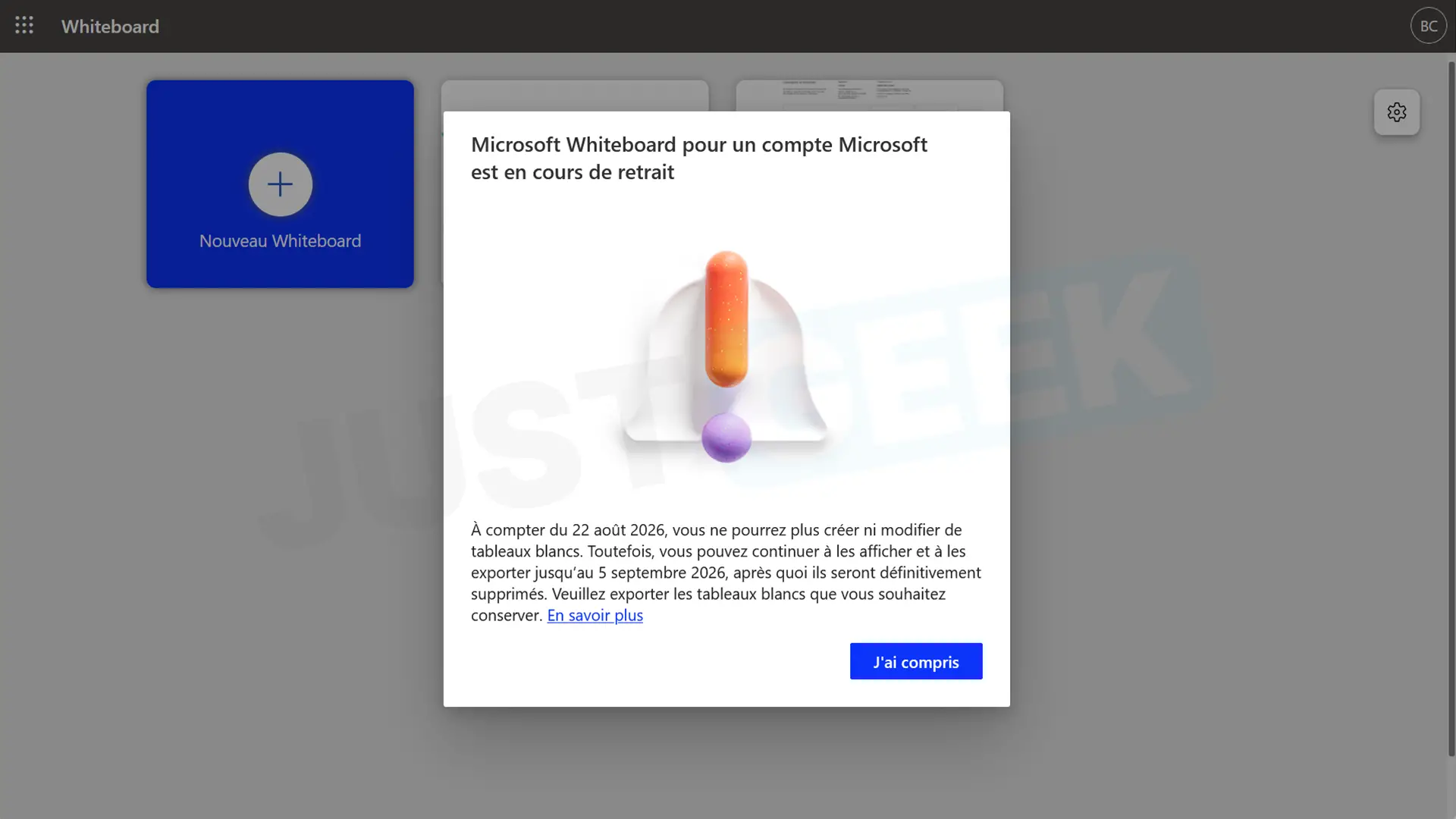
The tables will not be deleted immediately. They will remain available for consultation until September 5, 2026 and can still be exported during this period. After this date, Microsoft indicates that they will be permanently removed.
If you have tables that you want to keep, you’ll want to consider exporting them before September 5.
Microsoft Whiteboard, however, is not closing its doors. The service will continue to be offered to users with a work or school account.
Professionals are also affected by a change
For businesses and educational establishments, Whiteboard will continue to work, but Microsoft is abandoning the old tables that are still stored in Azure.
Starting in 2022, new whiteboards for enterprise customers are saved to OneDrive. However, some older tables may still be stored in Azure.
Microsoft asks administrators Migrate these old license plates to OneDrive by August 22, 2026.
After this date, the migration tool will be disabled and any Azure tables that have not been transferred will become read-only. They will remain accessible until September 5 before being permanently removed.
Therefore, this migration does not concern all professional Whiteboard users. If the boards are already saved in OneDrive, there is nothing to do.
Whiteboard apps will be retired in September
Microsoft also plans to remove applications Whiteboard for Windows, iOS and Android from September 14, 2026.
Business and school users will still be able to use Whiteboard from its web version or directly in Microsoft Teams.