With its outdated interface, BonPatron doesn’t look like much. However, it processes more than 250,000 texts a day, according to its authors, and its name is still highly searched on Google. Its secret lies in a bias that almost no one dares anymore: it doesn’t correct you at all.
Should we use it in 2026, when AI-based correctors are multiplying? Here’s how it works, how much its free version costs, what the Pro version offers, and when it’s better to look elsewhere.
What is BonPatron?
BonPatron is an online spelling and grammar checker for French texts. It was created in 2001 in Canada by two academics, Terry Nadasdi and Stéfan Sinclair, and is published by Nadaclair Language Technologies.
Initially, the tool was aimed at people learning French in North America. Its authors indicate that it is currently used mainly by French speakers, in France and Quebec. The fact that it comes from Canada does not change the corrections: it is based on standard French, the one in the dictionary.
In addition to the main editor, the site offers an English-French dictionary, a conjugator, a vocabulary enrichment tool, a grammar guide, and a phonetics page. The team also publishes related tools for other languages, such as SpellCheckPlus for English and SpanishChecker for Spanish.
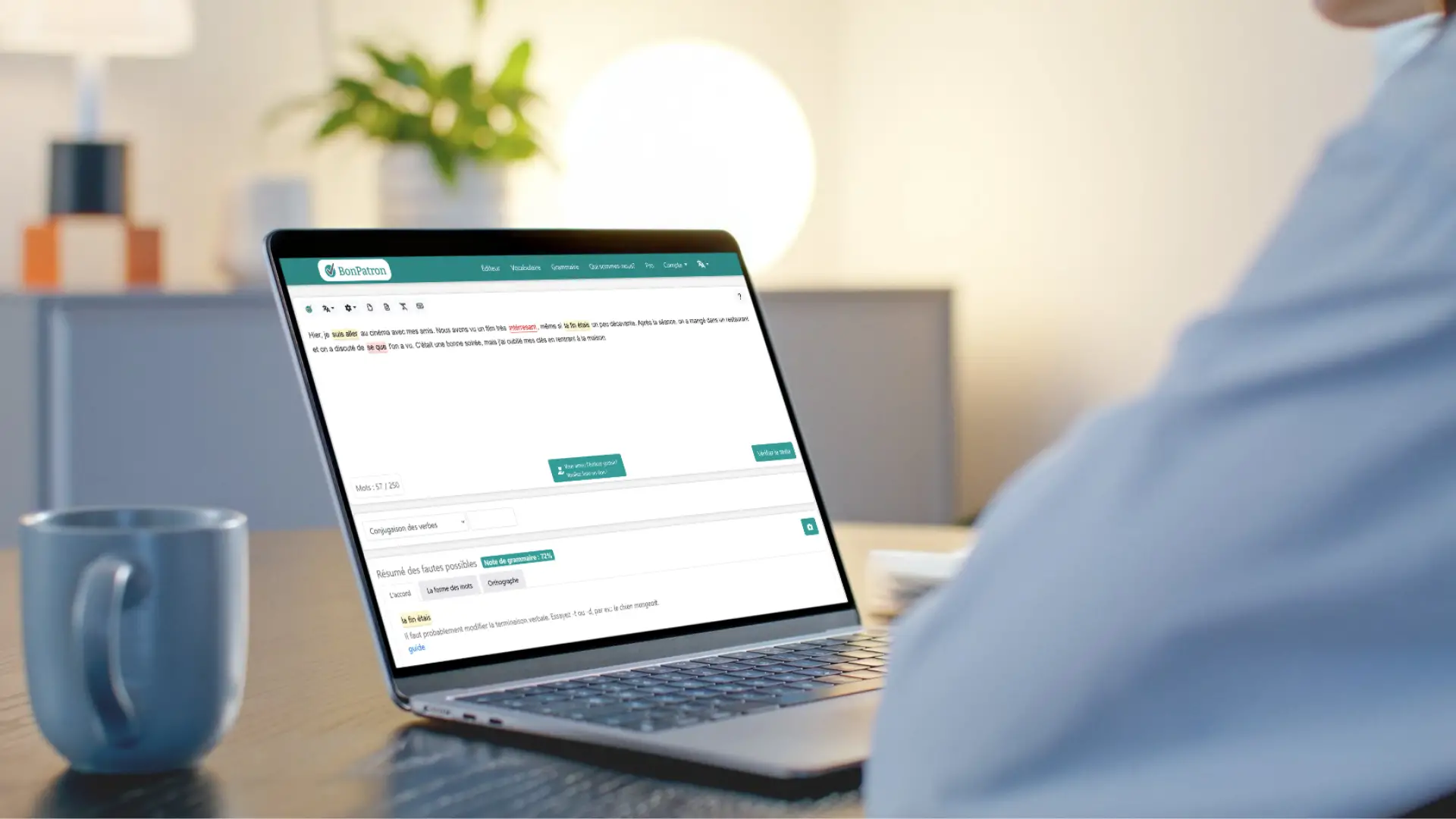
Use is reduced to three gestures. You paste your text into the main window, without creating an account, click “Check Text” and then hover over the words highlighted in red or yellow to read the explanation.
BonPatron classifies what it finds into three categories:
- misspelled wordslike “cheese,” for which it offers a list of valid words;
- structures to checkthat is, sequences that are sometimes correct, such as “il ferra”, correct for the verb ferrer but incorrect for the verb faire;
- structures to modifythat they are real errors that must be corrected, like “when it comes.”
A tool that allows you to correct it yourself
This is the big difference with the competition. Their FAQ is unequivocal about this: BonPatron does not automatically correct. Inform, explain, and then it’s up to you to edit the text and send it again.
This step-by-step method has an educational logic. Correcting one mistake sometimes reveals another. If you type “Il a reste”, the tool first points to the missing past participle. Only once written “remained” does the auxiliary indicate. Therefore, you chain several passages, with a single difficulty at a time.
For a student or a person who wants to progress, it is valuable. For someone who has to reread ten emails before a meeting, this can quickly become tedious.
An engine based on rules, not AI
BonPatron identifies errors using established rules, most of which are created from errors found in texts submitted to the site. A fault must have been committed several times, by several people, for it to give rise to a rule.
Direct consequence, he does not understand what you write. The example given by its authors is revealing: “Bananas eat the gorilla” passes without a problem, since the phrase is grammatically correct. It also lets rare mistakes slip through and doesn’t say anything about your style. A proofreader based on a linguistic model, on the other hand, analyzes the meaning of the sentence, with the opposite risk of proposing rewrites that you had not requested.
BonPatron or AI checker: what are the differences?
The two approaches do not meet the same need. This table summarizes what separates them.
| Good pattern | AI-based proofreader | |
|---|---|---|
| Method | Rules established from real fouls | Language model that analyzes the sentence. |
| Correction | you correct it yourself | Corrected text proposed directly. |
| Explanations | At the heart of the tool | Variables depending on tool and demand. |
| Style and reformulation | No | Yes, upon request |
| Main risk | Let a rare mistake pass | Modify a sentence that was correct |
Example of use to reread an email
Let’s take a specific case. You need to send an important message to a client. Paste your text into the editor and start checking. First try the words in red, which correspond to necessary corrections, then look at the passages in yellow, which only require verification. Read each explanation, correct in the window, and run the analysis again.
Repeat the process until nothing comes out. For a short message, two or three passages are usually enough. If your text exceeds the limit of the free version, split it into several parts.
Free version or BonPatron Pro: what to choose?
Several online listings claim that BonPatron has no limits and no paid version. This is incorrect: the publisher offers a Pro offer and the free version has a limit. Their FAQ talks about 3,000 characters, or about 500 words, while the counter shown in the editor indicates 250 words. The simplest thing to do is to provide a breakdown of any long text. The number of checks is not limited.
| Free version | BonPatron Pro | |
|---|---|---|
| Price | €0, with advertising | €12.99 per year, without advertising |
| Account | Not mandatory | Yes, 5-day free trial |
| Text size | Limited | No advertised limit, outside of server restrictions |
| Troubleshooting | No | Yes, at the end of the document. |
| grammar exercises | No | Yes, linked to many failures. |
| Full screen editor | No | Yeah |
| Text history | No | Yeah |
The price shown in November 2026 is still very reasonable, with a one-year subscription costing around the price of a month for many competitors. It also includes one year of SpellCheckPlus Pro for your English texts. There are group licenses for schools.
Our strengths and reserves
What we like:
- immediate access, without registration;
- clear explanations that make the rule understood;
- unlimited number of checks;
- the price of the Pro version.
What bothers us:
- the outdated interface and advertising in the free version;
- lack of browser extension and integration with Word or Gmail, requiring copy and paste;
- the necessary back and forth, since nothing is corrected automatically;
- the absence of style advice or reformulation.
BonPatron is therefore very suitable for students, teachers, people learning French and anyone who wants to understand their mistakes. It is less suitable for professionals who write a lot and especially want to go fast.
A final point concerns confidentiality. As with any online service, avoid including personal data, customer information or internal documents. If you proofread sensitive texts in a professional environment, the software installed on your workstation will be more suitable.
What alternatives to BonPatron?
If the tool doesn’t suit you, the right choice depends on what you are complaining about.
- To correct directly in your applications : LanguageTool offers browser extensions and a free version.
- For complete processing on the computer : Antidote remains the paid reference, with its built-in dictionaries and guides.
- For quick online verification : Scribens and Reverso do the job without installation.
- To correct and then improve the style. : TO AI checker Since Nation AI analyzes the entire sentence, it can explain its corrections and suggest rephrasing a heavy passage, which BonPatron doesn’t do.
Nothing prevents you from combining two tools. An AI proofreader saves time on a long document and BonPatron helps understand recurring errors. In any case, avoid pasting sensitive data into an online service.
BonPatron FAQ
Is BonPatron free?
Yes, the main version is free and ad-supported, with no limit on the number of checks. A paid Pro version adds features and removes ads.
Do you need to create an account?
No, not for the free version. Only one account is required for BonPatron Pro.
Does BonPatron correct automatically?
No, and it is voluntary. The tool points out errors and explains them, but you must correct them yourself and then review the text again.
Is there a version for English or Spanish?
The BonPatron concealer is designed for French. For other languages, the same team offers separate sites, including SpellCheckPlus for English and SpanishChecker for Spanish.
Is BonPatron trustworthy?
It identifies common errors well and is cautious thanks to its “to check” category. On the other hand, it may let the rare mistake slip and never check the meaning of what you write. Therefore, human review remains essential for an important text.
Our verdict: More than twenty years after its release, BonPatron is still a great tool to learn and a bit slow to produce. If you want to understand your mistakes, save it to your favorites.