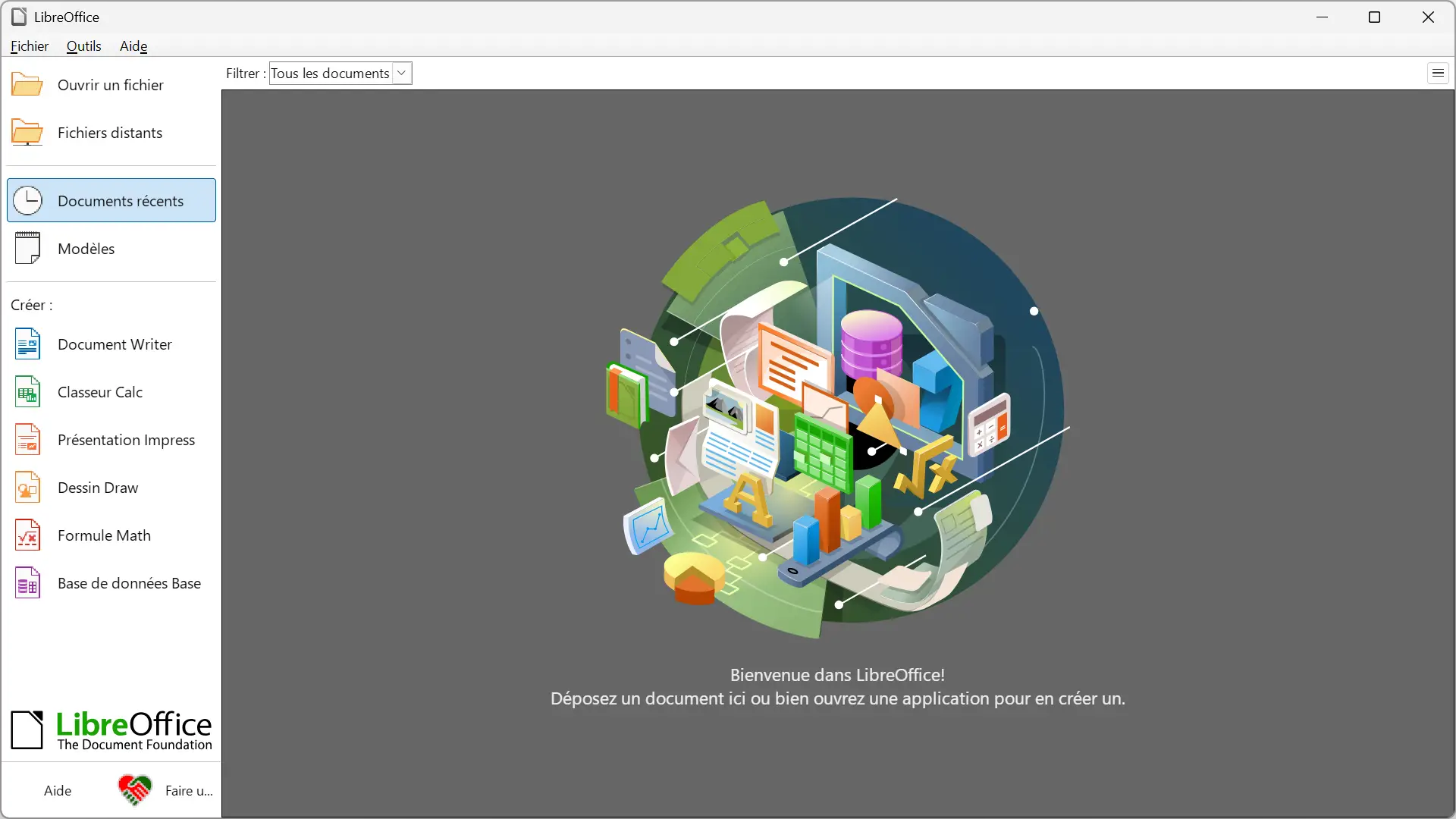
The Document Foundation has just released LibreOffice 26.8, a major new version of its free and open source office suite. Writer, Calc, Impress and Draw benefit from numerous improvements, with a lot of work around typography, Microsoft Office compatibility and the interface.
And as The Document Foundation points out, there is no generative AI in the program yet. An assumed choice that should appeal more to those who prefer to keep their documents and data local.
The writer is in charge of the design.
Writer benefits from several new features, starting with the new “Paragraph Composer.” This algorithm improves paragraph justification by analyzing multiple lines at once, rather than adjusting word spacing line by line. The result should be more consistent, with fewer unsightly spaces between certain words.
LibreOffice 26.8 also natively supports OpenType variable fonts. These allow you to vary certain characteristics of the same font, such as the weight, width or proportions of the characters, without the need to multiply font files.
Writer welcomes a new Draft view that hides headers, footers, and margins to make room for content while you write.
The Document Foundation also advertises reduced loading times for large documents containing many images.
Calc improves its pivot tables
Calc, the office suite’s spreadsheet, also benefits from several improvements. Pivot tables now support calculated fields. In this way it is possible to create a new field from a formula using the data that is already present in the table.
A new “Random” command also allows you to randomly shuffle the order of cells in a selected range.
Support for XLSX files is also advancing. LibreOffice better handles line breaks present in referenced cells, while form controls contained in these files now appear in the browser.
Impress finally lets you organize large presentations better
Impress brings back a feature that should be especially useful for presentations with many slides: sections.
It is now possible to group slides into named sections to organize everything better. Custom slide names appear next to their slide numbers in the side panel.
Impress and Draw can also use multiple page layouts within the same document. Several integrated models are currently offered in 16:9 and 4:3, which significantly avoids background distortion when changing formats.
Microsoft Office support continues to improve
Compatibility with documents created in Microsoft Office obviously remains an important point for LibreOffice. Not everyone uses the same office suite and, when you receive a Word, Excel or PowerPoint file, it is always better to be able to open it in LibreOffice without losing any of its content or formatting.
LibreOffice 26.8 makes some progress in this area. The suite now knows how to preserve several types of recent OOXML charts, such as waterfall, treemap, sunray, funnel, Pareto, or box-and-whisker charts.
LibreOffice cannot yet display or modify them. However, if you open a Microsoft Office document that contains one of these graphics before saving it in LibreOffice, it is preserved in the file. When you reopen it in Microsoft Office, the graph will still be present.
Therefore, it is not fully supported yet, but at least it prevents the loss of these graphics when a document moves from one office suite to another.
An interface that evolves in small steps
LibreOffice 26.8 also changes its interface, without altering everything.
The Notebookbar, which offers a tabbed organization of tools similar to that of Microsoft Office, now uses a different color depending on the open application. This makes it easier to differentiate between the Writer, Calc, Impress, and Draw windows.
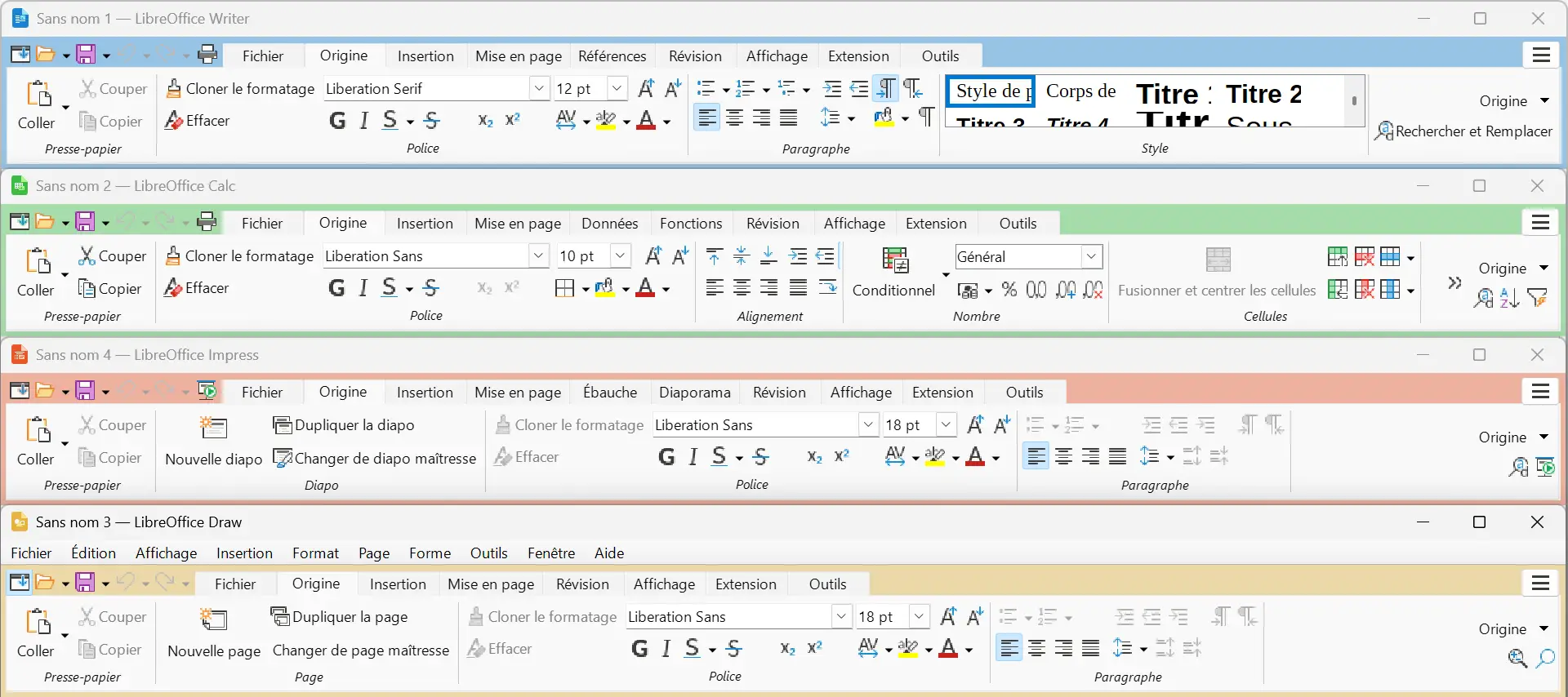
Notebookbar tabs show their category and it is now possible to switch between them using the mouse wheel or trackpad.
Other small adjustments have been made to the interface. Theme color changes are now applied immediately, without having to restart LibreOffice. The list of styles has been harmonized between the Notebook bar, the formatting bar, and the sidebar, with a visual preview to better identify each style.
LibreOffice 26.8 also supports paper sizes from A0 to B3, a search filter in custom dictionaries, and a button to maximize certain dialog windows in Windows.
There is no generative AI yet and it is an accepted option
In its blog article, The Document Foundation dedicates a few lines to artificial intelligence. The organization notes that LibreOffice 26.8 does not include any generative AI features and specifies that this is a voluntary choice and not a missing feature.
The suite remains fully usable locally, without an Internet connection. Therefore, documents do not need to be sent to remote servers for analysis or processing, and their content remains on your computer.
A choice that can reassure when working with personal or confidential documents. And now that AI is found in more and more software, some will appreciate being able to use an office suite that works just fine without it.
LibreOffice 26.8 is now available
LibreOffice 26.8 is available from August 26, 2026 on Windows, macOS and Linuxwith an interface translated into 120 languages.
The Document Foundation, however, recommends that users who work in production environments and prioritize stability above all else stay on the LibreOffice 26.2 branch for the time being. The latter continues to receive fixes, and LibreOffice 26.2.6 is expected for September 3.
For others, LibreOffice 26.8 allows you to immediately benefit from all the new features introduced here.
Fountain : The Document Foundation