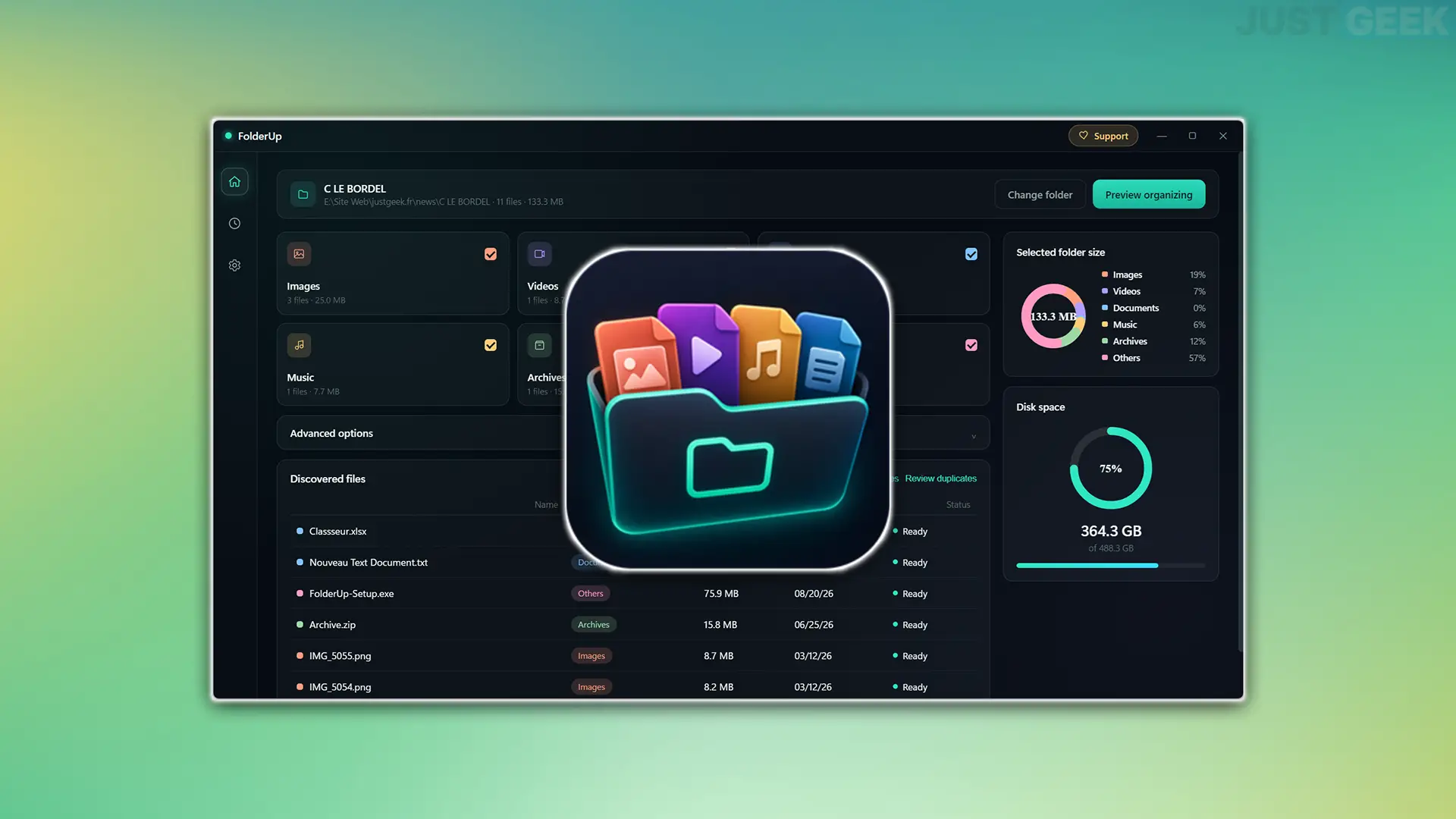
If you tend to accumulate files in a folder without even taking the time to save them, FolderUp might interest you. This free software allows you to automatically sort your content based on the type of files it contains.
Developed by Anas El-Ferjani, FolderUp is available on Windows and macOS. In particular, it allows you to categorize images, videos, documents, audio files and files into separate folders. Obviously I tested it with some massive files and it works pretty well.
FolderUp automatically stores your files
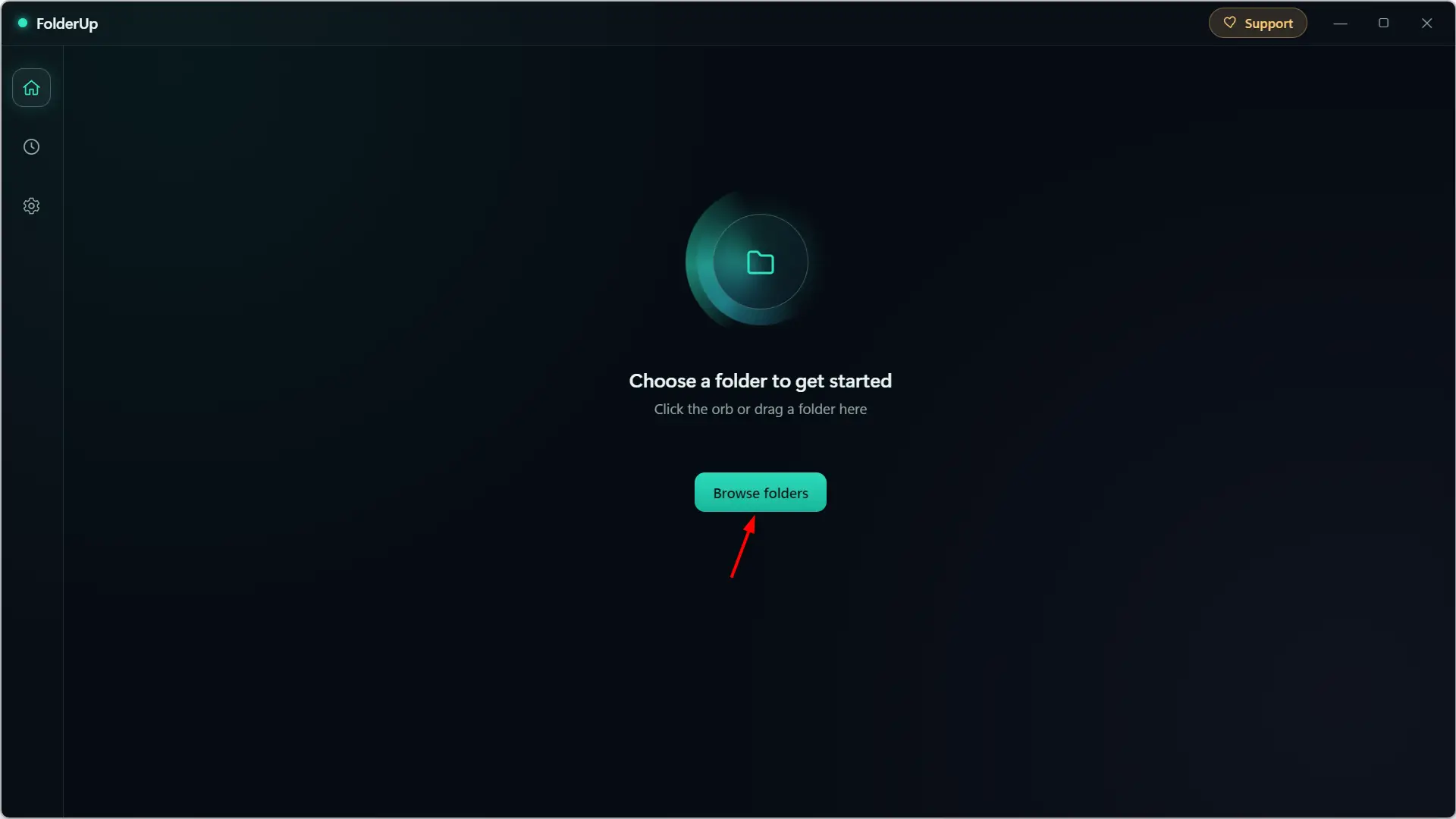
To begin, FolderUp asks you to select the folder you want to store. To do this, you can click “Browse Folders” or simply drag and drop the folder directly into the software window.
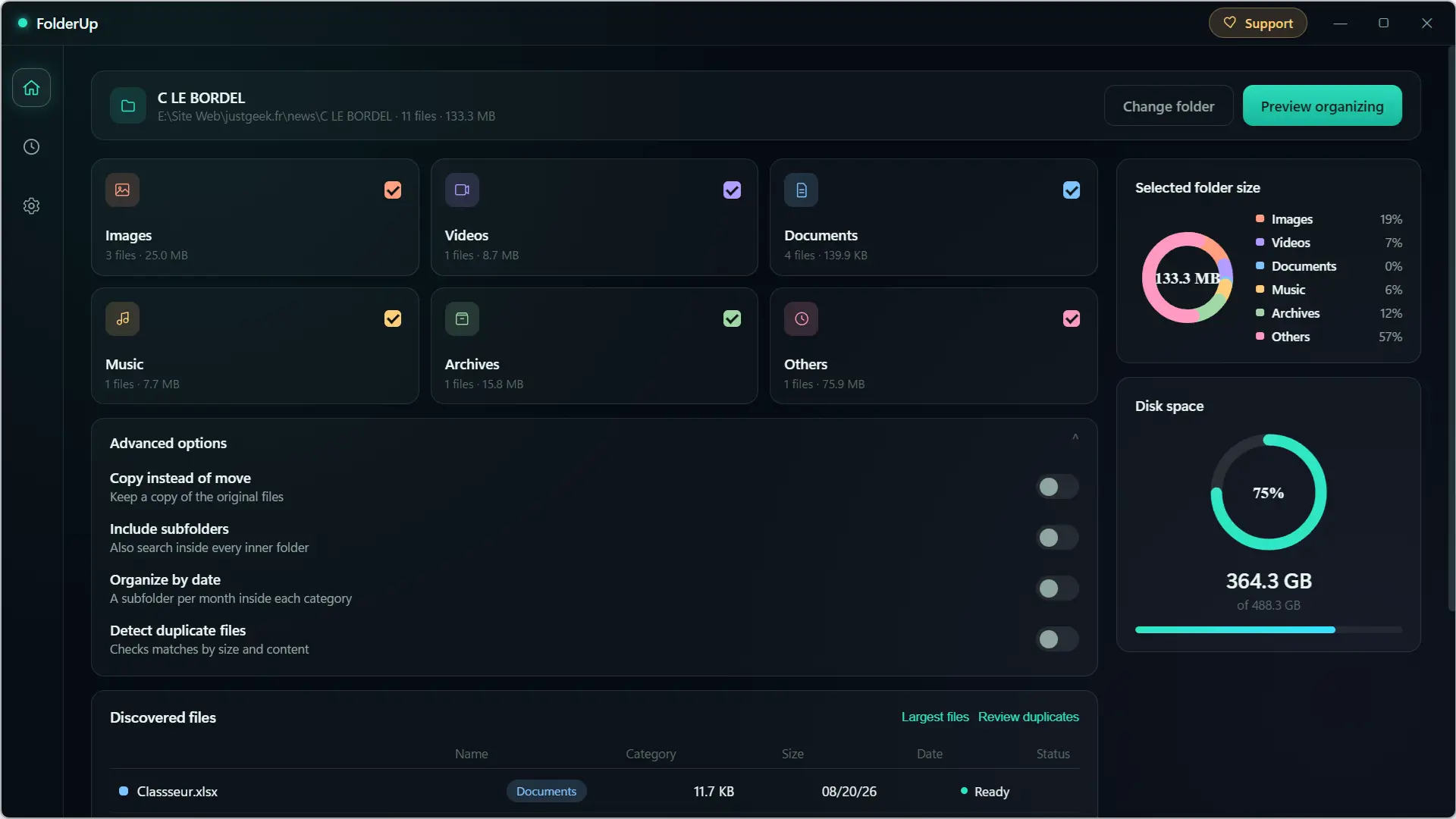
The software then analyzes its content and automatically divides the detected files into six categories: Images, Videos, Documents, Music, Files and Others. For each of them, you can see the number of files involved, as well as the space they take up.
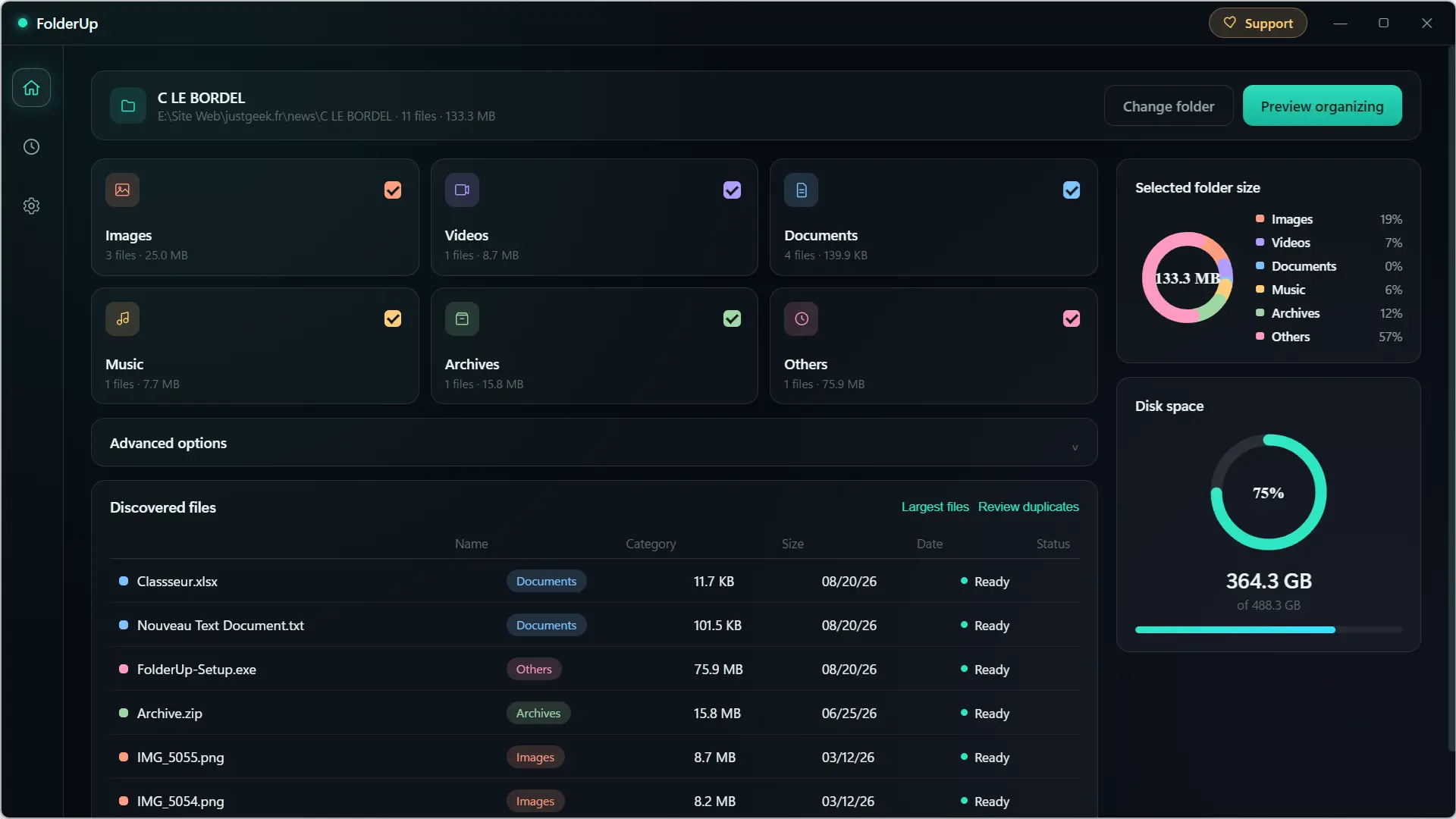
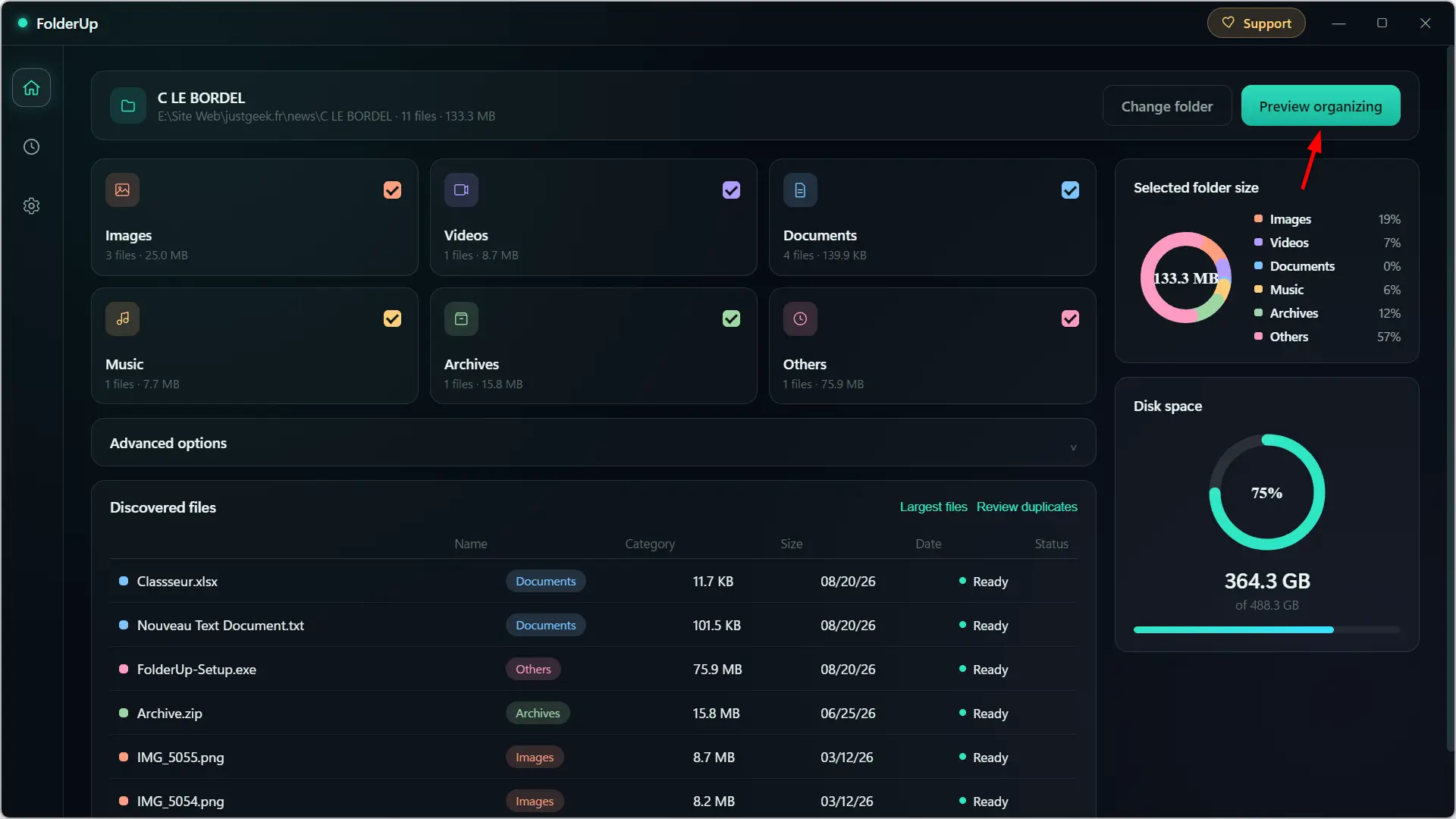
On the right, a graph provides a quick view of the distribution of files, while the “Discovered Files” section shows their name, category, size, and modification date. So, you can already check where FolderUp intends to store your files before starting anything.
And in fact, nothing moves immediately. When you click “Organization Preview”, FolderUp first shows a summary with the number of files in question, their total size and the different categories that will be created.
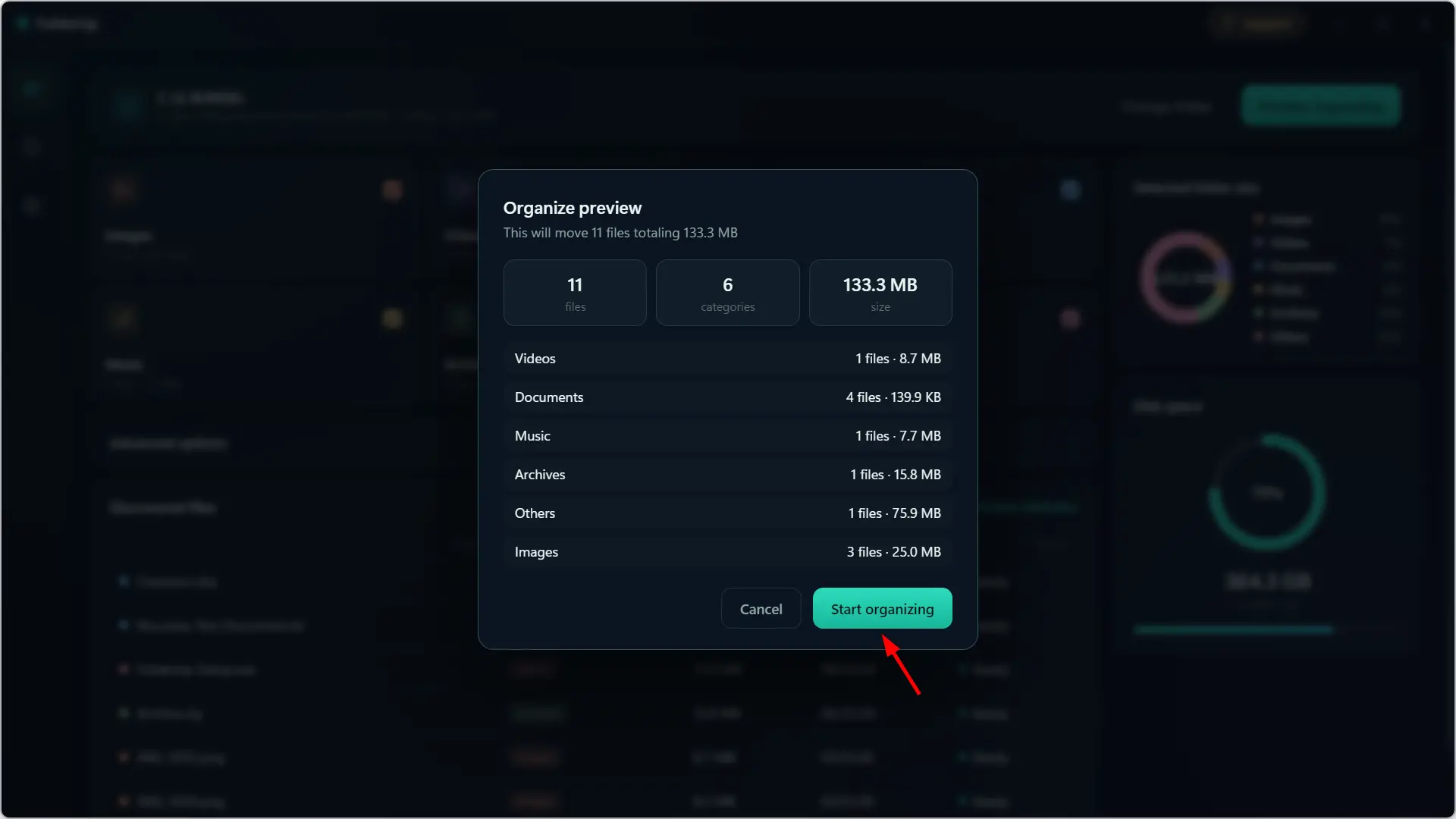
If everything looks good to you, click “Start Organizing” and FolderUp will take care of organizing it.
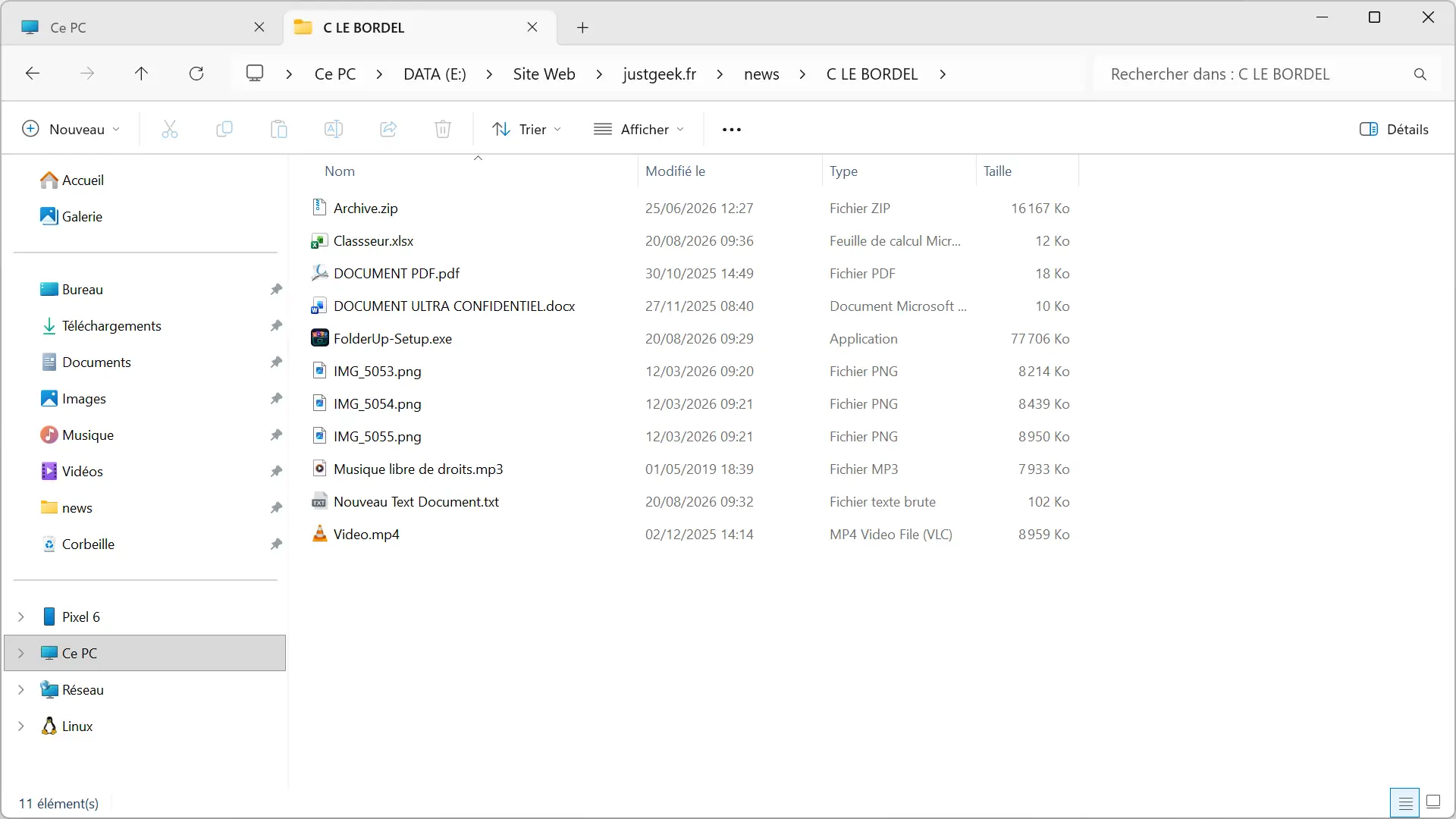
For my test, I deliberately mixed several file types in the same folder: PNG images, an MP4 video, an MP3 file, a ZIP file, PDF, DOCX, XLSX and TXT documents, as well as an EXE file. FolderUp correctly recognized the different formats before creating the corresponding folders and moving the files there.
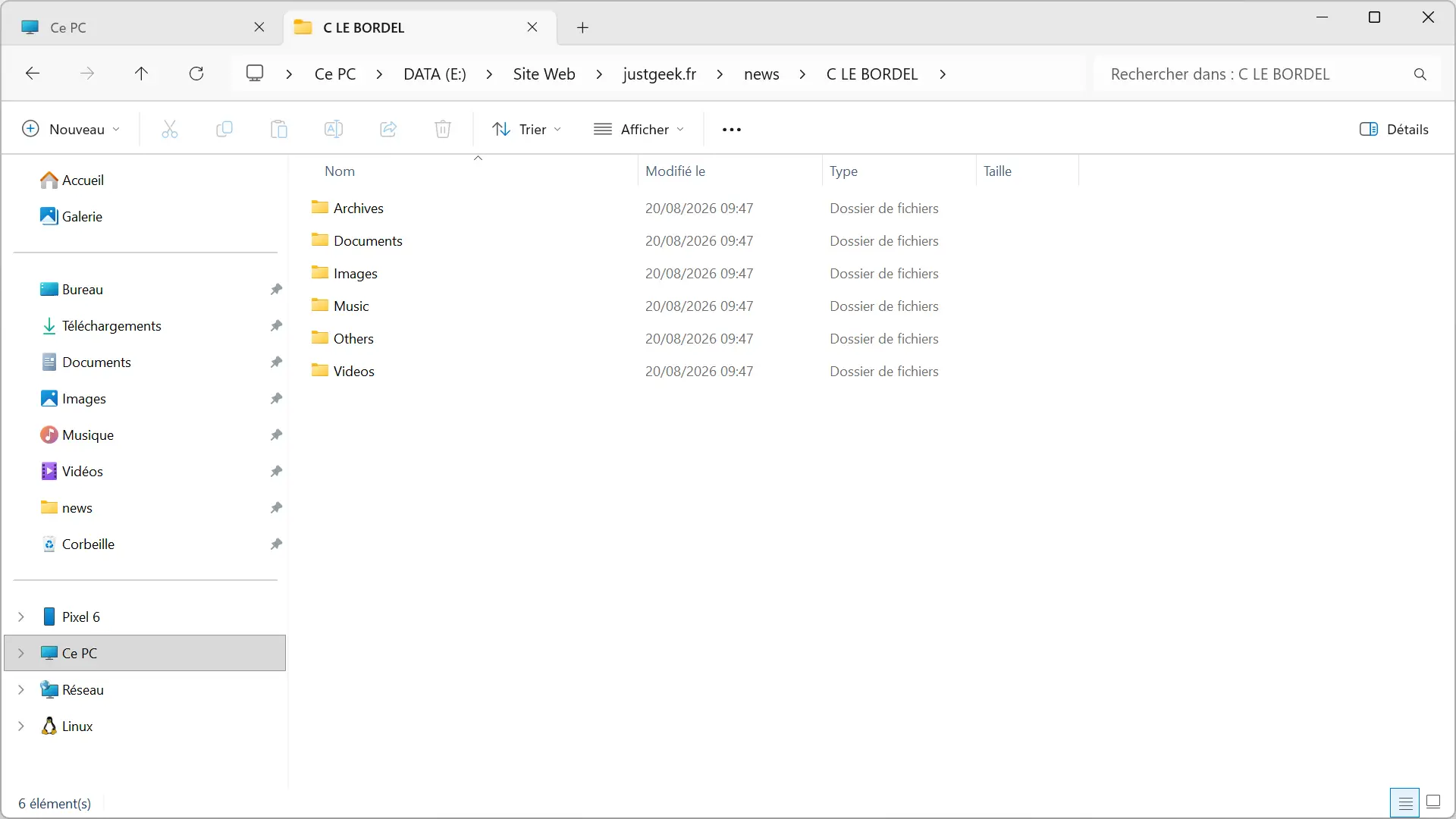
Once the save is complete, an “Undo” button even allows you to cancel the operation if the result doesn’t suit you.

Various options to customize storage
FolderUp could stop there, but it offers quite a few options to adapt its operation.
For example, you can ask it to copy files instead of moving them, to also search for files in subfolders, or to create subfolders based on their date.
There is also the option to search for duplicates.
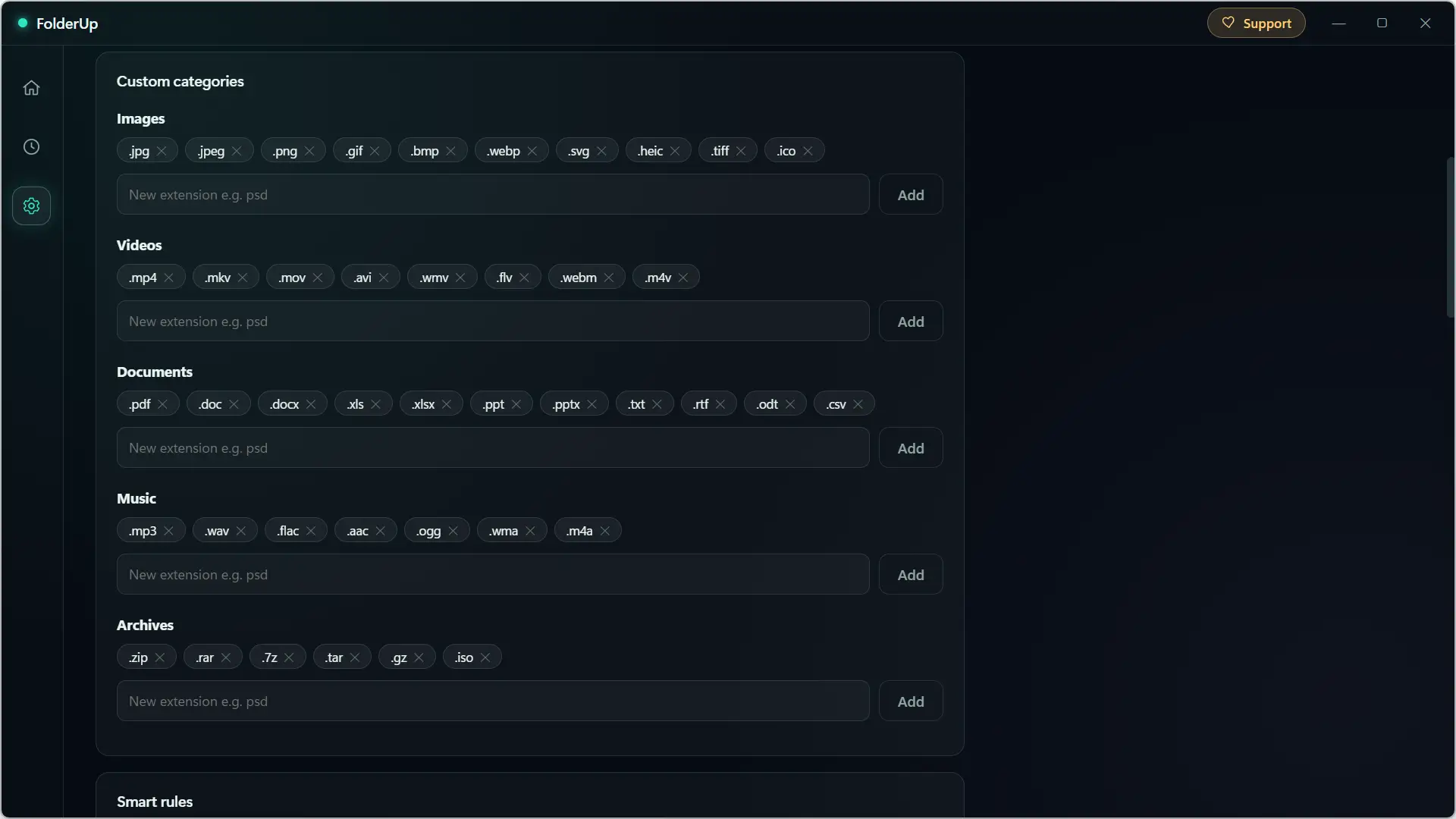
In the settings, you can modify the extensions associated with the different categories. FolderUp already knows the most common formats, but you are free to add or remove them.
“Smart rules” allow you to trust file names. For example, you can create a rule so that all files that contain the word “invoice” are automatically classified into Documents.
And if, on the other hand, you have certain files that FolderUp should not touch, an “Exclusions” section allows you to ignore them.
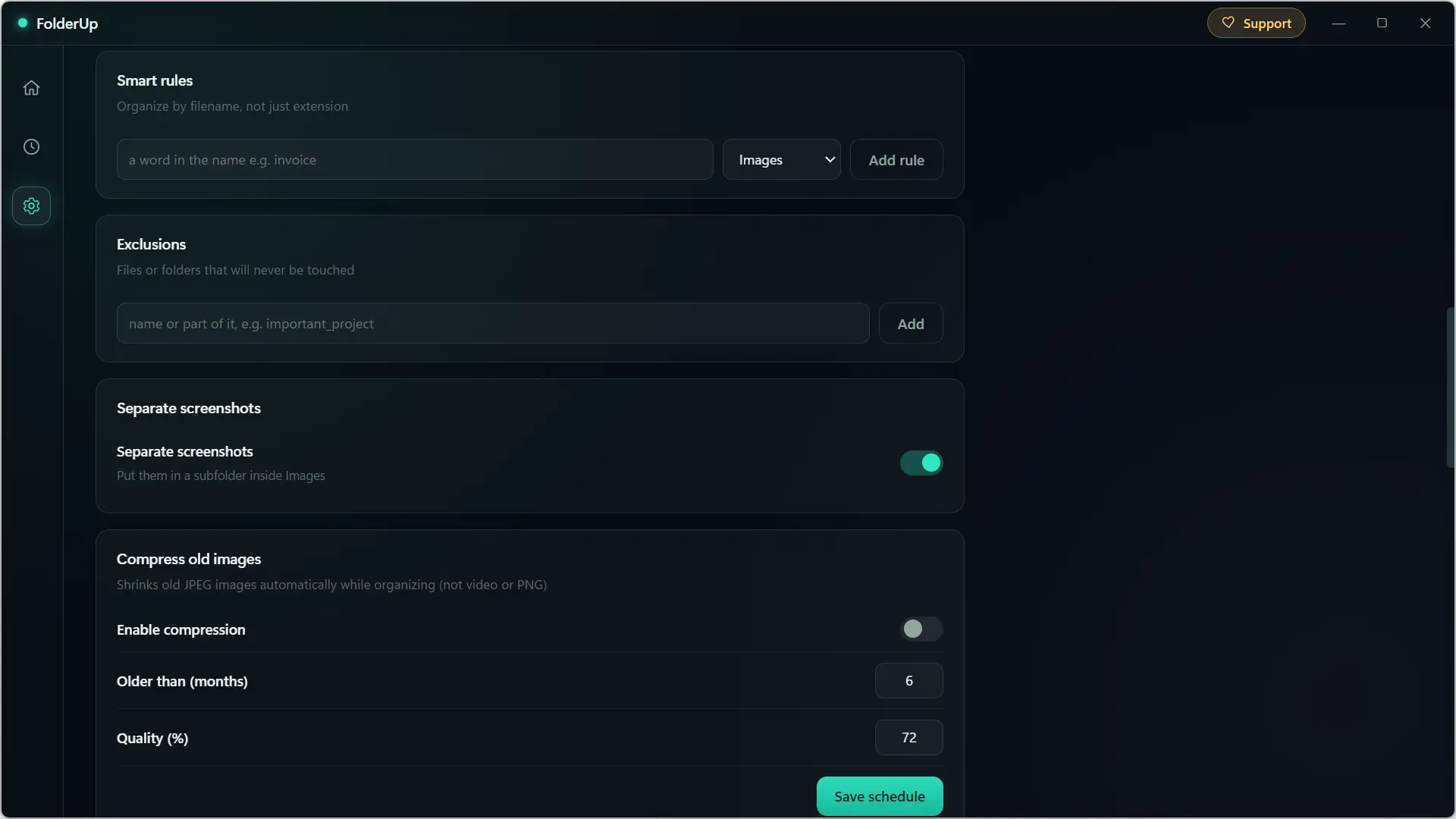
I also saw an option to store screenshots in a separate subfolder from other images. FolderUp can even automatically compress old JPEG images based on their age and chosen quality level. There it is still better to know what you are doing since the images will really look modified.
FolderUp can also monitor a folder for you
FolderUp can also take care of sorting without having to start the operation manually each time.
In Windows, a scheduling feature allows you to select a folder and ask the software to automatically organize it based on a defined frequency.
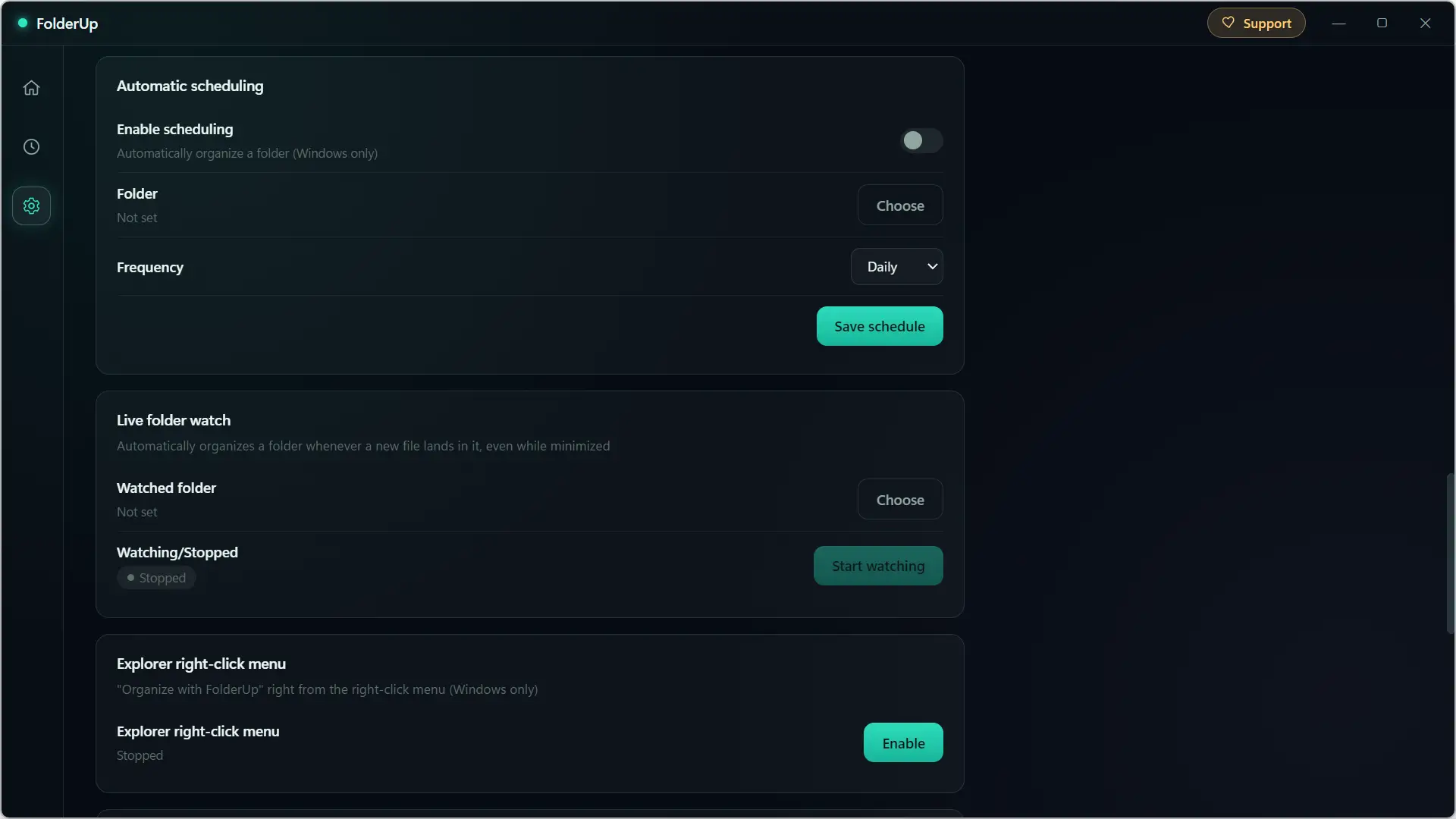
The “Live Folder Monitoring” feature goes a little further. Monitors the folder of your choice and automatically sorts new files added to it, even when FolderUp is minimized. A function that can be used, for example, to keep the Downloads folder a little cleaner.
Also on Windows, you can add an “Organize with FolderUp” entry to the File Explorer context menu. All you need to do is right-click on a folder to store it directly with FolderUp.
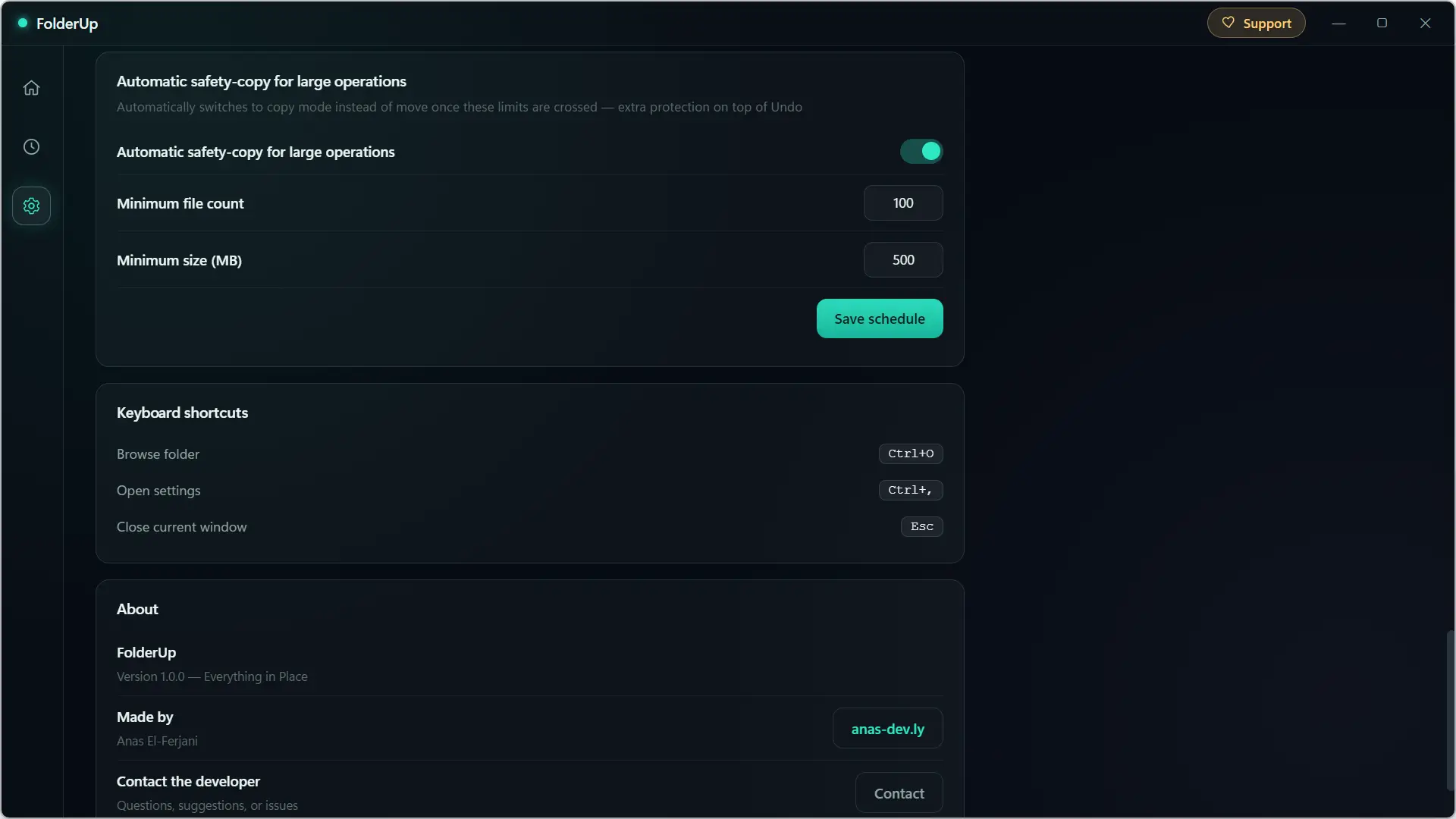
The software also includes protection for important operations. When a certain number of files or a set size is exceeded, FolderUp can automatically copy files instead of moving them. The default values are set to 100 files or 500 MB and can be changed in the settings.
There are still some areas for improvement
FolderUp works well, but after using it, there are still a few things I would like to see evolve in future versions.
The first refers to language. Currently, FolderUp is not translated into French and its interface is only available in English and Arabic.
It would also be practical to be able to modify the name of the folders created by the software. The extensions associated with the different categories are customizable, but it is impossible, for example, to replace “Music” with “Musique” or “Others” with “Various”.
The same goes for “discovered files”. This part is useful as it allows you to see where the files will be stored, but the area is really small. In my tests, I could only see six at a time. With a folder containing 100 or 200 files, I would like to be able to expand this list and calmly check what FolderUp intends to do.
The ability to create your own categories would also be nice. For example, we could add an “Installers” category for EXE and MSI files instead of finding them under “Other.”
Nothing prohibitive, but these are some additions that would make FolderUp even more practical.
You should also know that FolderUp was developed using “vibe coding”, in other words, its developer used artificial intelligence to produce the code. I prefer to specify this, although I didn’t really find any particular problem.
Download Folder Up
FolderUp is available for free on its developer’s websiteAnas El-Ferjani. You will find a version for Windows and a version for macOS; the latter requires at least macOS Catalina 10.15.
Note that I passed the Windows installation file to VirusTotal and no antivirus engine detected it as malicious
If you regularly have files piling up in your Downloads folder or anywhere else on your computer, then FolderUp is worth a try. He still lacks some things, but in general he does what is asked of him well.