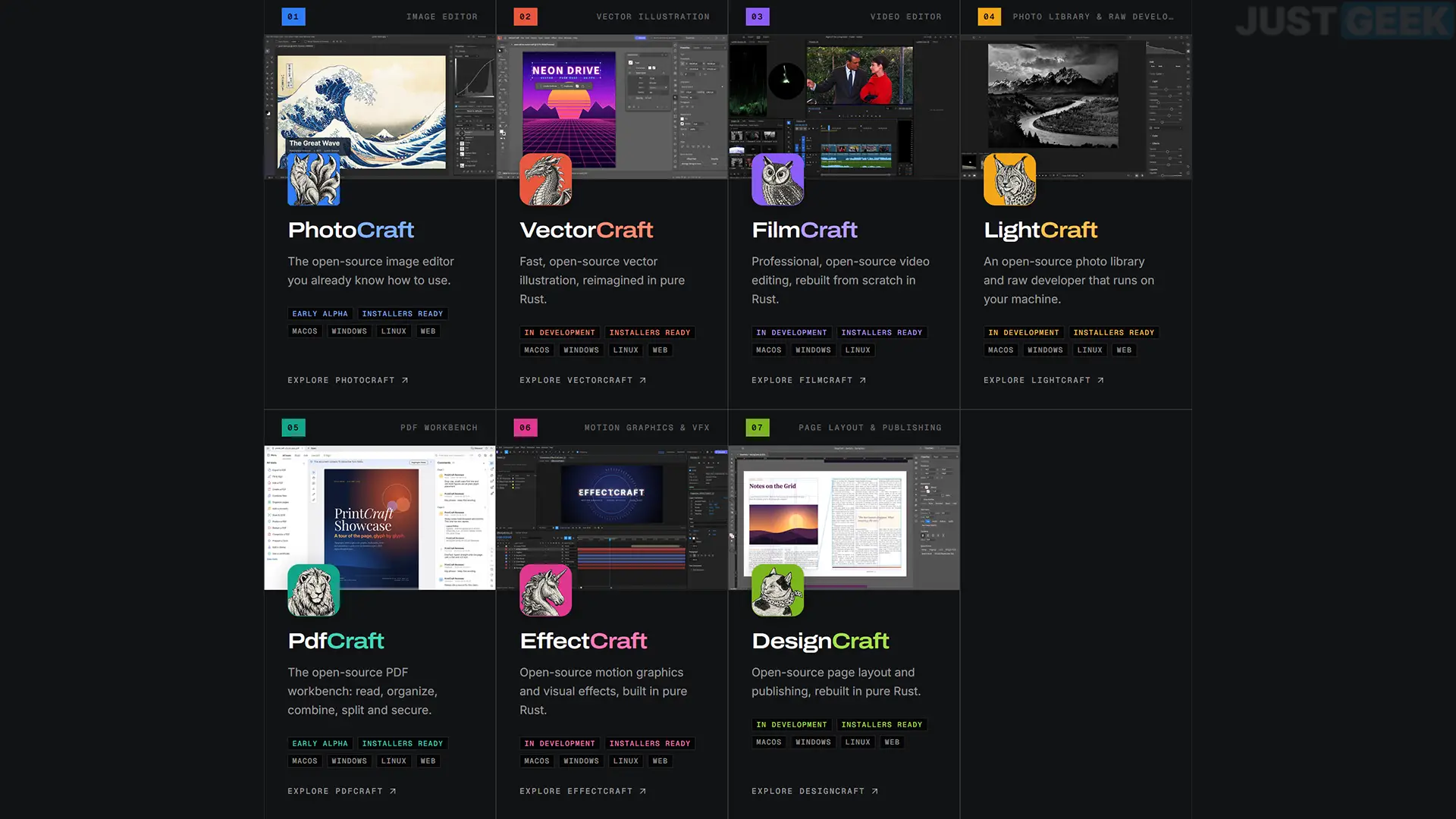
What if we could recreate Photoshop, Illustrator, Premiere Pro or After Effects with the help of artificial intelligence? This is the challenge that an American developer seeks to address with ArtCraft, a project that brings together seven free and open source software, developed in Rust with the help of Claude, Anthropic’s AI.
The objective is ambitious since it involves reproducing the main functionalities of Adobe software, without using a single line of its source code. The seven applications are now available on Windows, macOS and Linux, although their development is still far from complete. Let’s see what this project offers and where these alternatives are actually located.
ArtCraft, a project that wants to recreate the Adobe Creative Cloud suite with AI
At the origin ofartcraftWe find Brandon Thomas, an American developer based in Atlanta. Its idea is to offer a set of free and open source creation software, using the interfaces and certain functionalities of Adobe Creative Cloud applications.
The project currently offers seven software programs:
- PhotoCraftsan alternative to Adobe Photoshop for image editing and manipulation.
- VectorCraftan alternative to Adobe Illustrator for vector drawing.
- cinema artan alternative to Adobe Premiere Pro for video editing.
- Light craftAn alternative to Adobe Lightroom for photo editing and development.
- EffectCraftan alternative to Adobe After Effects for visual effects and animations.
- DesignCraftsan alternative to Adobe InDesign for document design.
- PDFCraftsan alternative to Adobe Acrobat Pro for managing and editing PDF files.
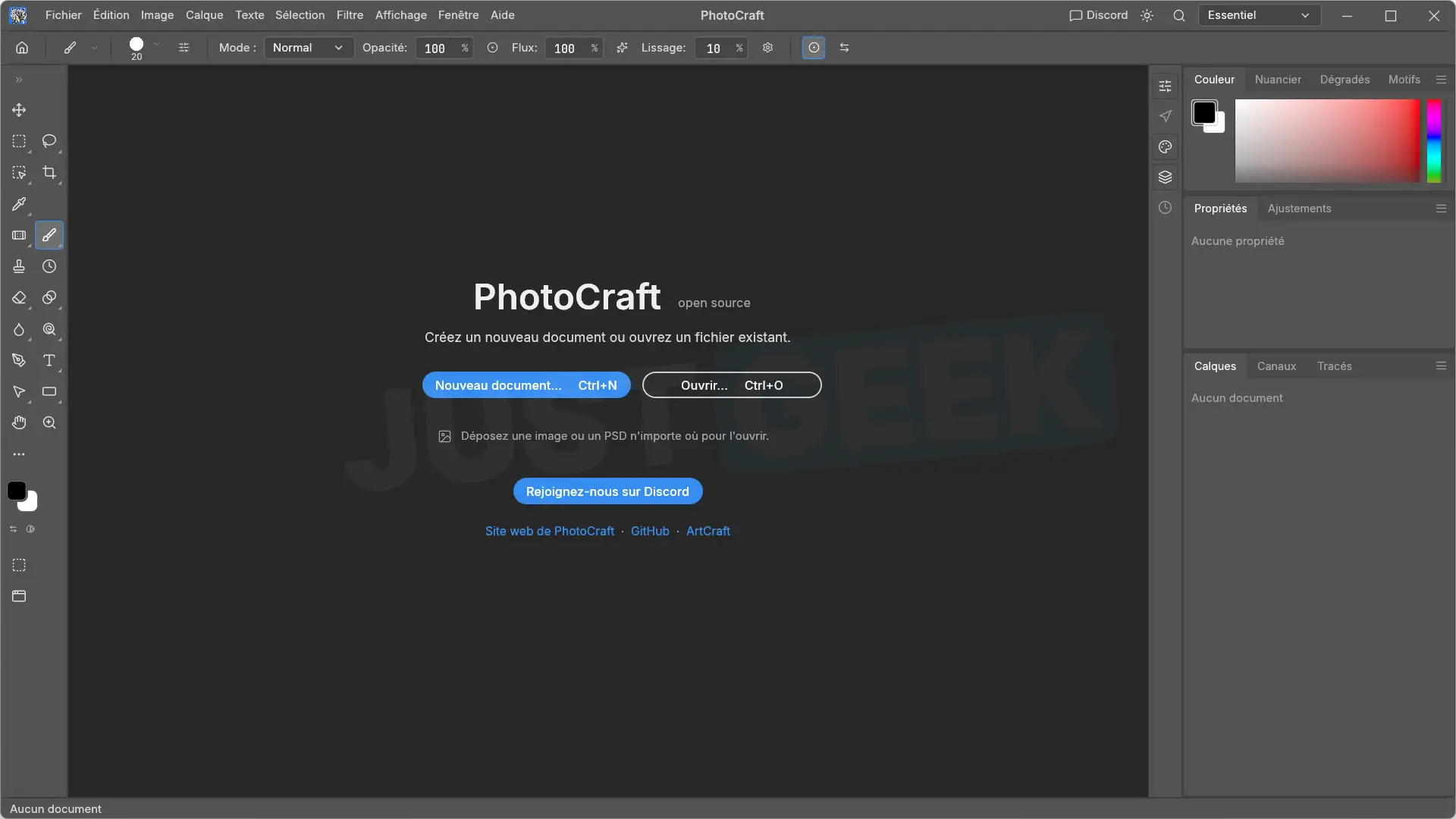
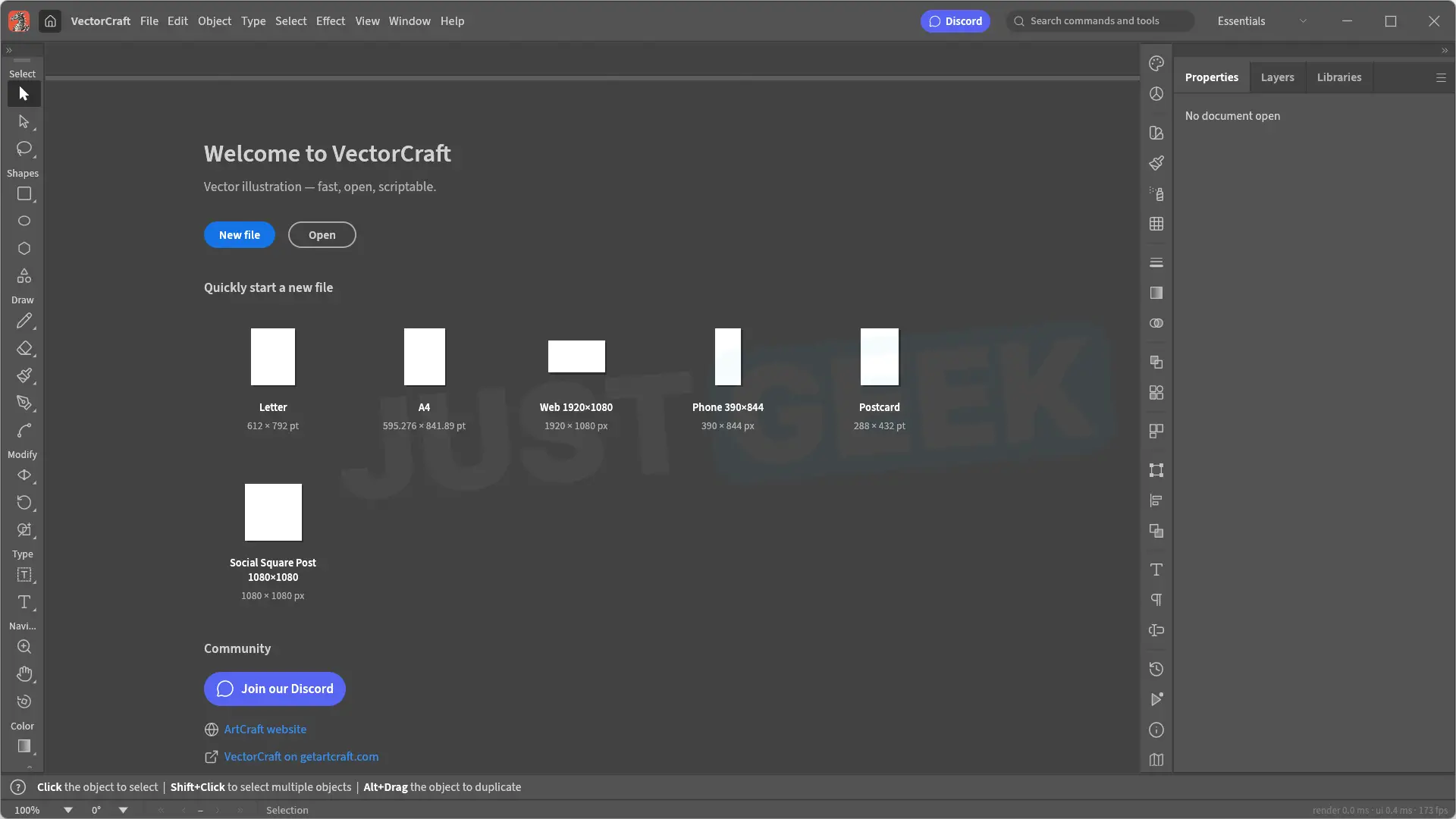
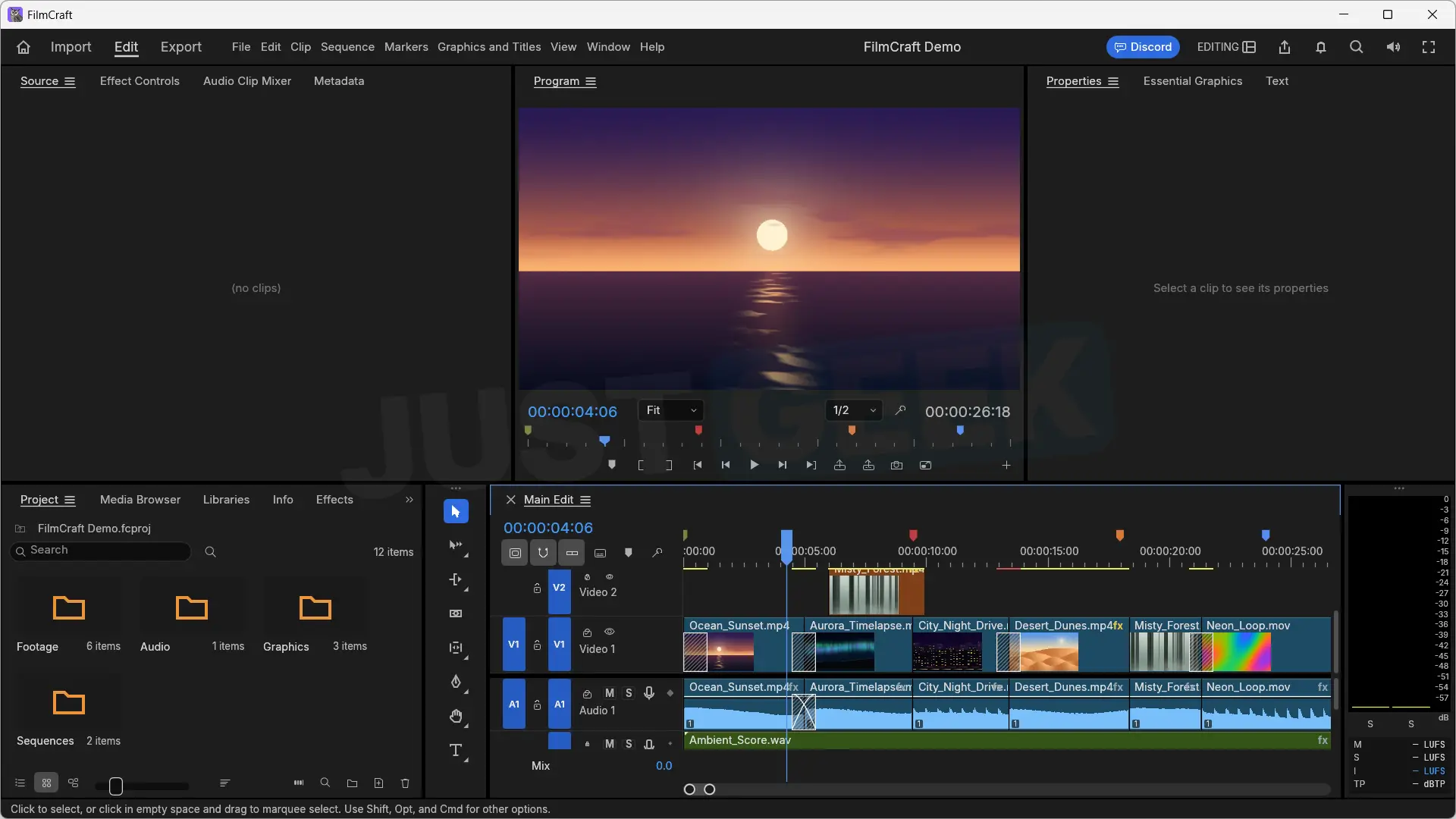
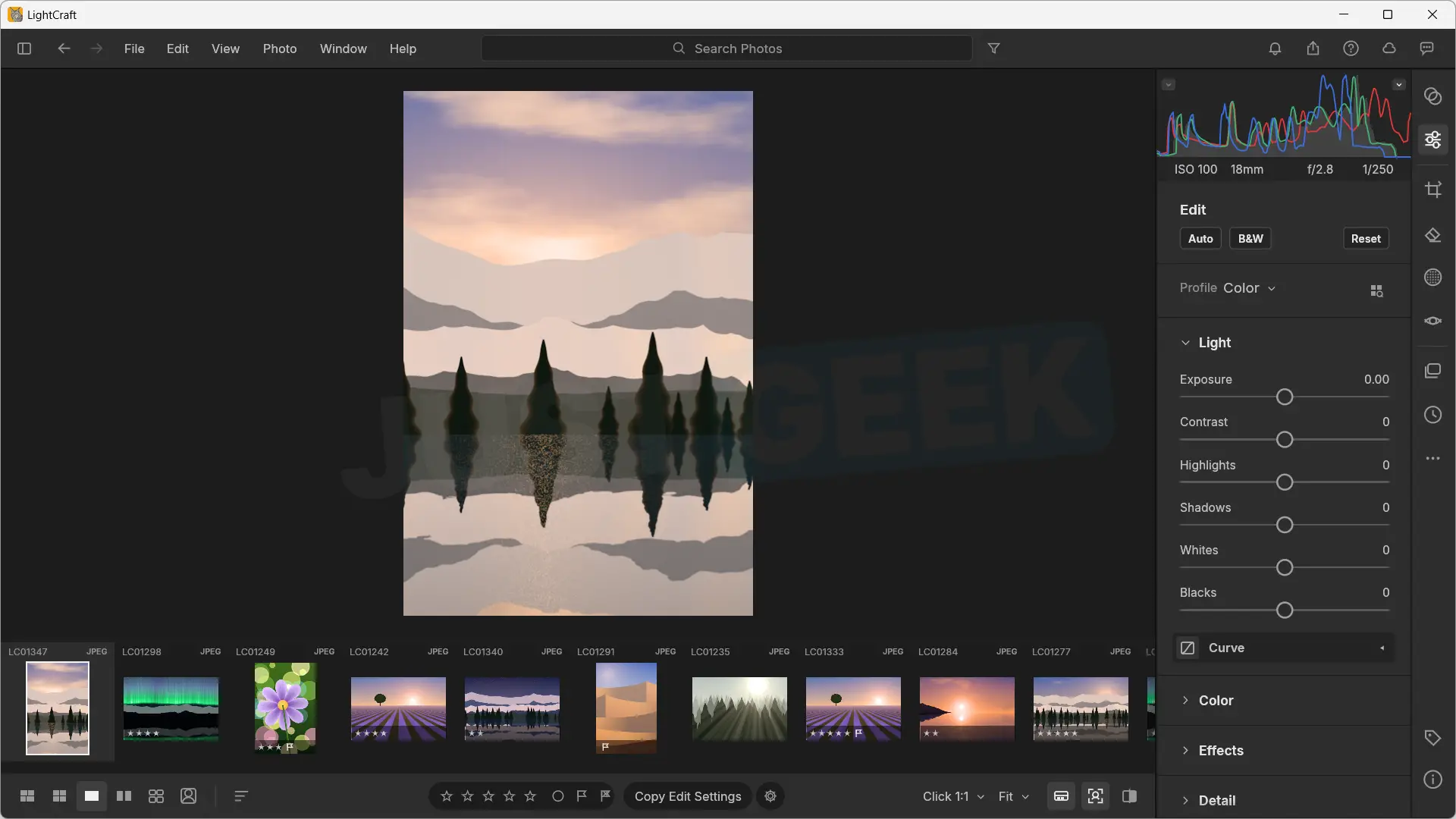
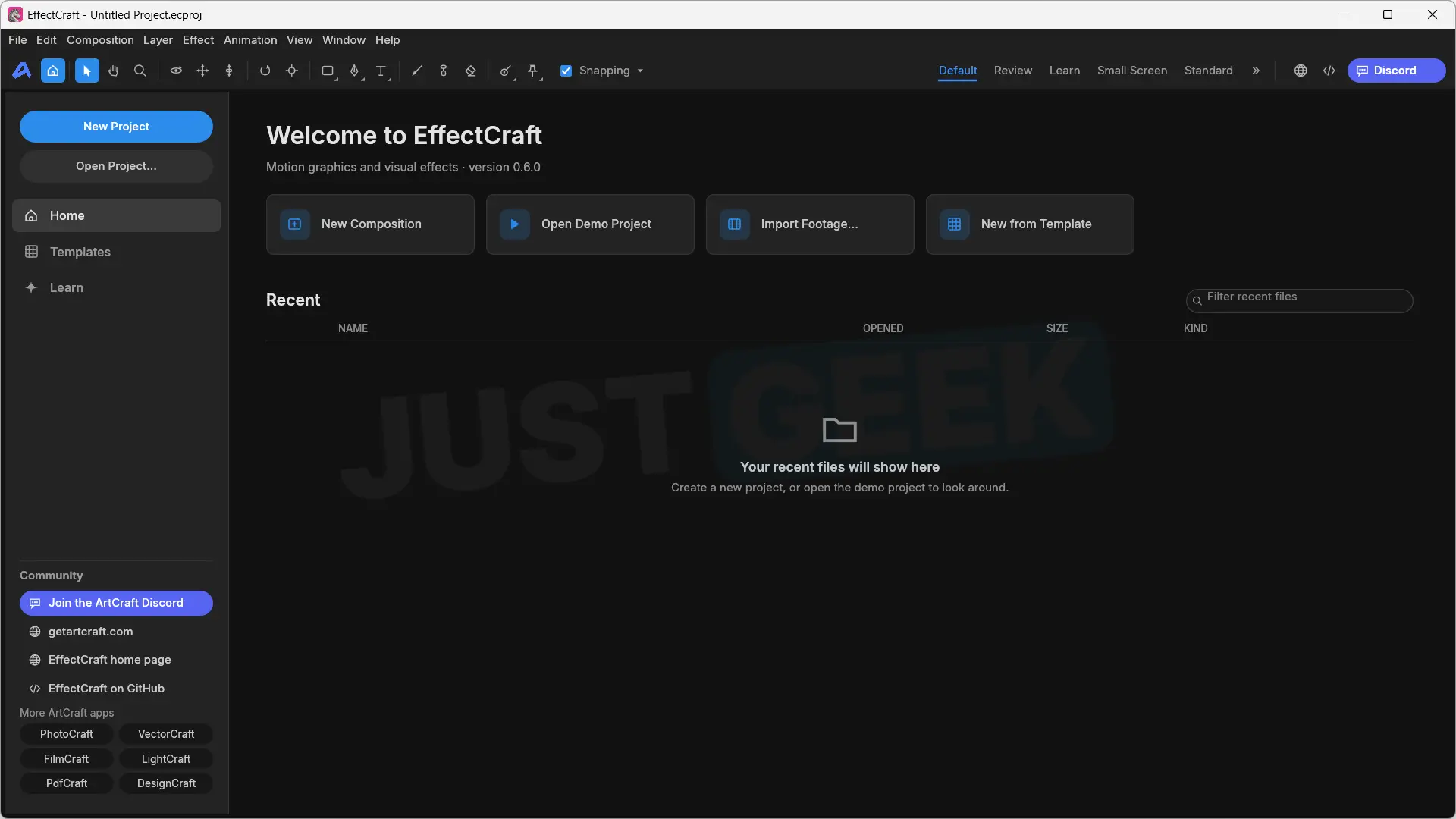
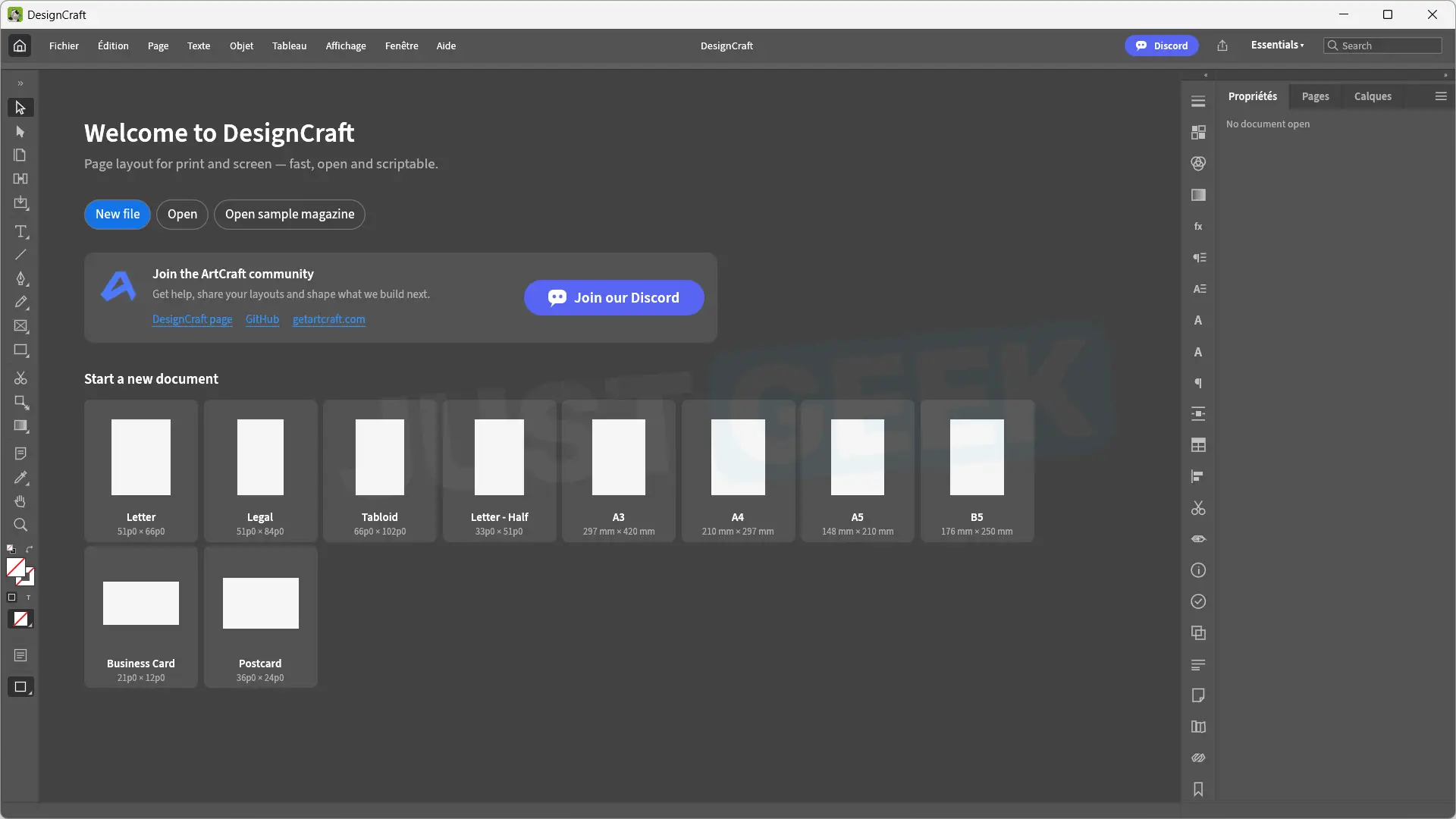
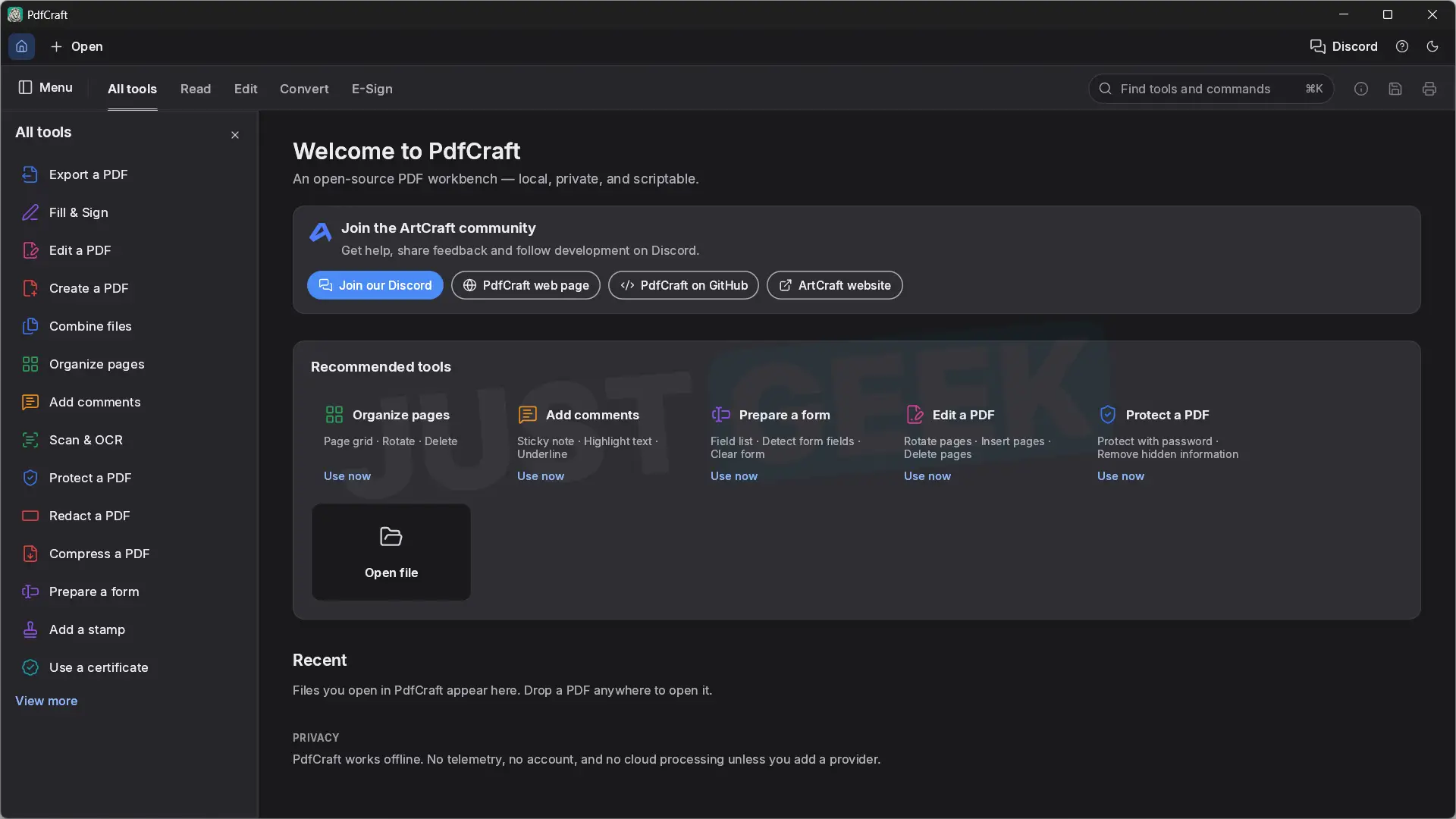
As you can see from the screenshots above, the interfaces are quite similar to the original software. There is a familiar organization of menus, toolbars, and panels, especially in PhotoCraft, VectorCraft, and FilmCraft.
All seven apps are available on Windows, macOS, and Linux, and several of them also have a WebAssembly version that allows them to be used in a browser. Its source code can be accessed on GitHub, under MIT and Apache 2.0 licenses. The PhotoCraft one was also reused to develop PhotoSuite, another free and open source image editing software that we already presented to you on JustGeek.
At this stage, the software is still in development and there is still a lot of work to be done before it can truly compete with Adobe’s. The first versions simply allow you to discover the project and follow its evolution.
Seven software programs developed with the help of Claude
To develop his applications, Brandon Thomas relied on Claude, Anthropic’s artificial intelligence, and more specifically on the Opus 5.5 model. AI helped him write software code in Rust, a programming language especially prized for its performance and memory management.
The developer chose to start from scratch, without using Adobe’s proprietary source code. To do this, he followed a method called “clean room”, which consists of reproducing the operation of software by observing its behavior and consulting its public documentation, without copying its code.
However, this does not mean that Claude developed the seven applications alone. Brandon Thomas remains at the origin of the project and used AI as an assistant to speed up the programming work.
Of course, not everything is in place yet. Although the interfaces closely resemble those of Adobe software, the applications still do not offer all the functions of the original versions and some may have bugs.
If you want to try the ArtCraft software, go to official project website. There you will find the seven applications, with their download links for Windows, macOS and Linux.
Simply choose the software you are interested in, download the version corresponding to your operating system and then install it.
Personally, I was able to install and launch all seven programs on Windows 11, as you can see in the screenshots shown above. On the other hand, I have not yet taken the time to test its functionalities in depth. Therefore, I cannot comment on its stability or its ability to replace Adobe software.
If you are interested in the project, you can also consult the GitHub repositories of the different applications to follow their development and future updates.