

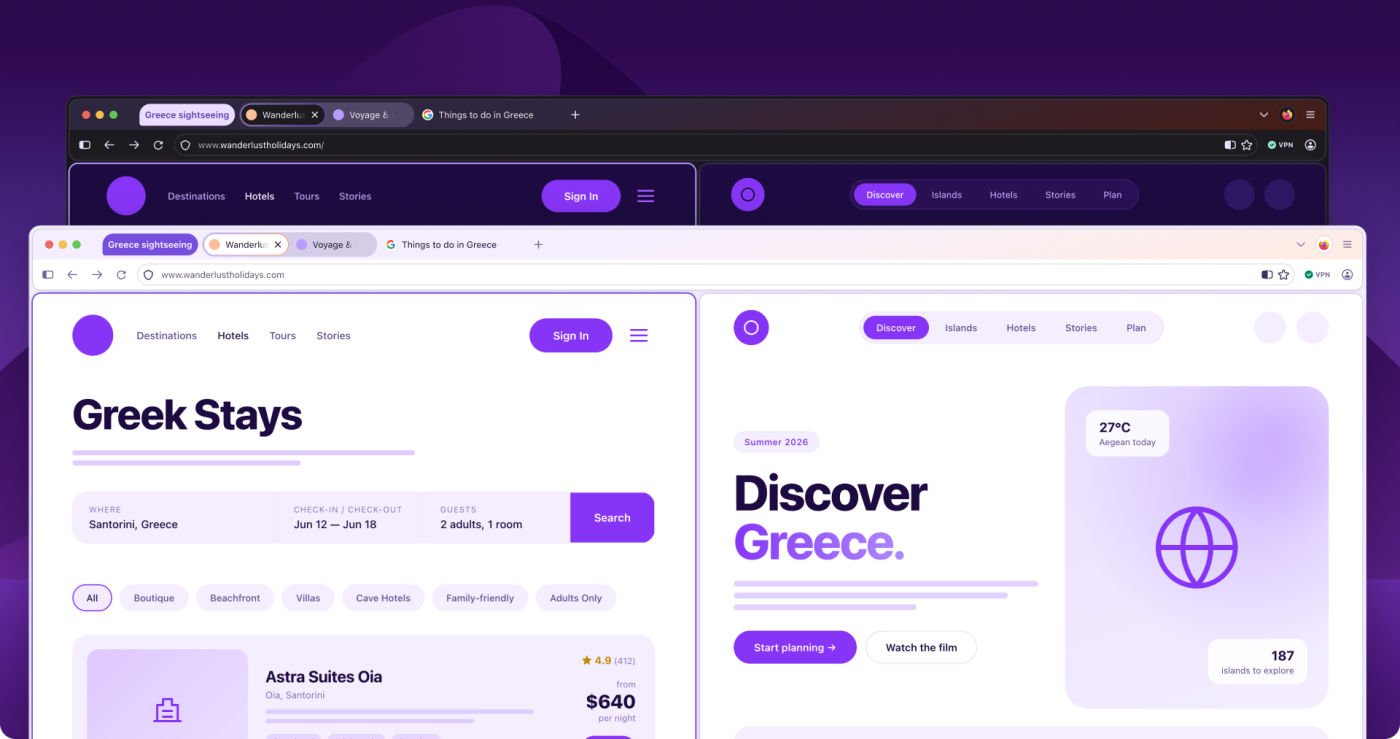
Mozilla will permanently remove the ability to disable Firefox’s new Nova interface. Starting in December, users will no longer be able to revert to the previous layout by changing the browser.nova.enabled preference in the advanced settings accessible through about:config. A decision that risks angering fans of the old browser interface, despite the numerous adjustments made by Mozilla following criticism.

New Nova UI Set in Firefox
Mozilla explains in your Mozilla Connect forum Although the Nova rollout is now complete, you want to enforce the design to ensure the expected performance of Firefox and avoid unexpected behavior related to disabling certain interface elements. Anyone currently using the false value in browser.nova.enabled will automatically find the new layout in December.
Implemented since Firefox 157 in September, Nova marks the most significant visual overhaul to the browser in several years. In particular, it transforms tabs, menus and the address bar with rounded shapes, floating elements and color gradients. Dissatisfied users quickly found a solution to keep the old presentation by changing the browser.nova.enabled preference to false in about:config. This possibility will now disappear, without an equivalent option being added in the classic configuration.

Improvements with updates.
Mozilla claims to have taken into account some of the criticism made since the launch of Nova. In particular, the group added a collection of classic themes in the plugin manager with solid colors without gradients. One of them in particular takes up the general appearance of the old Proton theme. Compact mode is also fully supported and helps reduce the space taken up by toolbars and tabs.
Other changes concern the vertical tabs, whose side indicator has been reintroduced at the request of users. Mozilla also indicates that it has fixed several spacing and display issues in Firefox 161, particularly to improve the readability of the toolbar and the management of the numerous pinned tabs.
However, these changes do not address all the criticisms. Nova’s heavily rounded corners, pill-shaped tabs, and overall appearance remain major points of contention in discussions about Mozilla Connect. Several users ask in particular for a simple button that allows them to choose between the old and new design without having to go through technical manipulations or customization files.
A decision that generates criticism in the community
Mozilla’s justification does not convince everyone. The editor explains that he wants to impose the new interface to avoid unexpected behavior, but some contributors believe that this decision is equivalent to eliminating the freedom of customization that was part of the historical particularities of Firefox. Several forum participants even mentioned changing their browser if returning to the previous interface proves impossible.
Therefore, Mozilla does not plan to maintain an actual Proton mode in the settings. Classic themes only allow you to change colors, while compact mode reduces interface clutter without restoring its previous appearance. More experienced users will still be able to explore customizations via userChrome.css, but Mozilla does not support this solution as a true fallback mode.


