

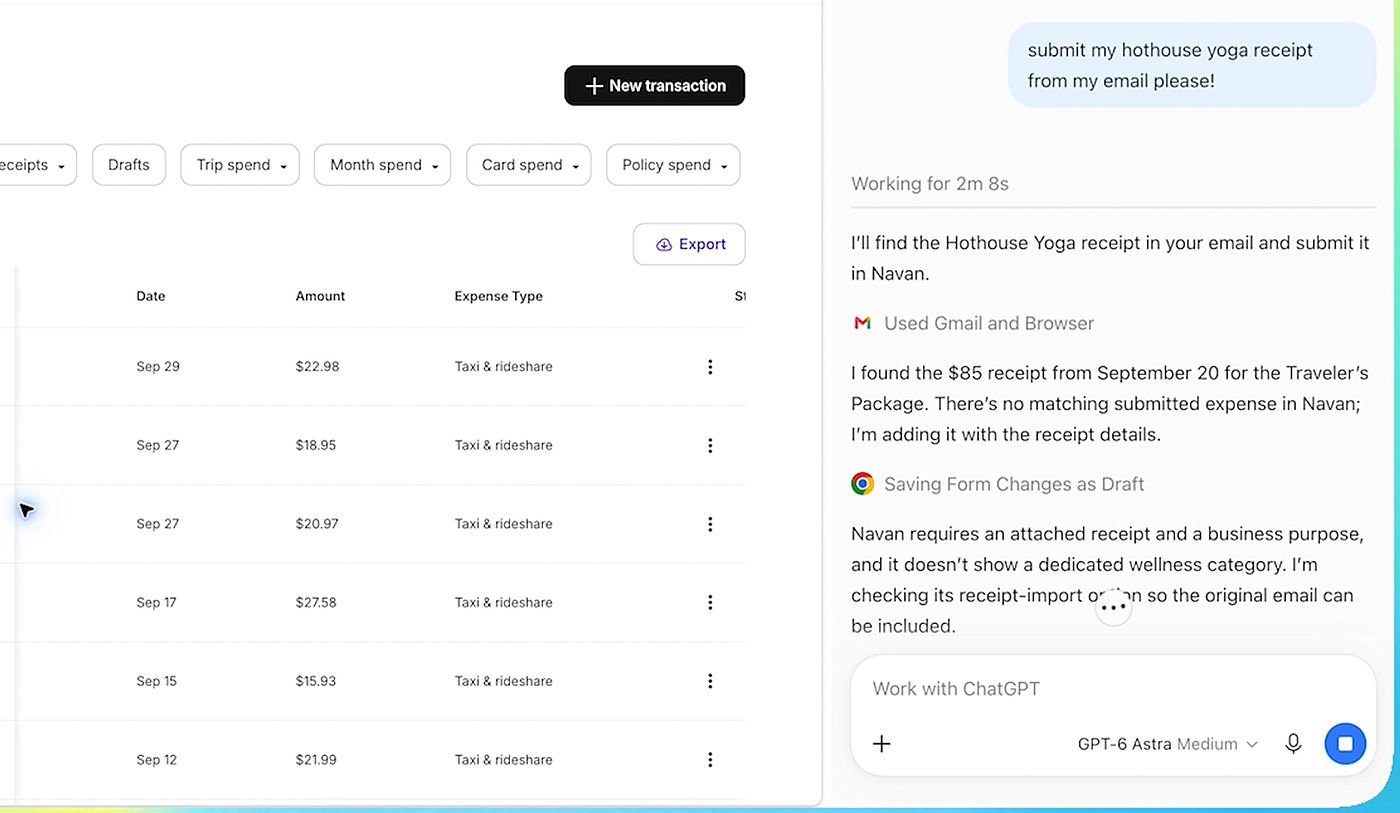
OpenAI reinforces the integration of ChatGPT with Google Chrome: with its extension installed, the AI assistant can exploit the content of open tabs, compare information between several pages and perform certain actions directly in the browser. The update also expands ChatGPT functionality in Chrome’s sidebar with access to chat history and Work mode, designed for completing multi-step tasks.

ChatGPT can operate multiple tabs simultaneously
Once the ChatGPT extension is installed, users can mention @chrome in ChatGPT on the web or in the desktop app to give them access to the context of their open tabs. The wizard can then compare multiple pages, summarize an article, or collect information scattered across different sites. OpenAI presents this feature by comparing various sofas based on their dimensions, materials, delivery times and return conditions.
This approach can also be used to compare commercial offers, extract prices and features from various suppliers or prepare a comparative table accompanied by links to sources. The goal is to allow ChatGPT to work from already viewed pages, without asking the user to manually copy every piece of information into the conversation.
Next up: Using ChatGPT directly within a Chrome tab got a major update: all the power of ChatGPT is now in your browser.
All your ChatGPT history is there and you can ask questions in Chat or do things in Work, side by side while you’re somewhere. https://t.co/ABiwzLvNnD
—ChatGPT (@ChatGPT) October 15, 2026
The most important novelty refers to actions in the browser. With Work mode, ChatGPT can control Chrome tabs to perform certain tasks: filling out forms, sending messages, uploading files, or organizing tabs into groups. OpenAI cites in particular the preparation of a registration form from a document opened in another tab with the possibility of stopping before sending it.
The extension also has a rich sidebar. Gives access to the complete conversation history and Chat and Work modes to question the AI assistant or assign a task without leaving the page view. OpenAI thus brings the experience closer to that offered by Google with Gemini in Chrome, which already allows you to interact with the browser’s content.
An integration that requires staying alert
These features can make repetitive tasks easier, but they also make the permissions granted to artificial intelligence particularly important. The content of the opened pages may include personal data, emails or commercial information. Therefore, before entrusting an action to ChatGPT, it is prudent to check the information used and the possible consequences, in particular before sending a message, submitting a form or sharing a file. OpenAI presents the feature as a way to perform actions in Chrome, but the published examples do not mean that all actions are systematically performed without user control.
The extension is available in the Chrome Web Store. This development brings ChatGPT closer to an assistant capable of not only answering questions, but also using the navigation context to perform specific tasks.


