To search for files on my PC, I’ve used Everything for years. I love this software, especially because it is extremely fast and usually allows me to find what I’m looking for in seconds. But you still have to remember the file name, or at least part of it…
With DigUp, it’s different. This free and open source software uses artificial intelligence (AI) to search for files simply by describing their contents. Are you looking for a specific vacation photo, but don’t know the file name? No problem, DigUp can find it for you, even if your name is an incomprehensible string of characters.
And it’s not just for photos! DigUp can also search for documents, videos and audio files, without even sending your files to remote servers.
Find your files using artificial intelligence
DigUp is free and open source software developed by Abdur Rahim, available on Windows, macOS, and Linux. It uses Google DeepMind’s EmbeddingGemma 2 artificial intelligence model to analyze the content of your files and allow you to find them based on a simple textual description.
Unlike classic Windows search, DigUp does not rely solely on file names or the words they contain. It is also capable of recognizing what appears in an image, finding a passage in a PDF document or even a specific moment in a video or audio recording.
The software supports many formats, including images (JPG, PNG, WebP…), documents (PDF, DOCX, TXT…), videos and audio files. You can even look up computer codes and describe what it does.
DigUp takes up a little disk space (around 2GB), but that’s the price you pay to take advantage of AI search that works completely locally.
For a start, download DigUp from its official websitethen install it on your computer.
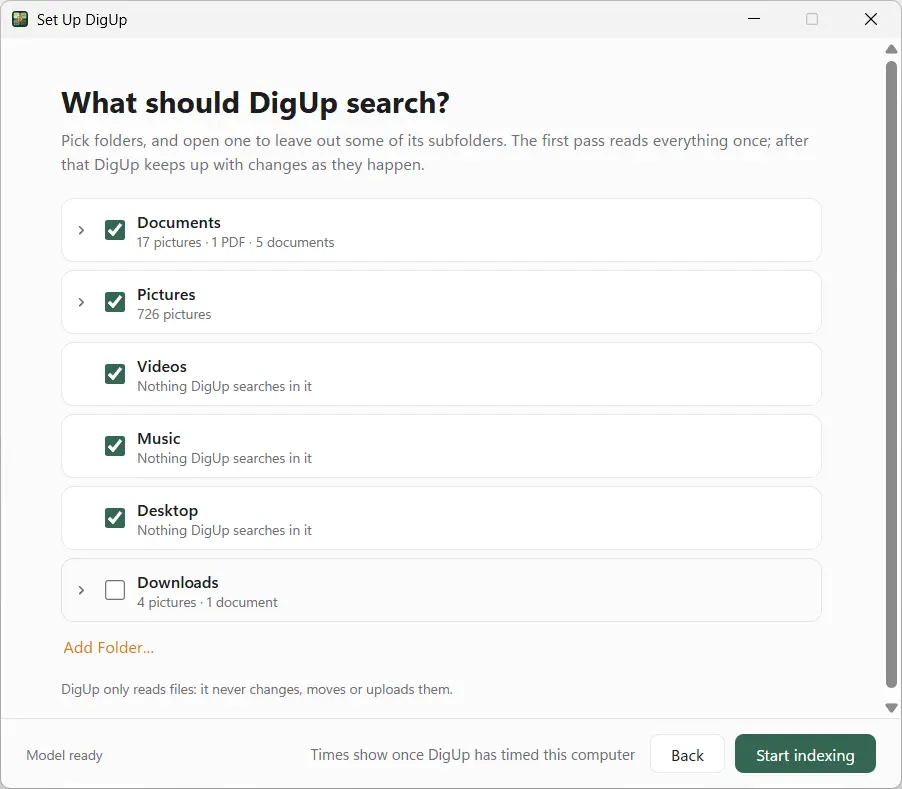
When you first start, the software asks you to choose the folders in which to search for your files. Then you have to wait while it analyzes its content and creates its index. This first step can take a long time, especially if you have a lot of files. Subsequently, only added or modified files are analyzed.
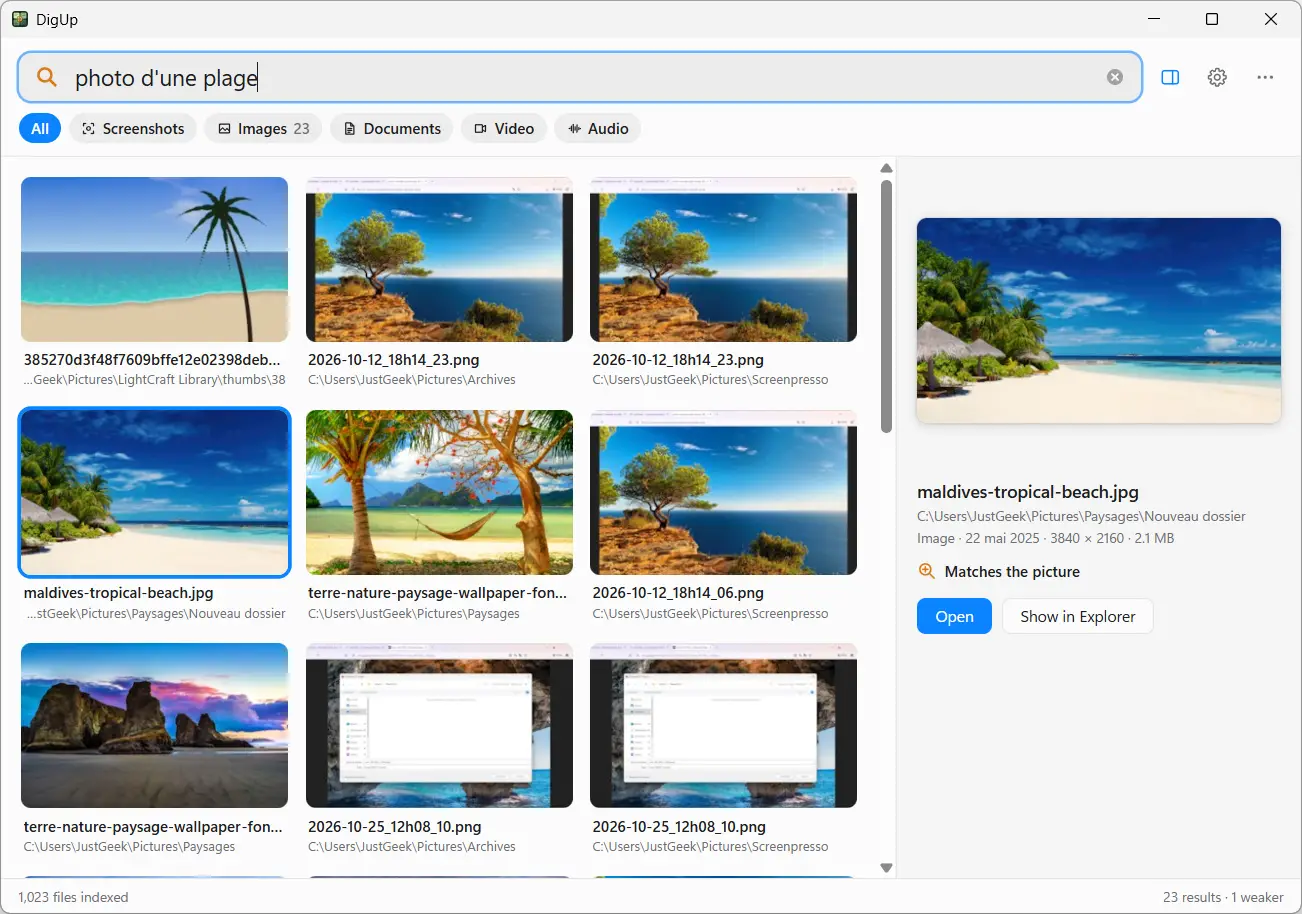
Once indexing is complete, simply enter what you are looking for in the search bar. For example, if you type “beach photo,” DigUp displays images that match their description, even if their names don’t contain the word “beach.”
Personally, I plan to keep Everything for my regular searches, but I find DigUp to be an interesting alternative when you’re looking for a file whose name you’ve completely forgotten. I also like that everything works locally.
I’d still like to point out that I didn’t take the testing very far, but from what I could see, it works pretty well. The only small criticism I can make is the time needed for the first indexing.