If you have an HDR-compatible display, you may have noticed that color reproduction is not always great when this feature is activated in Windows. Personally, I prefer to leave HDR disabled on the desktop and only enable it when gaming. But having to do it manually every time is not very practical.
With Smart HDR Manager, you won’t have to worry about that anymore. This free and open source software automatically turns HDR on when you start a game and then turns it off when you close it. It also offers several options for managing HDR in browsers and video players. I tested it on my PC and here’s what you need to know.
Smart HDR Manager: HDR turns on and off automatically
Smart HDR Manager works on Windows 10 and 11 and remains accessible from the taskbar notification area.
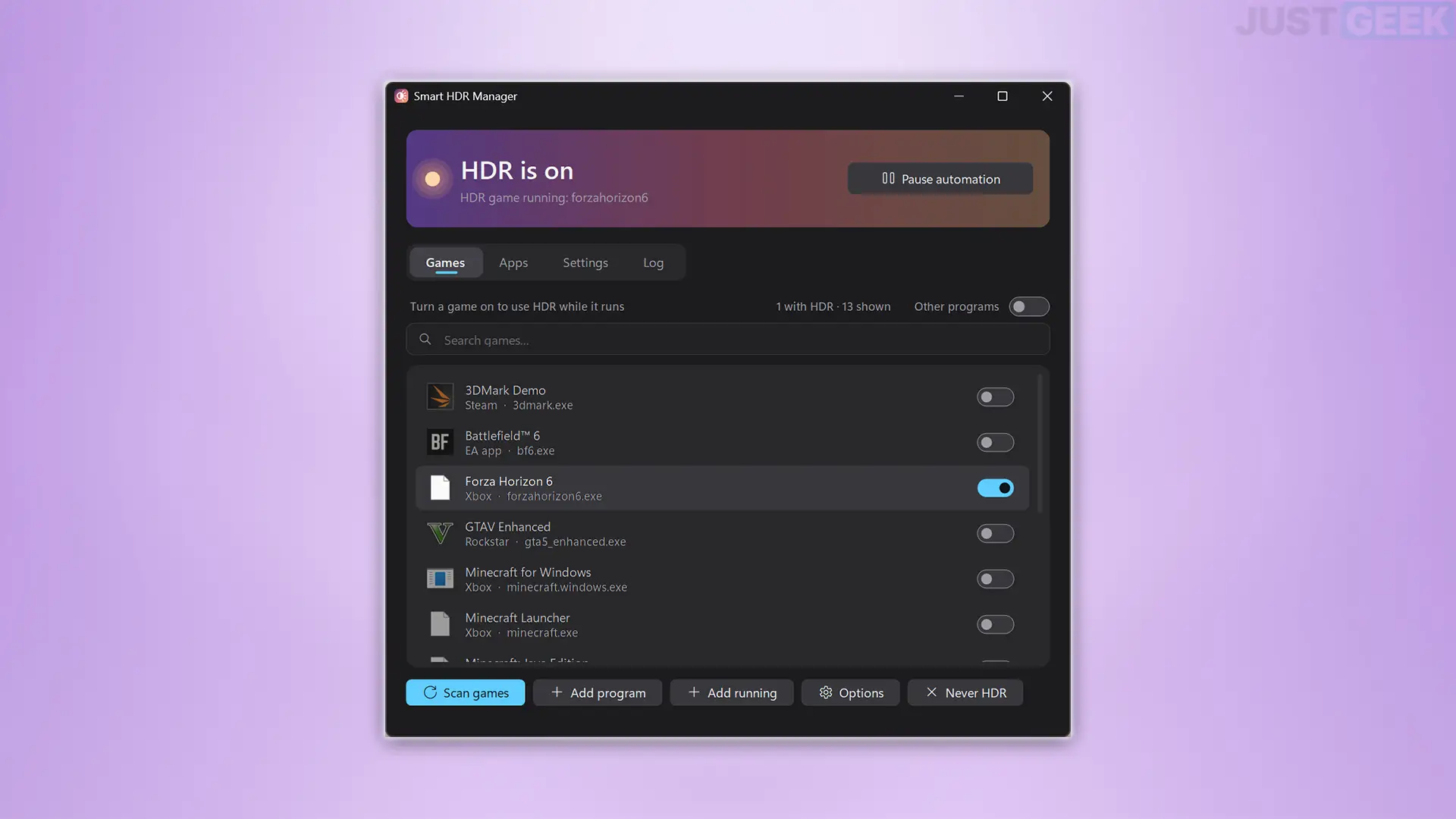
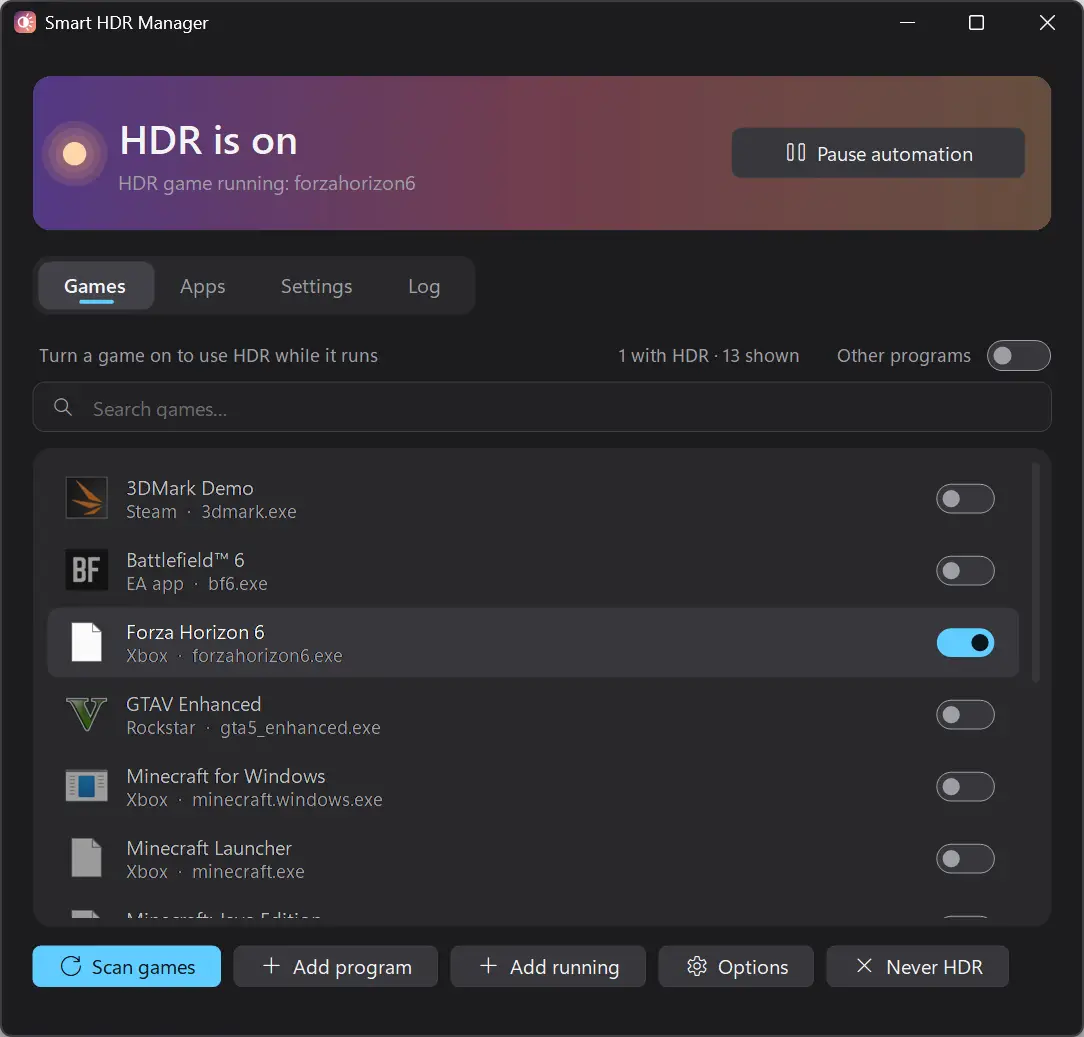
The software detects games installed on your PC, including those from Steam, Epic Games, GOG, Ubisoft Connect, EA App, Xbox, and Rockstar Games. You can then choose which ones you want to automatically enable HDR for. If a game is not listed, you can add it manually.
For my part, I tested Smart HDR Manager with Forza Horizon 6 on my PC equipped with a Radeon RX 7900 XTX. Upon launching the game, HDR was activated on my screen. And when I closed the game, Windows automatically reverted to SDR. There is nothing to complain about, it works perfectly!
In settings, you can also set a delay before HDR activates when launching a game and choose how long it should remain activated after closing it.
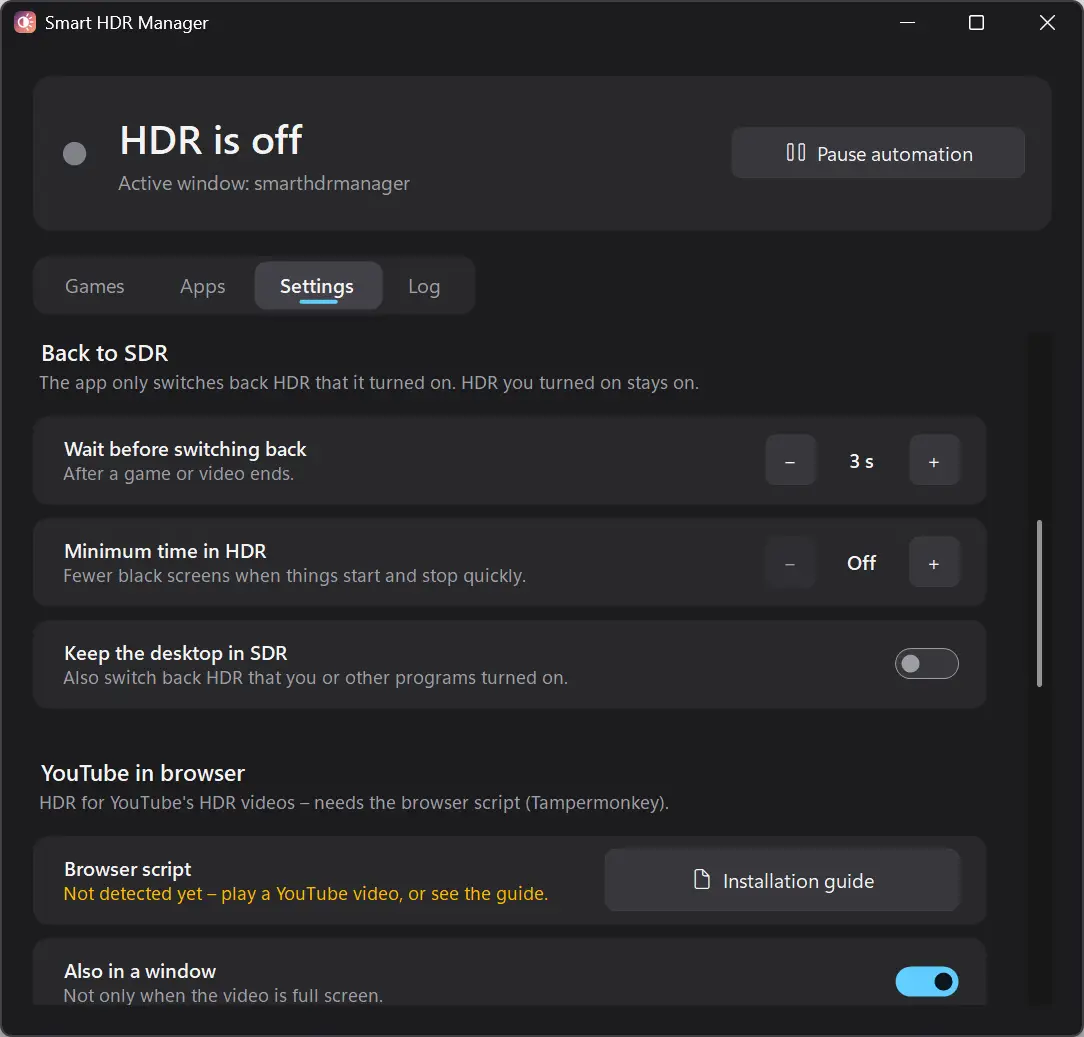
Smart HDR Manager also works with videos and apps
Smart HDR Manager can also enable HDR automatically when you watch a video on YouTube or with a media player such as VLC, MPC-HC, PotPlayer or mpv.
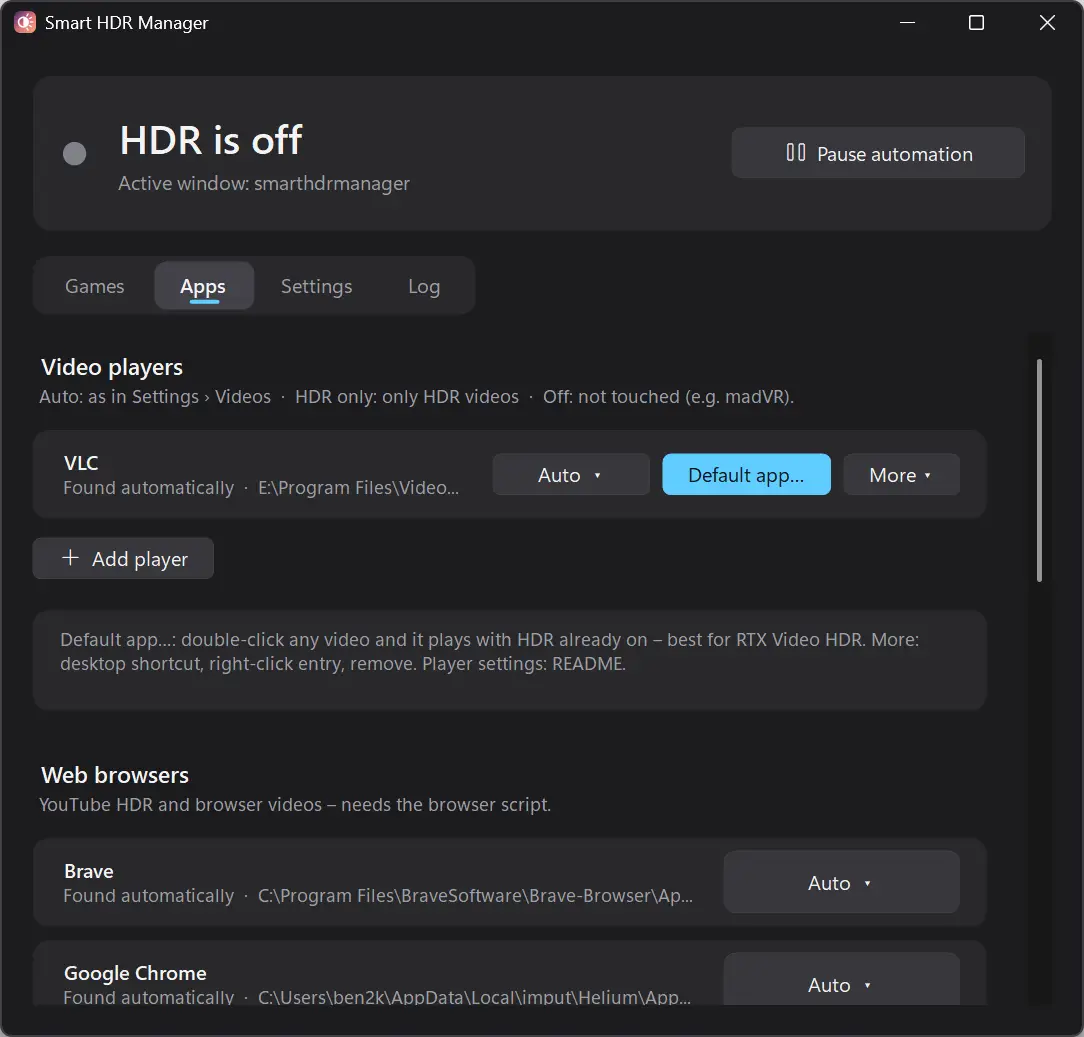
For browsers like Firefox, Chrome, Edge, Brave or Opera, you need to install a script (SmartHdrManager_YouTube.user.js) using the extension manipulative monkey. The script is included in the software ZIP file. Detect when a video is playing and activate HDR based on your settings.
If you have a compatible NVIDIA graphics card, you can also take advantage of RTX Video HDR to convert SDR videos to HDR. However, this feature must first be activated in the NVIDIA app.
Smart HDR Manager can also temporarily disable HDR when working in Photoshop or DaVinci Resolve and even prevent it from being activated while recording with OBS Studio.
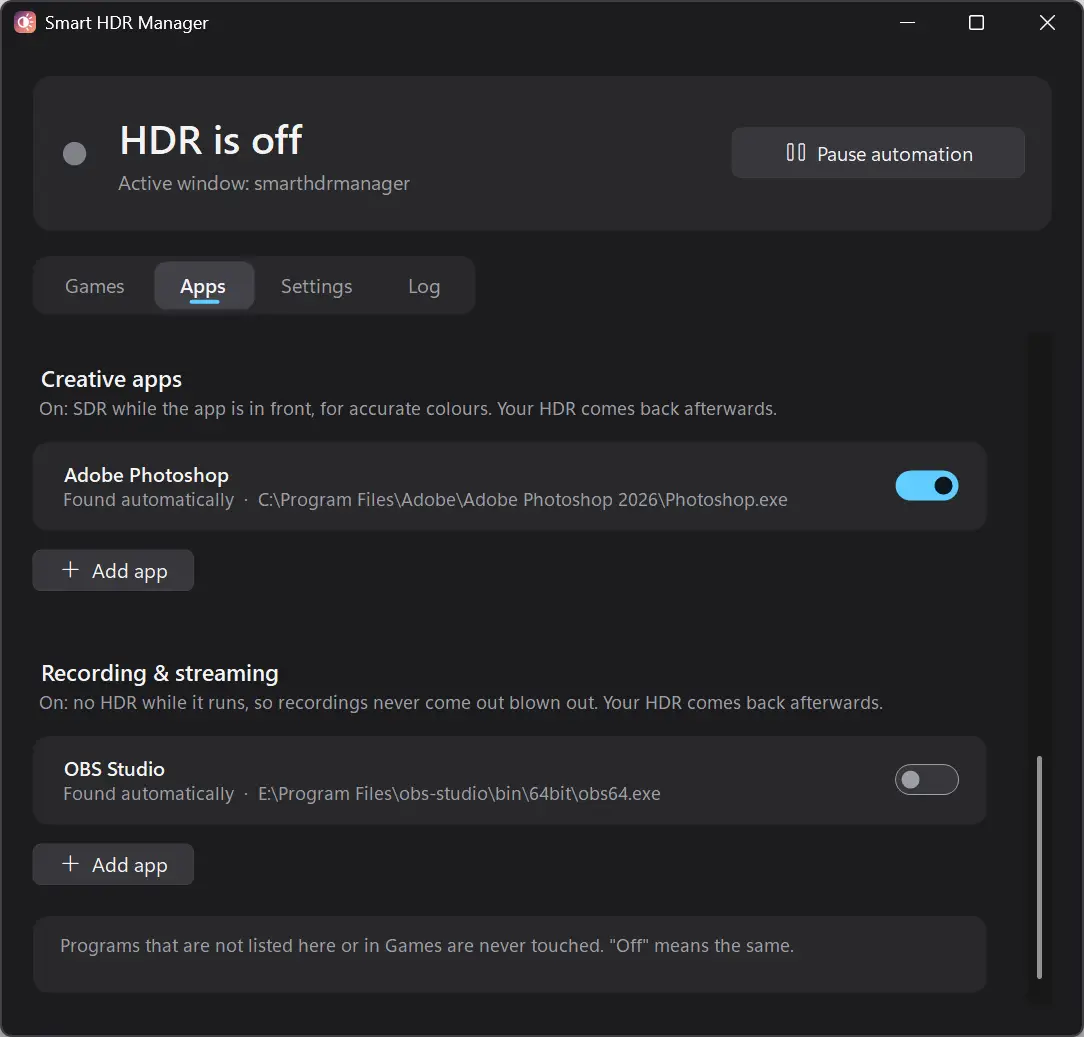
From the “Applications” tab you can choose the applications to manage and define the HDR behavior of each of them.
Smart HDR Manager is available for free on GitHub. Simply download the corresponding ZIP file to your PC and then unzip it to a folder.
If you don’t know which version to choose, download the one marked win-x64-standalone. It works without having to install .NET on your PC.
Then start the SmartHdrManager.exe file. The software is portable, so it does not require any installation. You can also set it to start automatically with Windows.
Just keep in mind that Smart HDR Manager is still in beta and its executable is not digitally signed. Therefore, Windows SmartScreen may display a warning when it starts for the first time.