Like every second Tuesday of the month, Microsoft has just published its traditional Patch Tuesday for Windows 11. On October 13, 2026, several cumulative updates will be available to fix security flaws, resolve some bugs, and bring new features to the system.
Windows 11 24H2, 25H2, and 26H2 users receive the KB5127648 update, while those still using Windows 11 23H2 can install KB5126653.
But this Patch Tuesday is also a little special as it is the latest security update for Windows 11 24H2 in its Home and Pro editions. Microsoft is officially ending its support today.
Let’s see what these updates bring and how to install them.
Windows 11 welcomes new emojis and several improvements
With this October Patch Tuesday, Microsoft integrates the new features of the optional update KB5124010 released on September 22. If you haven’t installed it, you’ll find several changes in Windows 11, especially in File Explorer and System Settings.
To start, Windows 11 is now supported Unicode 17.0 emojis. Seven new emojis appear in the panel accessible with the keyboard shortcut windows + .. There is no revolution here, but there are some additional characters for your messages.

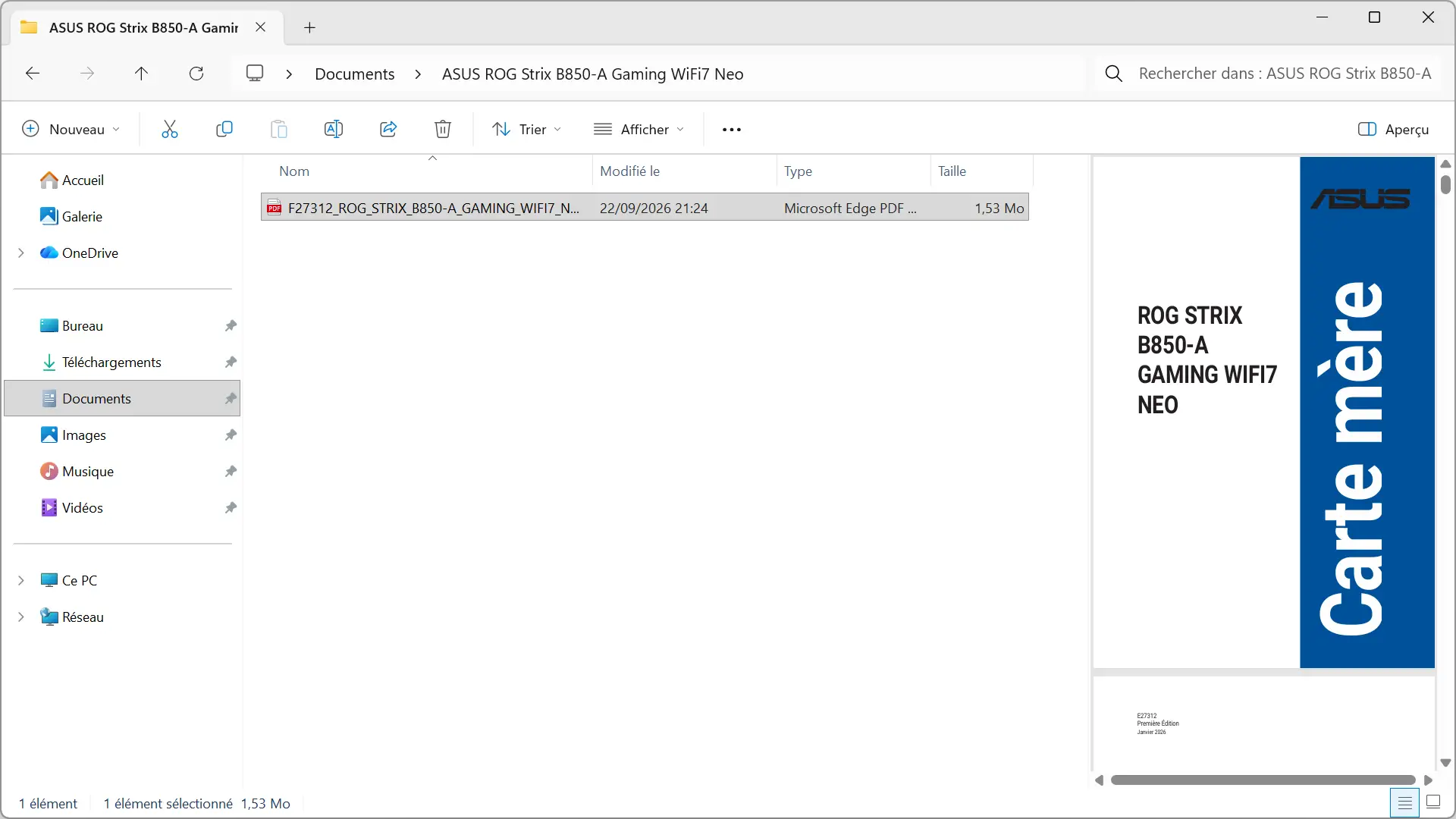
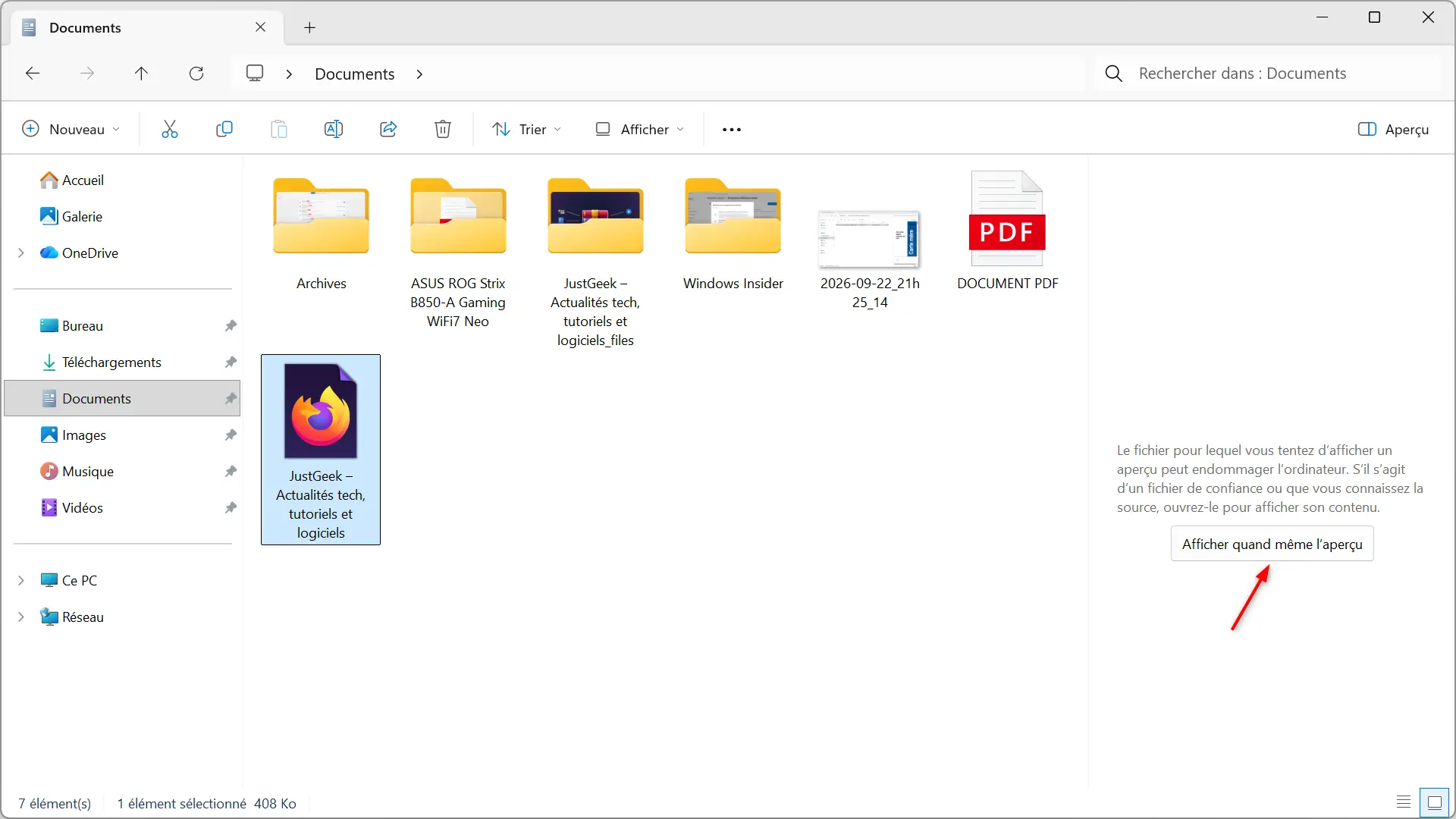
File Explorer also receives several improvements. PDF files downloaded from the Internet can be previewed directly, while a button allows HTML files to be previewed after a security warning. The home page now retains the state of the “Favorites” and “Recents” sections when you close Explorer.
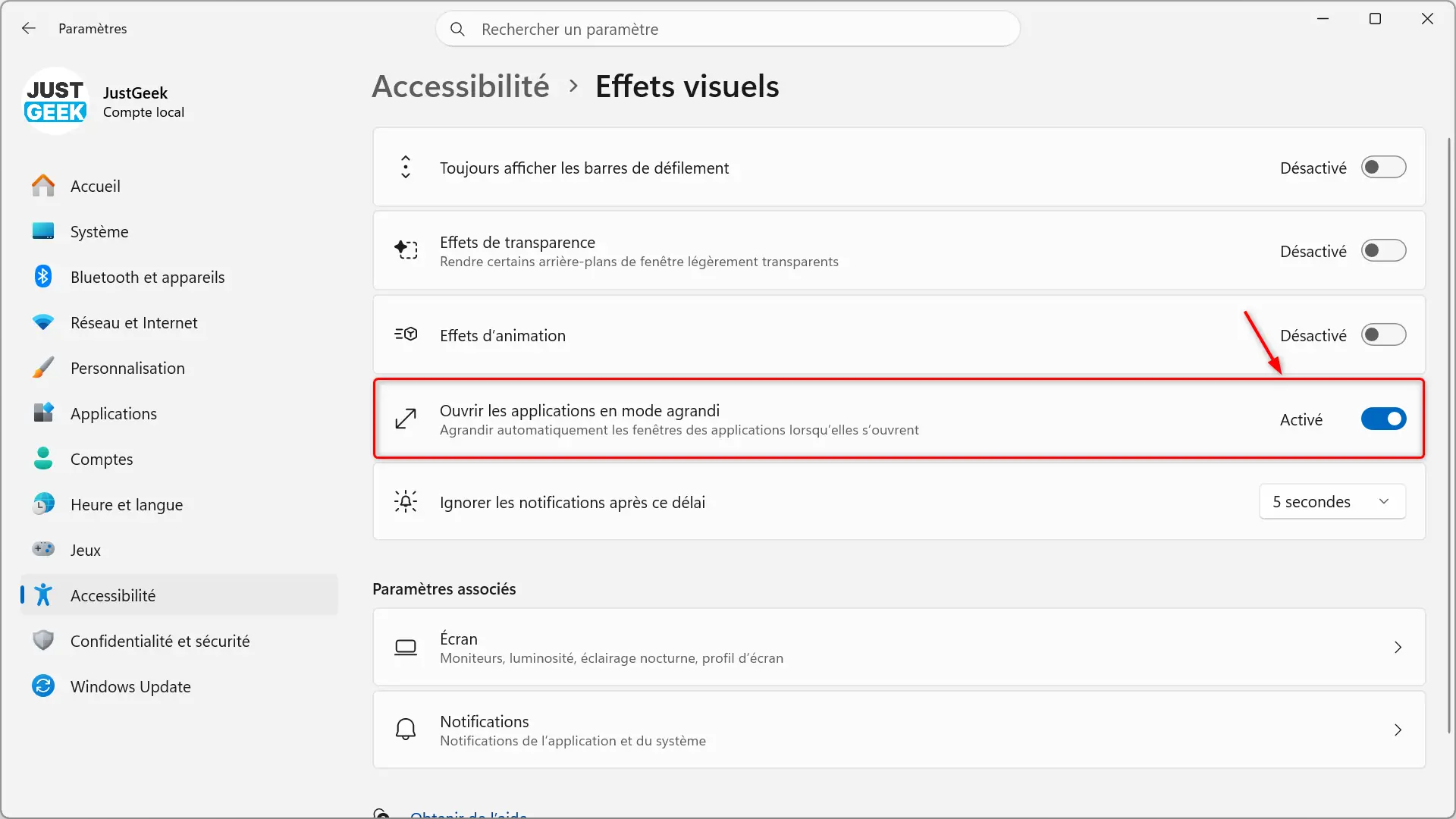
The changes continue in Windows 11 settings, with the ability to remap the Copilot key on supported keyboards to function as the right Ctrl key or context menu key. Precision touchpads feature two new scroll gestures, while an accessibility option lets you automatically open apps in maximized windows.
Other new features concern widgets, Windows Magnifier, and even saving photos from a smartphone to OneDrive. We had already presented them in more detail in our previous article dedicated to KB5124010.
And as usual with Windows 11, some of these new features are rolling out gradually. Therefore, they will not necessarily be visible immediately after installing the update.
Various bugs fixed in Windows 11
In addition to the new features presented above, Microsoft is taking advantage of this Patch Tuesday to correct several problems encountered by certain Windows 11 users.
the update KB5127648intended for versions 24H2, 25H2 and 26H2, it provides in particular the following fixes:
- File Explorer : In certain multi-user environments, especially with Azure Virtual Desktop or FSLogix, Explorer might crash repeatedly after signing in, sometimes resulting in a black screen.
- video games – A bug could cause jerking during mouse movements in certain games.
- Windows Hello – Fingerprint connection could no longer work after a cold boot of the PC.
- Impression : Some applications were experiencing printing issues, particularly with RAW or Generic Text Only drivers.
- Audio : AC-3 format audio playback may fail in some applications.
- Always on VPN : Some VPN connections may get stuck on “Connecting” or refuse to connect after installing the September update.
- Storage : Some Storage Spaces Direct virtual disks might become inaccessible after installing previous security updates.
Windows 11 23H2 users are not forgotten. with the update KB5126653In particular, Microsoft fixes an issue with File History, which could prevent backups and restores to an external drive or network location. Windows might then ask to reconnect the drive, even if it was connected correctly.
Finally, both updates introduce new auditing mechanisms and optional security controls for ReFS volumes located on external media. Microsoft also continues to roll out new Secure Boot certificates, intended to replace those that expire in 2026.
What security vulnerabilities are addressed?
Like every month, this Patch Tuesday fixes several security vulnerabilities in Windows 11. At the moment, Microsoft has not yet published all the information that allows an accurate assessment of the fixed vulnerabilities.
Therefore, we will update this article as soon as details are available, including the number of bugs fixed and their severity level.
A known issue with some USB audio devices
Not everything is perfect with this update yet. Microsoft reports that an issue may affect some USB audio devices after installing KB5127648 on Windows 11 24H2, 25H2, and 26H2.
In some cases, affected devices may not boot correctly or may no longer produce sound. Microsoft has identified this malfunction and mentions it in the update’s known issues.
On the other hand, for Windows 11 23H2, Microsoft indicates that it currently has no problem with KB5126653.
Like all Patch Tuesday updates, KB5127648 and KB5126653 are required and will be downloaded and installed automatically by Windows Update.
You can also manually search for their availability:
- open them Settings Windows 11 with the keyboard shortcut windows + Yo.
- See you at Windows Update.
- Click ” Check for updates “.
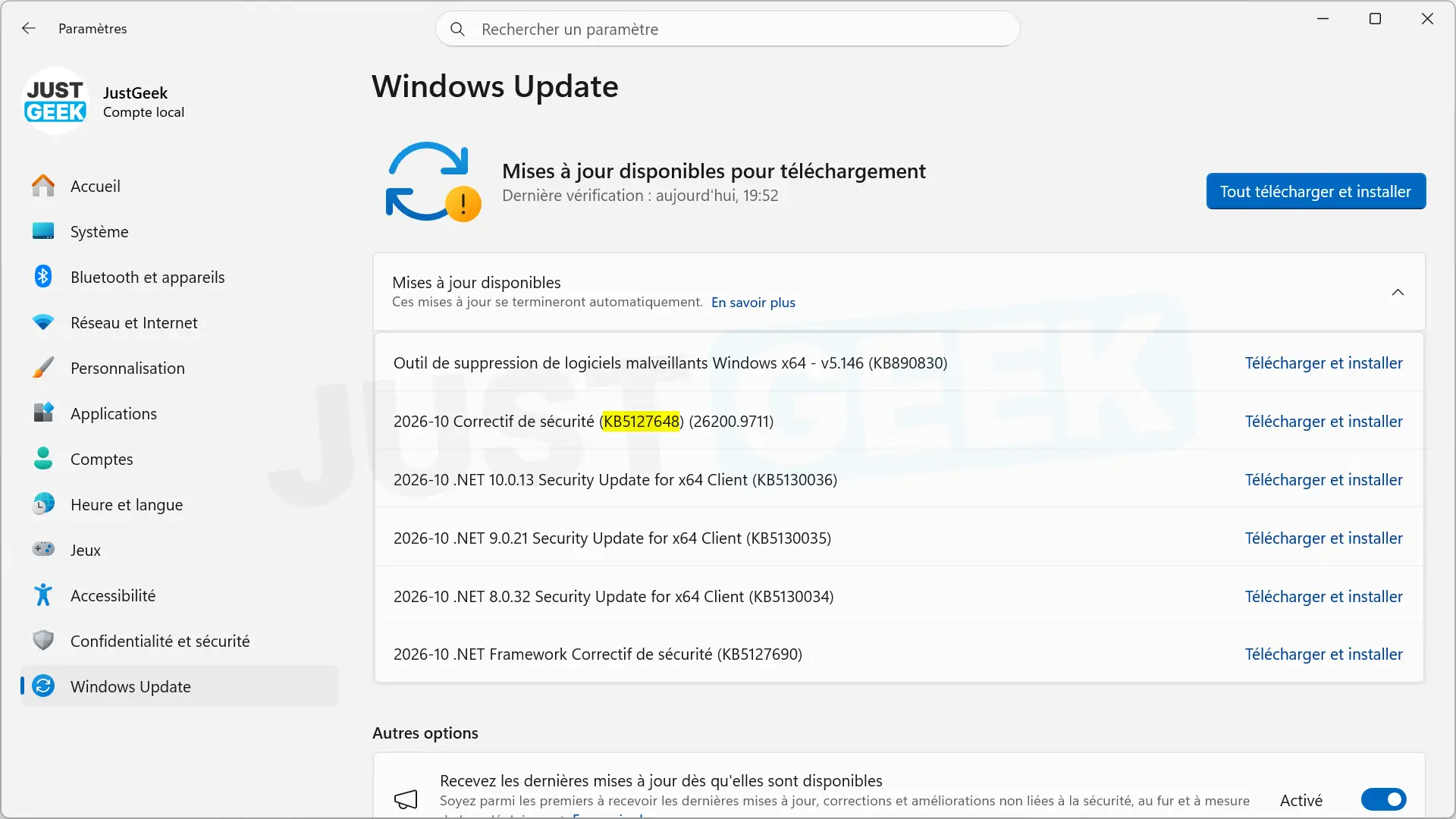
Once the installation is complete, you will need to restart your computer to apply the changes.
If you prefer to perform a manual or offline installation, the MSU files are also available in the Microsoft Update catalog.
| System | Update | Architecture | Size | Download link |
|---|---|---|---|---|
| Windows 11 26H2 | KB5127648 (26300.9711) | x64 | 5,062.9MB | Discharge |
| Windows 11 26H2 | KB5127648 (26300.9711) | ARM64 | 4,906.0 MB | Discharge |
| Windows 11 25H2 | KB5127648 (26200.9711) | x64 | 5,062.9MB | Discharge |
| Windows 11 25H2 | KB5127648 (26200.9711) | ARM64 | 4,906.0 MB | Discharge |
| Windows 11 24H2 | KB5127648 (26100.9711) | x64 | 5,062.9MB | Discharge |
| Windows 11 24H2 | KB5127648 (26100.9711) | ARM64 | 4,906.0 MB | Discharge |
| Windows 11 23H2 | KB5126653 (22621.7652) | x64 | 1,166.3MB | Discharge |
| Windows 11 23H2 | KB5126653 (22621.7652) | ARM64 | 1,321.5MB | Discharge |